Doppler shift compensation
SDR signal sources (like FCD+, RTL-SDR, etc.) have built-in functionality of Doppler shift compensation with help of GPredict software (available for Linux and Windows operating systems).
The idea is to capture bandwidth wide enough to cover Doppler effect shift (about +/- 15 kHz) without SDR center frequency tuning (it could lead to undesired spurious signals during the re-tuning and acquiring the PLL). Hence, mixing is done in software.
- Install GPredict software for your platform
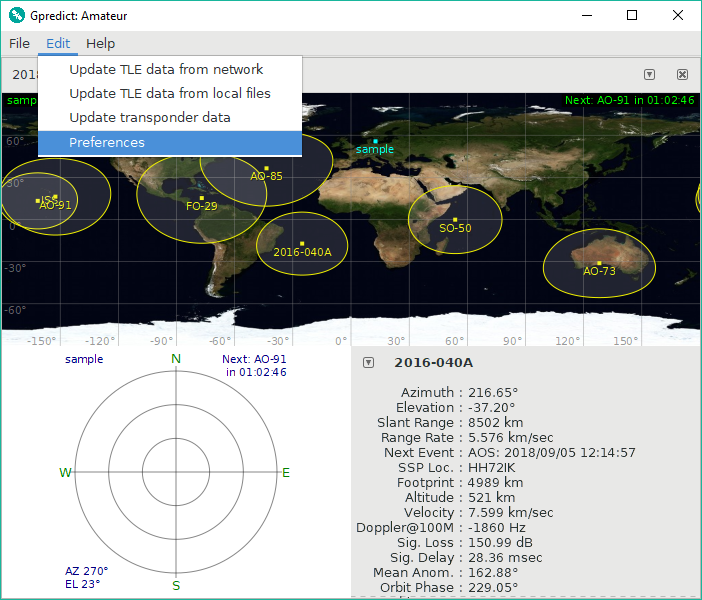
- Go to Preferences -> Interfaces -> Radios and click "Add new" button:
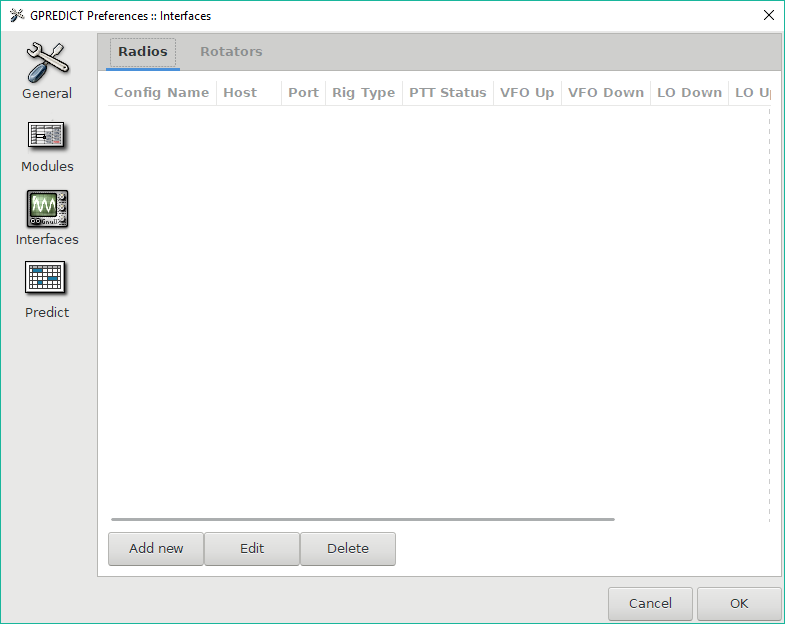
- Set
Host: localhostandPort: 4532and click OK button:
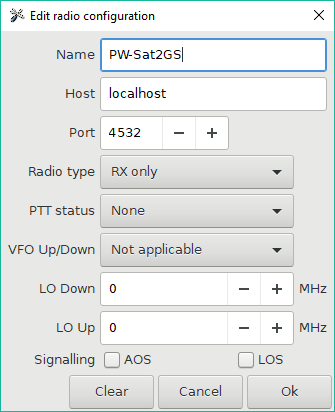
Radio entry should be on list:

Close the window clicking OK button.
- In main window launch "Radio control":
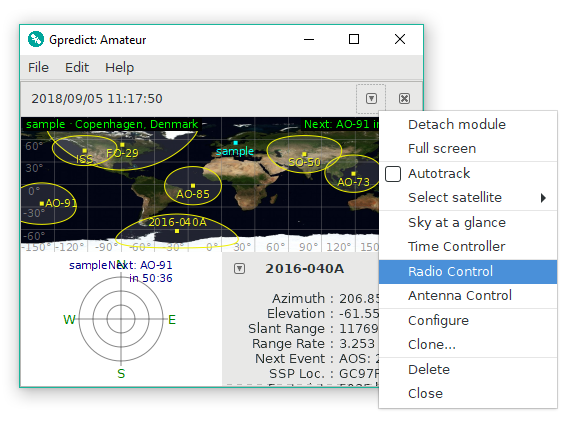
- Configure "Radio control" window:
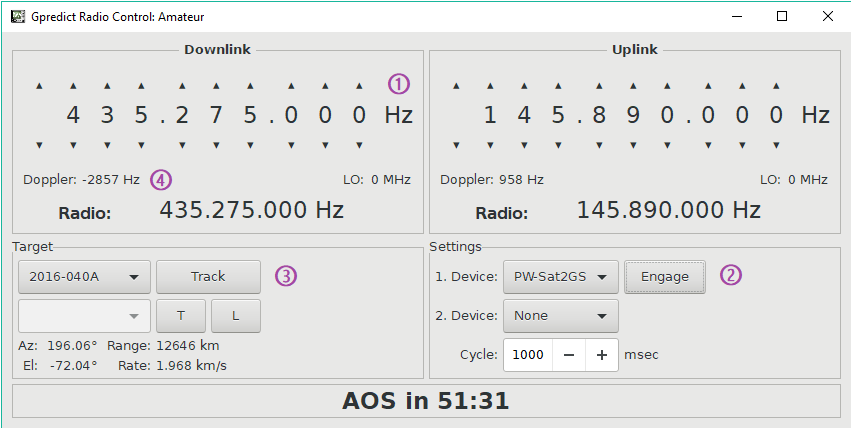
① Set PW-Sat2 frequency: 435.275 MHz - it must be strictly 435.275 MHz because signal sources works assuming this frequency in GPredict is set. Otherwise Doppler correction will be incorrect!
② Set from dropdown list 'radio' defined in 3rd step. Make sure that you have launched signal source. Then click "Engage" button.
③ In Target section select PW-Sat2 and click "Track". (Make sure that you have loaded PW-Sat2 TLE)
④ Compare Doppler indication in GPredict Radio Control and Signal source window. Should be the same and update in 1 s rate.