Testing SSB USB signal source
In this option your radio with SSB-USB demodulator will be mocked (replaced) with SDR# software. It has an option to play IQ file saved in wav file. Then, IQ signal can be demodulated using its SSB-USB demodulator - demodulated signal is pointed to your system sound card and should be similar to the output of your radio receiver. Then, audio stream from SDR# can be captured by SSB-USB signal source in HAM Desktop Software.
Step-by step instruction:
- Download and install SRD# (SDRSharp) software - https://airspy.com/download/
- Install VB-Cable (https://www.vb-audio.com/Cable/) - it's a virtual cable that connects your sound card output and input - so the audio form SDR# can be directed to virtual line in.
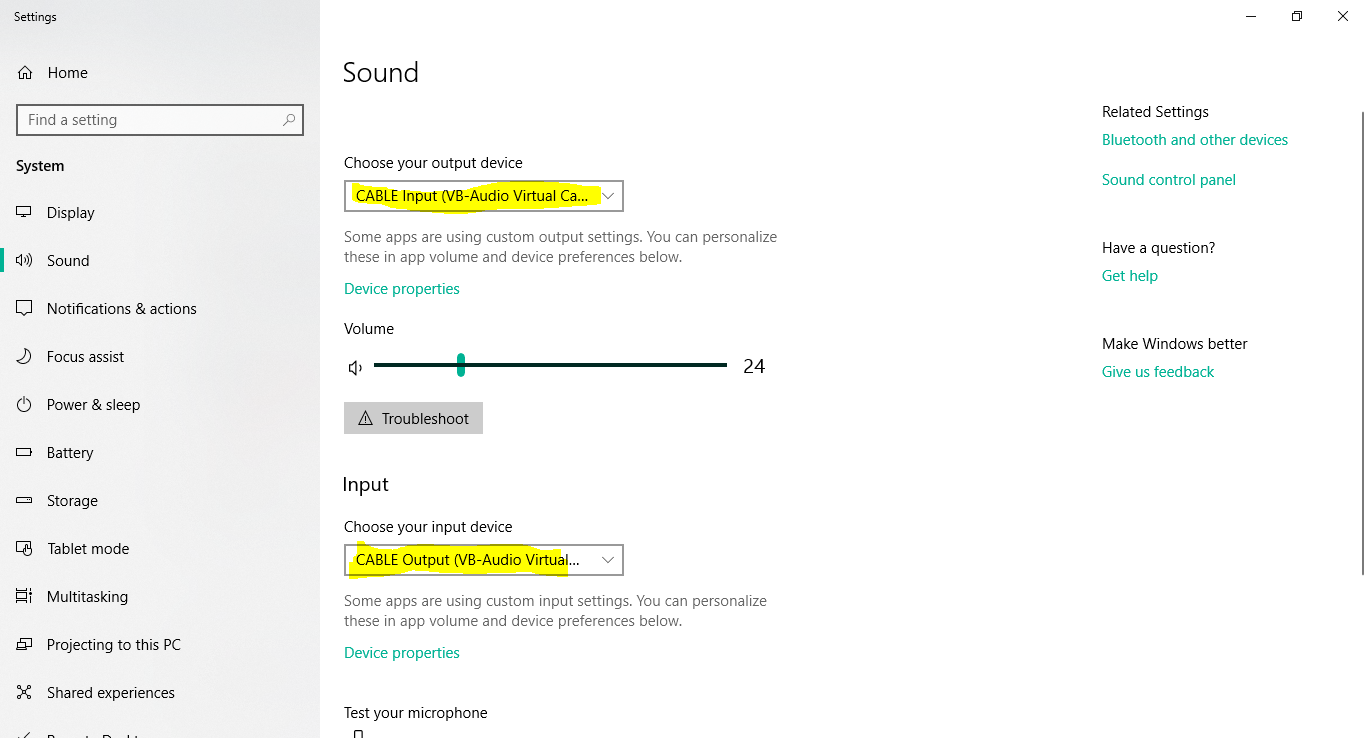
- In Windows sound settings set virtual cable as playing and recording devices:
- Download test IQ wav file
- Open the file in SDR# using
IQ File (*.wav)option and click play button: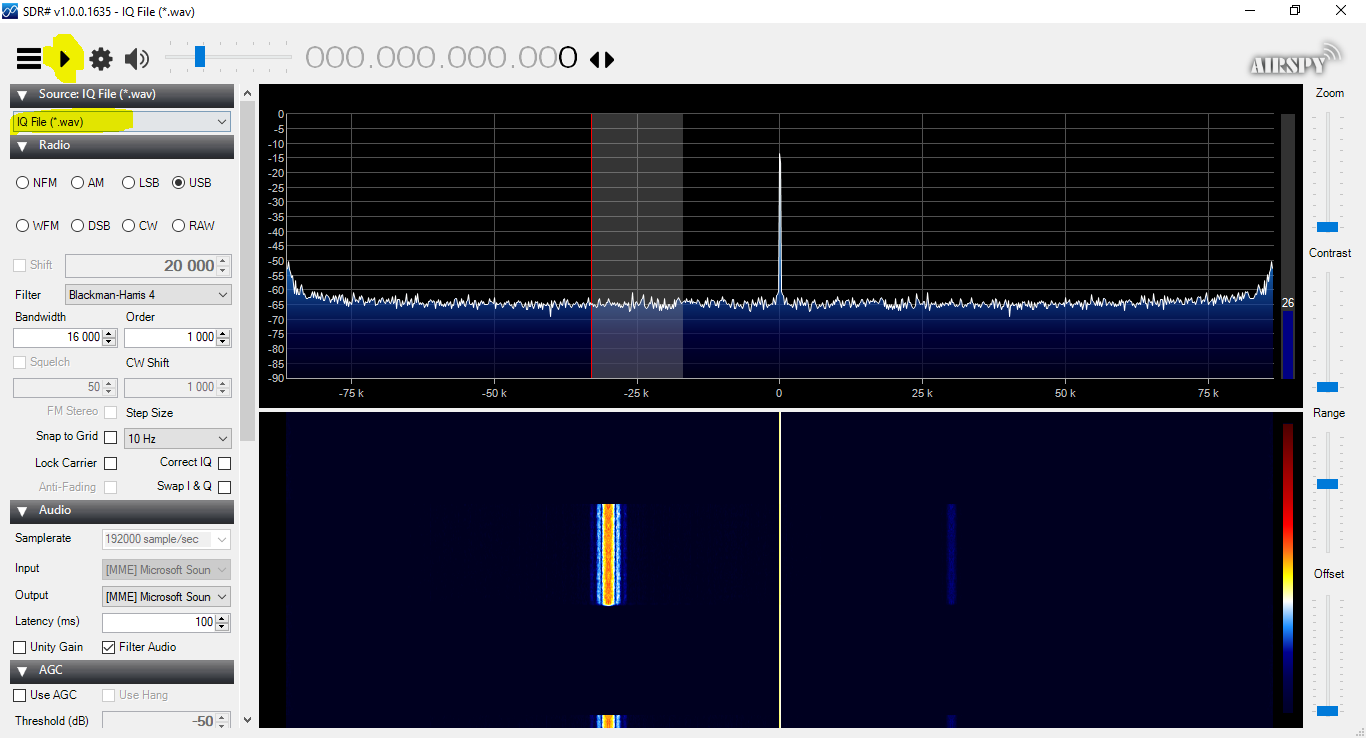
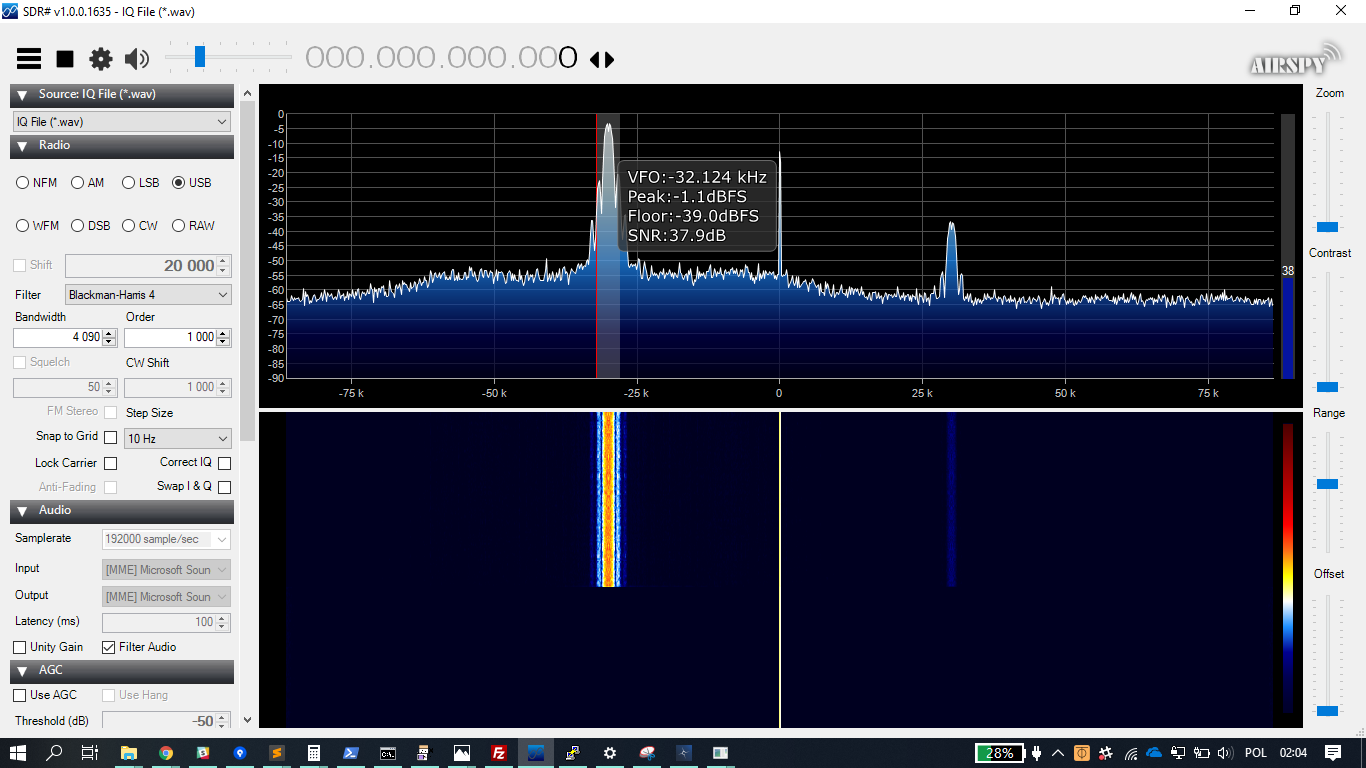
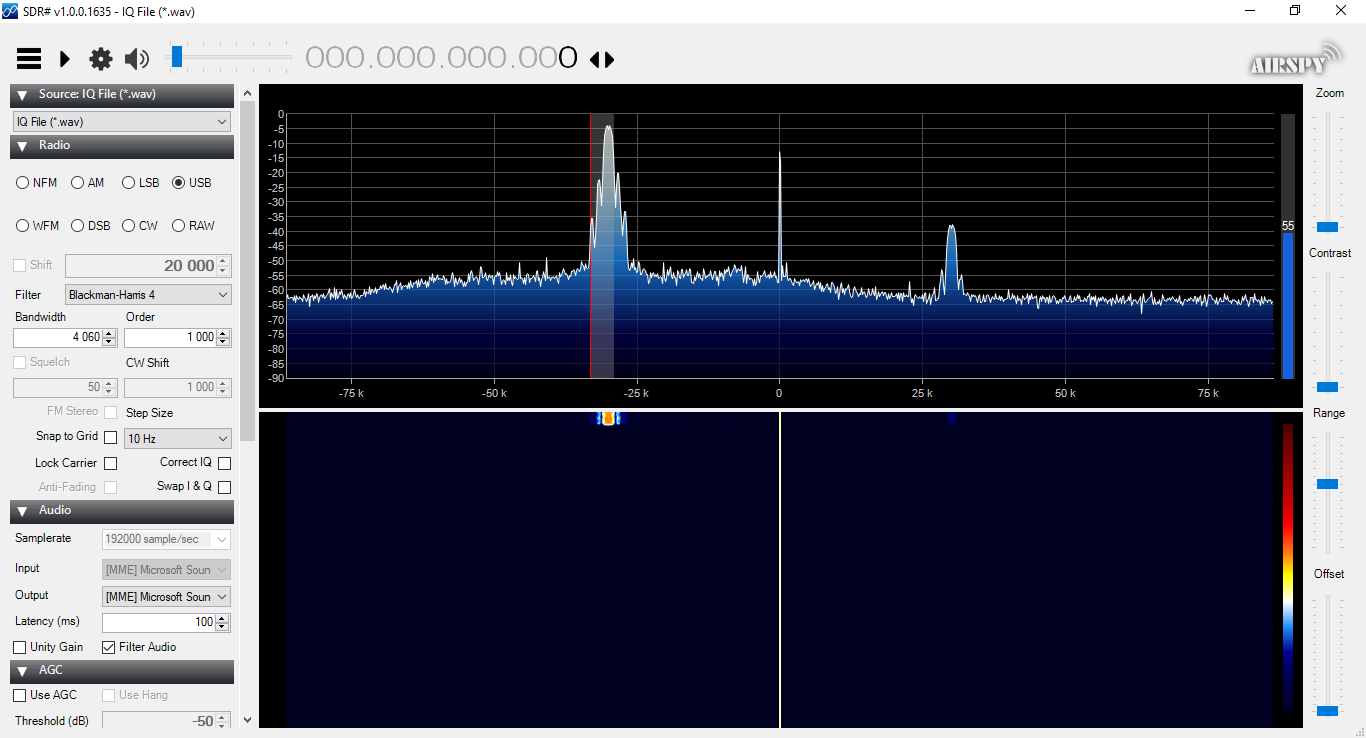
- PW-Sat2 frequency (435.275 MHz) is at -30 kHz frequency. Since typical SSB radio has a filter of about 4 kHz (or a bit wider) width, to catch all signal within the band we have to set center frequency of SDR#/radio about 2-3 kHz below PW-Sat2 center frequency. In this case we have to set SDR# center frequency at -33 kHz, because PW-Sat2 center frequency is at -30 kHz. Adjust window bandwidth to about 4 kHz.
- Run PW-Sat2 HAM Desktop Software and choose SSB-USB audio in source - set proper frequency offset - in our case 3 kHz. Accept popup window by clicking OK.
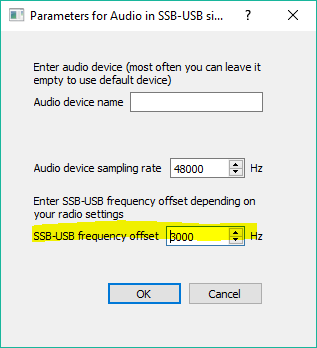
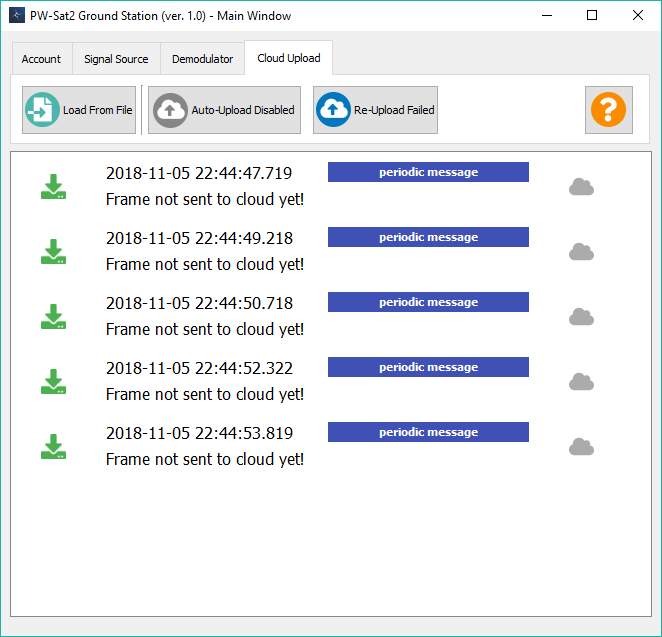
- Run Demodulator in HAM Desktop Software - you should be able to see decoded frames in Main window of the application. You can tune parameter in case of problems (offset, bandwidth).
Another option is to play attached audio file that should be similar to a signal from your TRX with SSB-USB demodulator enabled. Baud rate of the PW-Sat2 downlink was set to 1200 bps.
Signal was demodulated using SDR# built-in USB demodulator (center frequency 3 kHz below PW-Sat2 center frequency, bandwidth 4 kHz). Settings are shown below:
Download audio file: 1200_bps_audio_ssb_usb_demodulated.wav
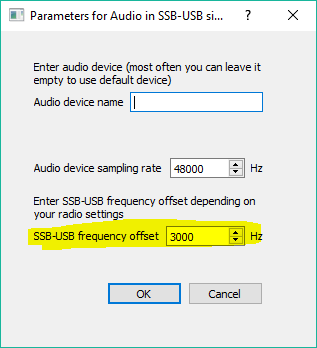
Parameters for Audio USB-SSB source (offset 3000 Hz):
- Install VB-Cable (https://www.vb-audio.com/Cable/) - it's a virtual cable that connects your sound card output and input - so the audio form SDR# can be directed to virtual line in. Of course you can use physical cable connecting your audio output and line-in in a sound card.
- In Windows sound settings set virtual cable as playing and recording devices:
- Download 1200_bps_audio_ssb_usb_demodulated.wav
- Play the file by your favorite media player.
- Run PW-Sat2 HAM Desktop Software and choose SSB-USB audio in source - set proper frequency offset - in our case 3 kHz. Accept popup window by clicking OK.
-
Run Demodulator in HAM Desktop Software - you should be able to see decoded frames in Main window of the application.
-
You should receive
periodic messageframes: