- Tomorrow Night Eighties inspired themes
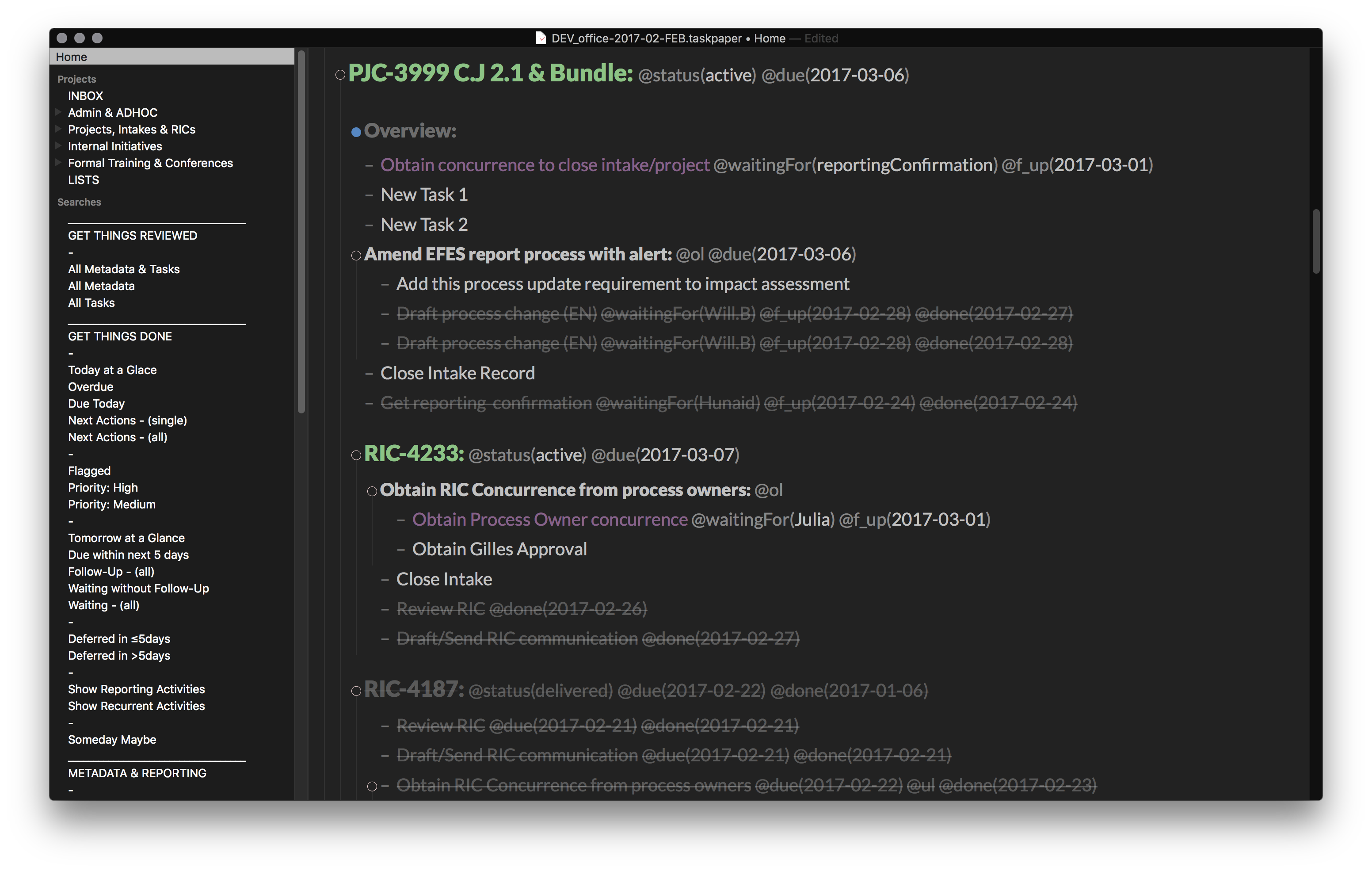
- Omnifocus inspired default searches and tags/contexts
- Cool Scripts to help getting organized faster
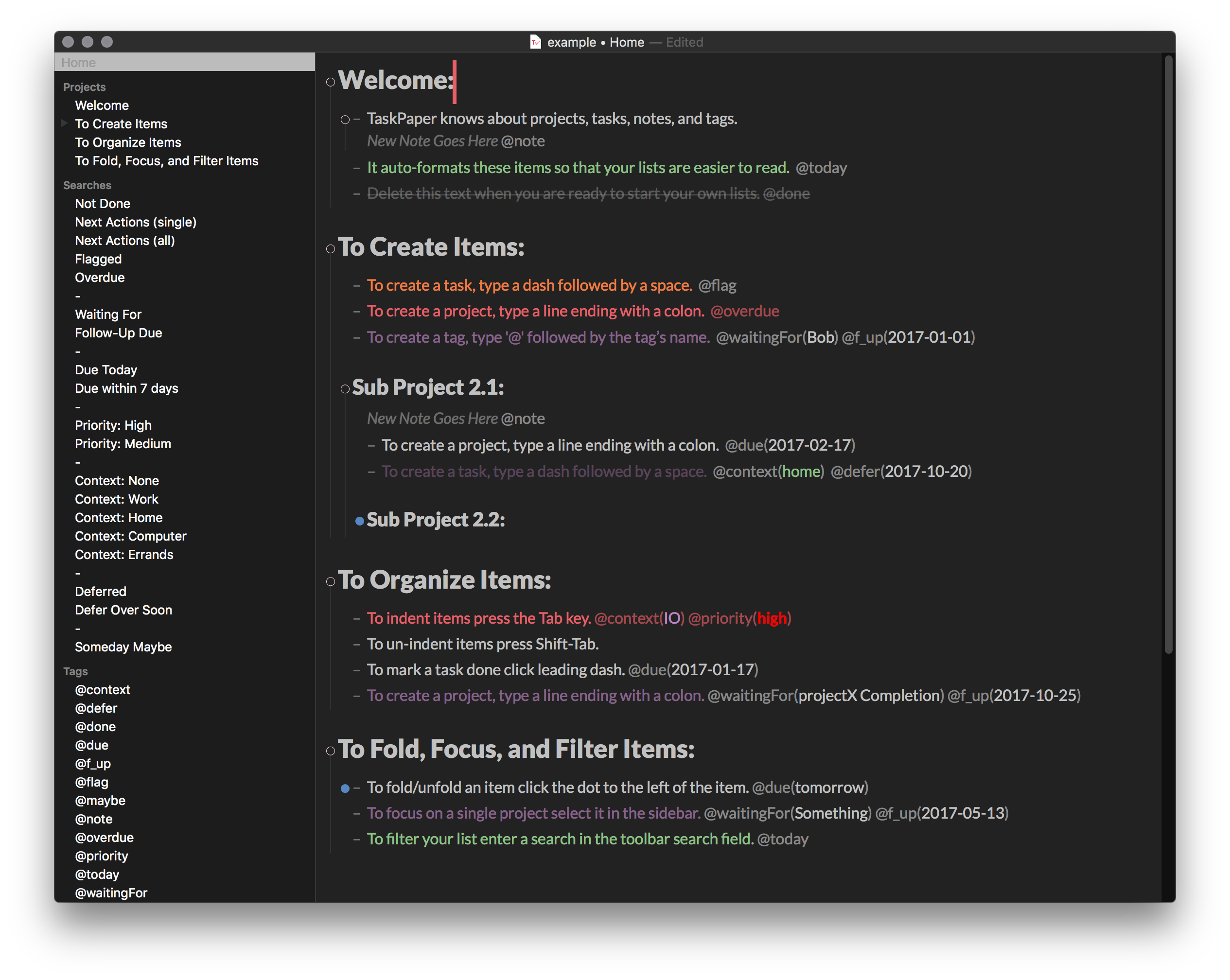
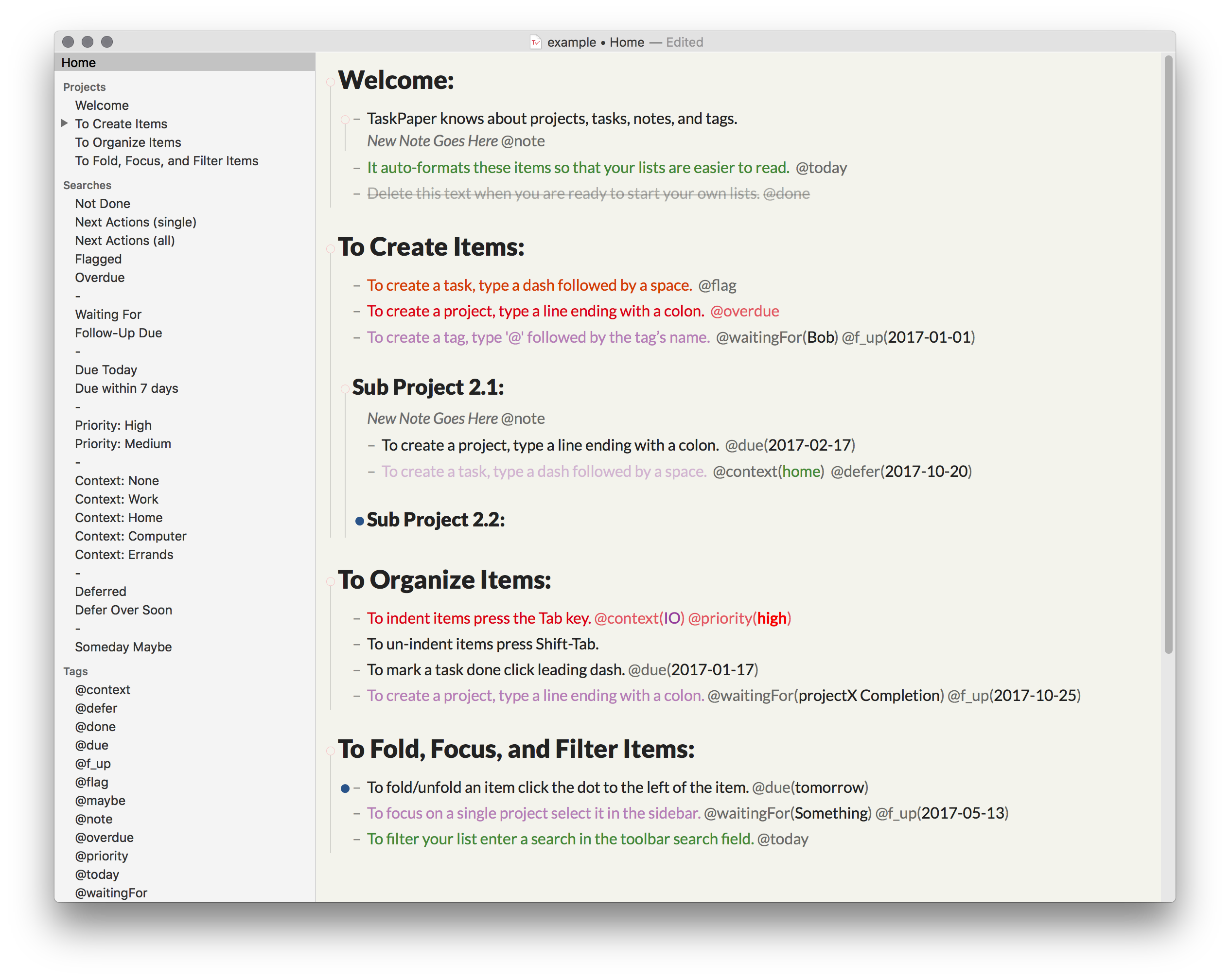
These StyleSheets and Configuration Files for TaskPaper are great if:
- You are a "Tomorrow Night Eighties" theme enthusiast
- You like Omnifocus style default searches
- You like having similar color scheme between your Day/Night time themes
- You need inspirations to build you own theme & config files of yours
- Download the zip and open the zip file
Windowmenu >StyleSheet>Open StyleSheet directory<-- from within TaskPaper- Copy both
.lessfiles from the zipStyleSheetdirectory to the TaskPaperStyleSheetdirectory Windowmenu >StyleSheet>.less<-- also from within TaskPaper
- Download the zip and open the zip file
Windowmenu >StyleSheet>Open StyleSheet directory<-- from within TaskPaper- Go back a level in the
StyleSheetdirectory and open theConfigurationsdirectory- You should now be located in
/Application Support/Taskpaper/Configurations
- You should now be located in
- Copy and overwrite both
searches.taskpaperandtags.taskpaperfiles from the zipConfigurationsdirectory to the TaskPaperConfigurationsdirectory
I recommend backing up the files in
/Application Support/Taskpaper/Configurationsbefore proceeding in case you need to revert to the default settings at a later date.
- Download the zip and open the zip directory
- The scripts and Keyboard Maestro macros are accessible in the
scriptsdirectory from the zip - General script usage instructions are available on TP3 user's guide or TaskPaper support forum.
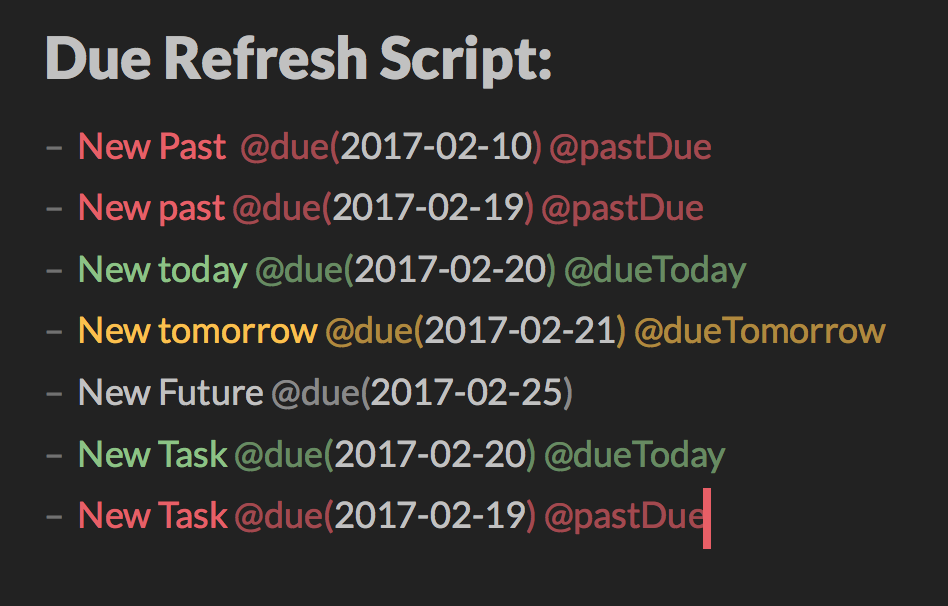
Script that add/amend/remove tags to @dueTomorrow, @dueToday and @pastDue items when the @due tag match the format @due(yyyy-mm-dd). It does more:
- It remove any
@defertags if the tag date expired (ex.@defer(2011-03-02)where the date is <= today) - It does not add @pastDue tags on items tagged with
@done,@status(completed),@status(delivered)or@status(cancelled)
Script that group and sort @done(date) items at the bottom of the project list in ascending order by date. Items with a @status tag are then pushed at the bottom and sorted by ascending @done(date) as well.
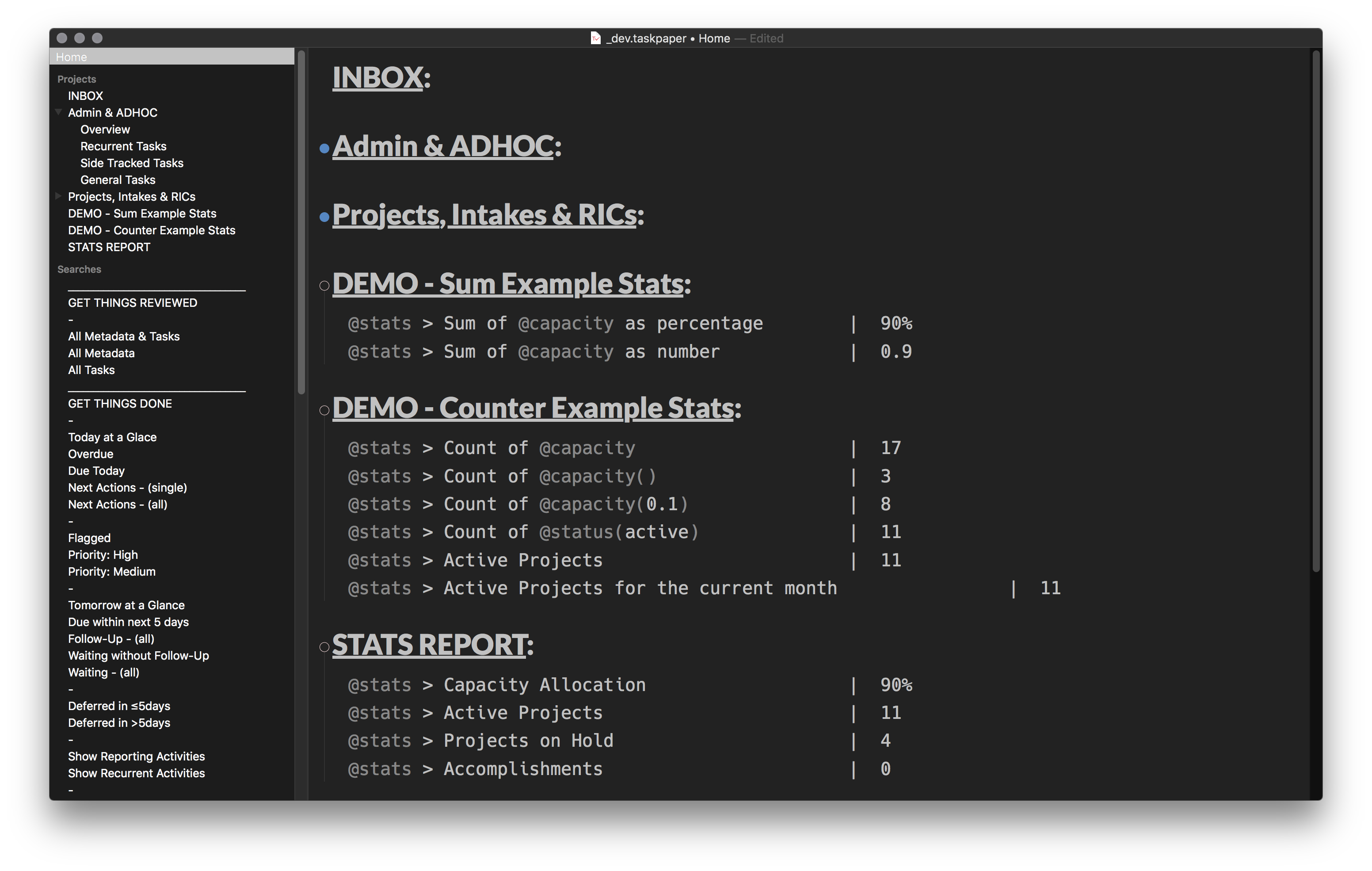
Reporting script that output the count of @tags or @tags(attribute), and/or the sum of @tags(attribute) in appended project(s). Functions descriptions and usage examples are embedded in the script file around line 260. (Start creating and defining your reporting outputs after line 260 of the script file)
Ensure to use one of themes in this Repo OR ensure to append the following scope example at the your [theme.less] files. I recommend the use of a monospace font on the @stats tag to enhance the visual consumption of the output as shown in the output example.
item[data-stats] {
    font-size: @user-font-size;
    font-family: hack; // Hack or any other monospace font
    color: @text-color;
    font-style: normal;
    > run[content] {
        text-strikethrough: none;
        color: @text-color;
    }
    > run[tag] {
        text-strikethrough: none;
        color: fade(@text-color, 65%);
    }
    > run[tagvalue] {
      color: @text-color;
    }
}
Thanks Jesse Grosjean for TaskPaper 3.