
A smart home dashboard for every screen.
Navet turns Home Assistant, Homey, or openHAB into a calmer, room-first interface
for everyday control across wall panels, tablets, desktops, and phones.
Explore the demo · Choose an installation · Read the docs


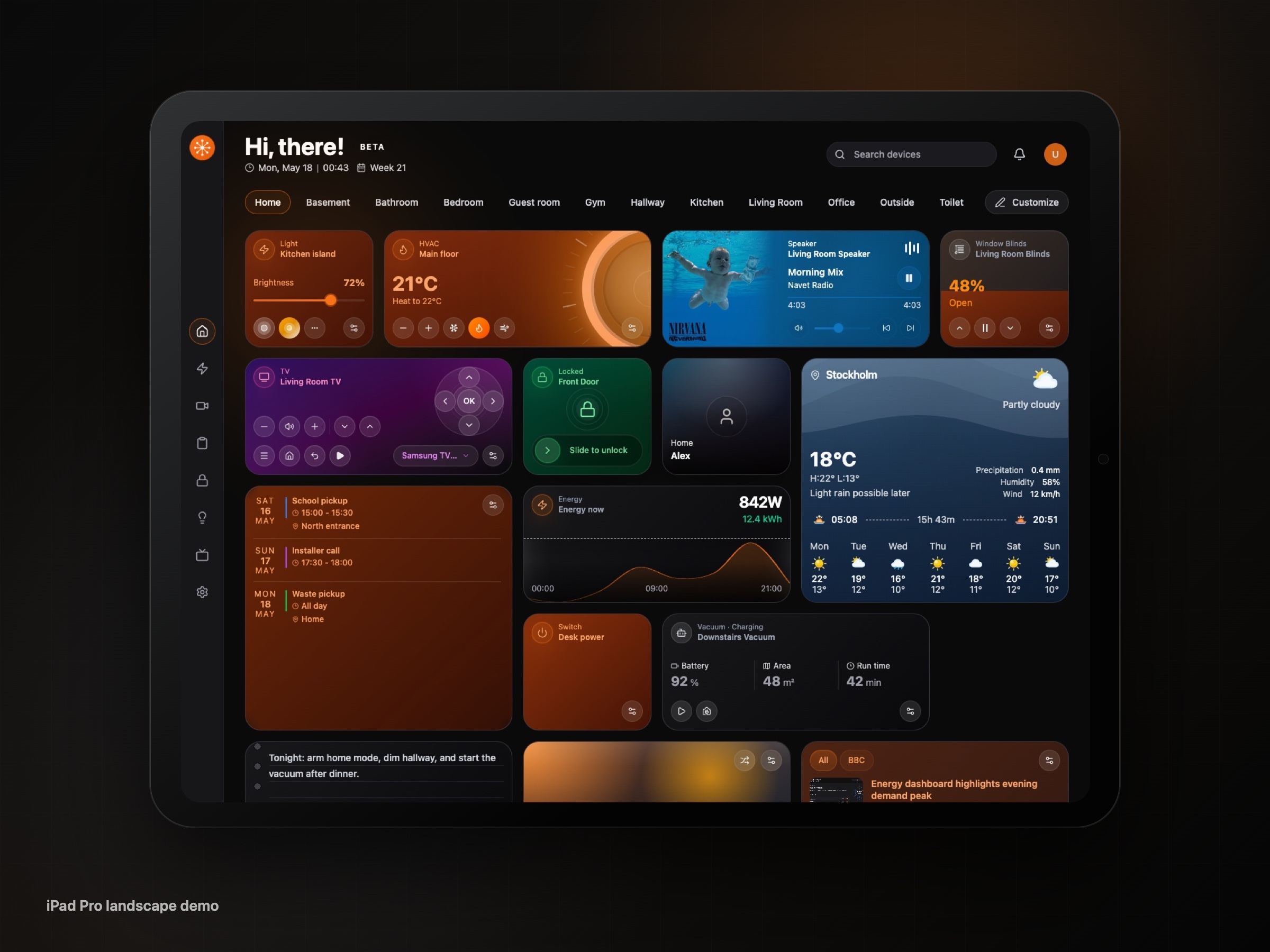
Navet keeps live state and common actions close at hand while your connected platform remains the source of truth. Rooms, lights, climate, media, energy, security, and routines stay easy to reach without making every household member navigate a configuration interface.
- Room-first control. See what matters where it happens, then act without digging through entity lists.
- Familiar across screens. Wall panels, tablets, desktops, and phones keep the same interaction model while the layout adapts to each screen.
- Local by default. Provider data, dashboard state, and credentials stay on your device or server—not on Navet servers.
- Open source. Run it yourself, inspect the code, and help shape what comes next.
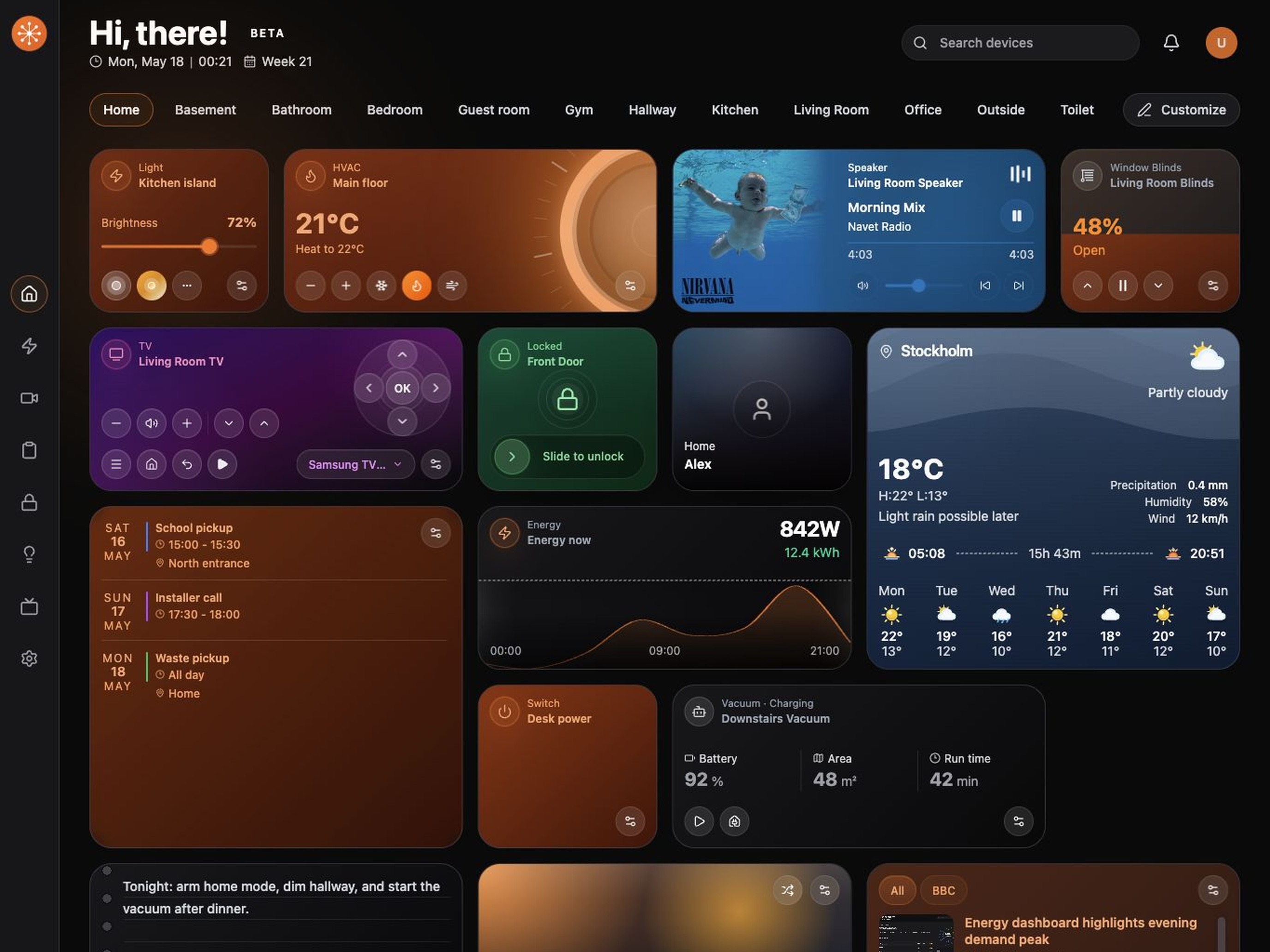
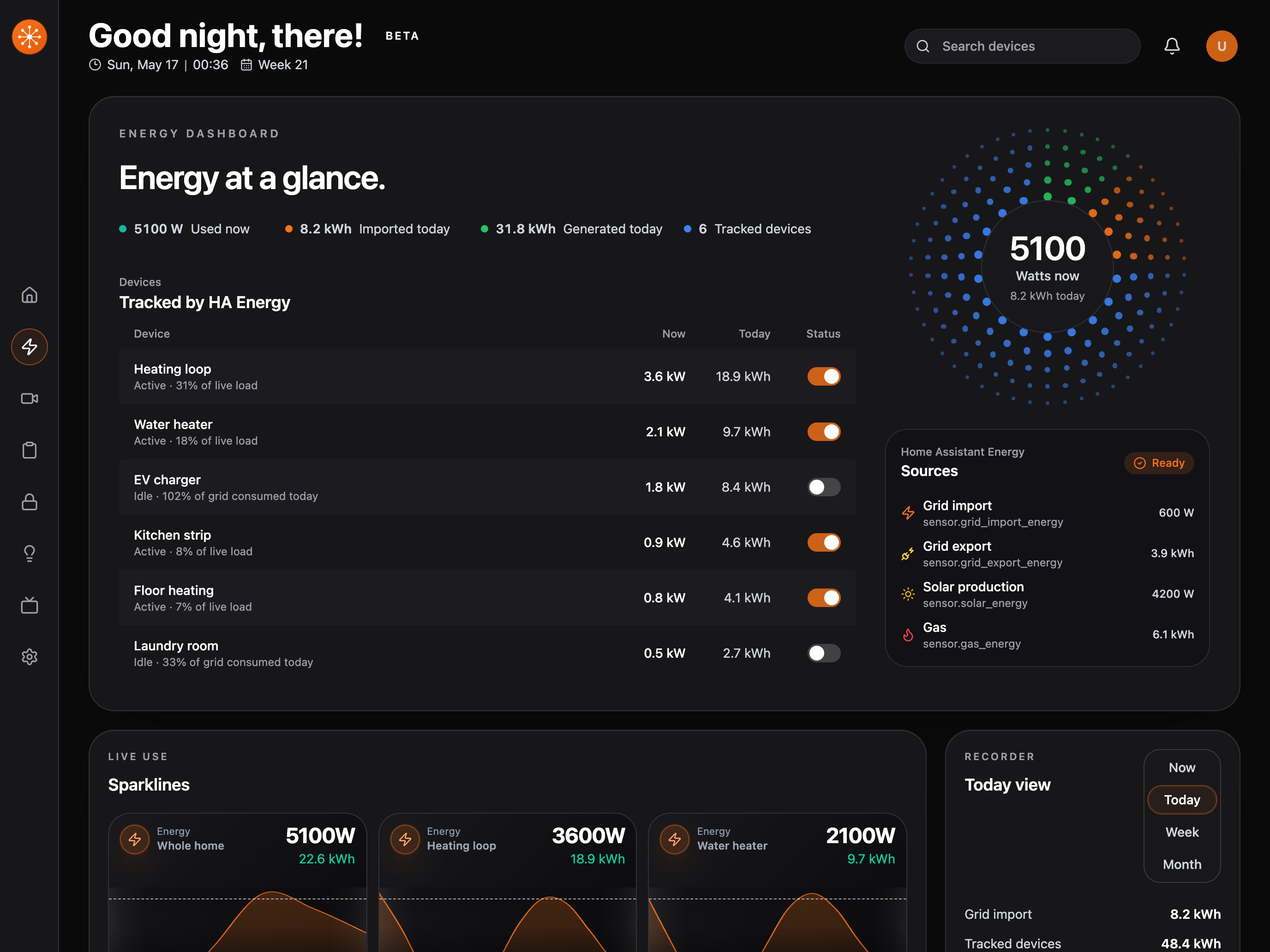
| Home at a glance | Focused energy view | Security without the noise |
|---|---|---|
 |
 |
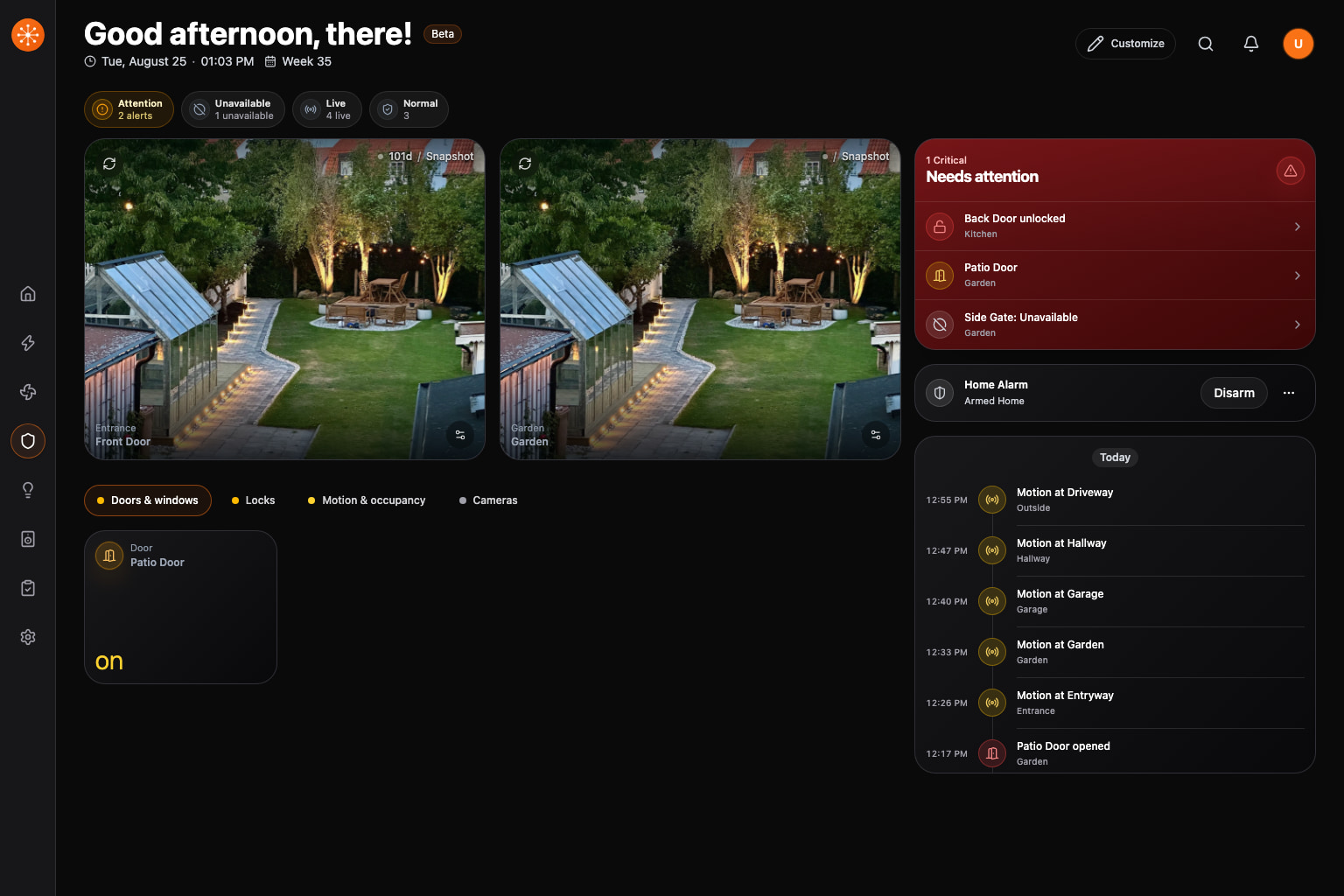 |
Open focused controls for lighting, climate, media, energy, security, and routines when your connected platform supports them.
Shape the Home view around your household with editable layouts, dashboard profiles, widgets, themes, wallpapers, adaptive visual effects, and localization.
| Provider | Current support | Ways to run Navet |
|---|---|---|
| Home Assistant | Navet's broadest integration, including advanced climate, media, camera, energy, weather, calendar, notification, task, history, security, and administration services | Custom panel via HACS, Home Assistant add-on, or standalone |
| Homey | Rooms, realtime entities, lights, switches, and sensors | Standalone; optional additional provider when OAuth is configured |
| openHAB | Rooms, realtime entities, lights, switches, and sensors | Standalone; optional additional provider from Settings |
Standalone Navet can retain connections to multiple supported providers and combine selected providers in shared dashboard collections. Capabilities are not identical: Home Assistant is the most mature integration today. Check the provider capability matrix before choosing a setup for media, cameras, energy, weather, calendars, notifications, or tasks.
Hubitat and SmartThings are planned and are not supported today. Follow the public roadmap for progress.
| If you use… | Start here |
|---|---|
| Home Assistant | Choose a custom panel, add-on, or standalone installation |
| Homey | Connect Navet through the Homey OAuth flow |
| openHAB | Connect Navet to your openHAB instance |
| A development build | Install Navet Dev |
Not sure which route fits? Compare every installation option.
Navet is built for self-hosted smart homes. It does not require a Navet cloud account. Provider data, dashboard state, and credentials stay on your device or server rather than Navet servers.
Standalone Home Assistant logins are isolated per browser profile. Navet keeps each OAuth session
under /data, identifies the browser with an opaque HttpOnly cookie, and never reuses one wall
panel's Home Assistant login for another phone or panel. Signing out removes only that browser's
session; shared dashboard settings remain a separate concern from provider credentials. After the
Home Assistant authorization page closes, dashboard requests, token renewal, and provider-managed
HTTP camera resources use Navet's same-origin proxy instead of requiring every browser to reach
the container's Home Assistant address. If startup cannot restore that browser session, the
recovery screen can retry the connection or return to login for a fresh sign-in.
The Home Assistant add-on is Ingress-only so its trusted Home Assistant user headers are never accepted from a directly exposed add-on port. Use standalone Docker for direct browser access and per-browser OAuth sessions.
A public deployment is still a sensitive control surface. Use HTTPS, least-privilege provider accounts, and the guidance in the security policy.
Please report vulnerabilities privately to security@navet.app rather than opening a public issue.
Navet is an AGPL-3.0 open-source project. Whether you want to fix a bug, improve a provider, refine the dashboard, or document a setup, start with the contribution guide.
git clone https://github.com/awesomestvi/navet.git
cd navet
pnpm install
pnpm dev
Prerequisites: Node.js ^20.19.0 or >=22.12.0, pnpm 11, and Git.
Repository architecture
Navet is moving toward provider-neutral core and UI packages, provider-owned adapters, and an official app-composition layer:
packages/
  core/                       provider-neutral contracts and runtime types
  ui/                         target provider-neutral shared UI boundary
  provider-homeassistant/     Home Assistant adapter
  provider-homey/             Homey adapter
  provider-openhab/           openHAB adapter
  provider-hubitat/           planned provider surface
  provider-smartthings/       planned provider surface
  app/                        dashboard and app composition

apps/
  standalone/                 standalone application
  ha-panel/                   Home Assistant panel wrapper
  demo/                       public product demo
  website/                    navet.app
  docs/                       docs.navet.app
  storybook/                  shared UI review surface
Much of the current shared UI implementation still lives in packages/app/src/components/* and
packages/app/src/ui-kit/*; @navet/ui is the target shared boundary rather than a claim that the
extraction is already complete. Read the repository documentation map before
making architecture changes.
Navet is an independent community project. It is not affiliated with, sponsored by, or endorsed by Home Assistant, Homey, openHAB, or the organizations behind them. Use Navet at your own risk, and review the installation and security guidance before connecting it to your home.
AI tools support parts of Navet's design, implementation, documentation, review, and testing workflow. They give maintainers more leverage across a complex codebase, but they do not set the architecture or replace maintainer judgment. Human maintainers remain responsible for product decisions, technical direction, and what is merged.
AI-assisted changes are held to the same review, testing, compatibility, and security expectations as any other contribution. Provider-specific work must follow the relevant platform documentation and behavior while preserving Navet's provider-neutral architecture. AI output can still be wrong; please report anything that does not work as documented.
Navet is licensed under the GNU Affero General Public License v3.0. If you run a modified version for users over a network, the AGPL requires you to make the corresponding source available to those users. See the terms of use and trademark policy for details.