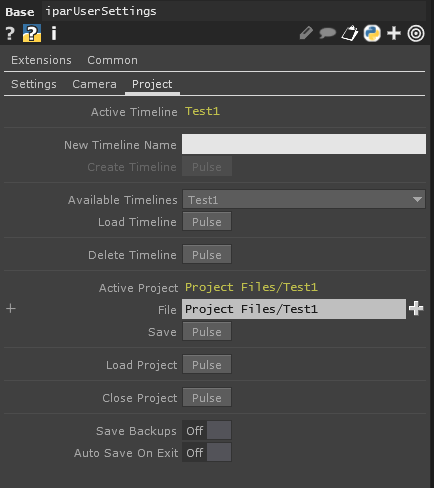
How To Save Your Timeline Project
TD-MTL has a saving system in place so you can externally save your timelines. The structure is as follows-
-
- Timeline Data
- User Data
-
- Global User data
-
- OS, TD Version, TD-MTL Version, etc
So how do you save your project?
Our project panel is available when you click the background of the timeline. The Active project is shown under Active Project. Hitting save or Ctrl+s saves the project to the path listed under "File", Not Active Project, which I admit is a bit confusing.
Load Project will load the project that is listed under File