Quick monster upgrade in towns #4063
Conversation


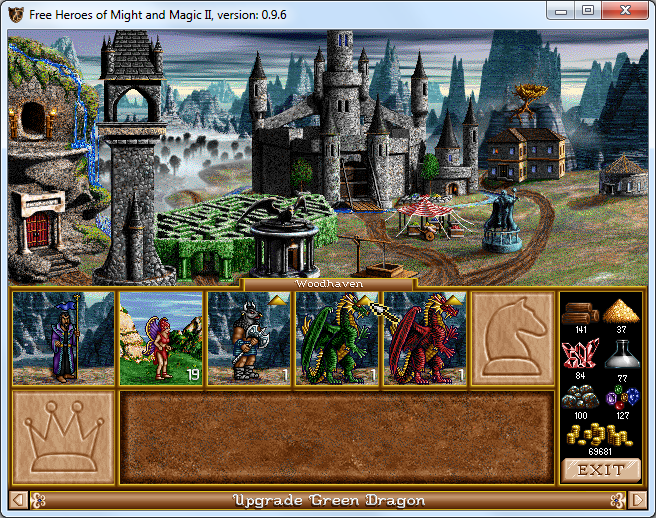
If an army troop is located in a town that provides a possibility to upgrade
them, display a quick upgrade button on the troop sprite.  Clicking the button
invokes the upgrade troop dialog directly.

|
To my taste, this change touches a bit too many places, but I haven't found a more direct way to achieve the same effect so far. |

|
Screenshot: |

Co-authored-by: github-actions[bot] <41898282+github-actions[bot]@users.noreply.github.com>

|
Hi @a1exsh , I like your great enthusiasm about new ideas but we usually make a discussion at least between members of our team before implementing new things. Please next time propose your idea first in discussion topic :) @Branikolog , @oleg-derevenetz and @LeHerosInconnu, could you please check this change and express your opinion about it? |
Update parameter name
|
@ihhub I'm just using it as an opportunity to study the code ;) I'm going to play a locally modified version for my convenience anyway |


|
Hello everyone,
It is not yet possible to try the change. |

|
Hi all. |
|
Hello @Branikolog,
This is not to upgrade all creatures at once, but to visually indicate which troops can be upgraded. |
Oh, sorry for my slight misunderstanding... |
|
Yes, what is implemented here is a small "up" arrow in the top-bottom corner of an upgradable troop. Clicking on that arrow opens the upgrade dialog directly without going through army dialog first where one needs to click Upgrade button (it saves 2 clicks). |
 oleg-derevenetz
added
improvement
oleg-derevenetz
added
improvement

|
Hello everyone, So, I did some tests. Some suggestions and possible improvements (can be done in another PR for some of them).
|
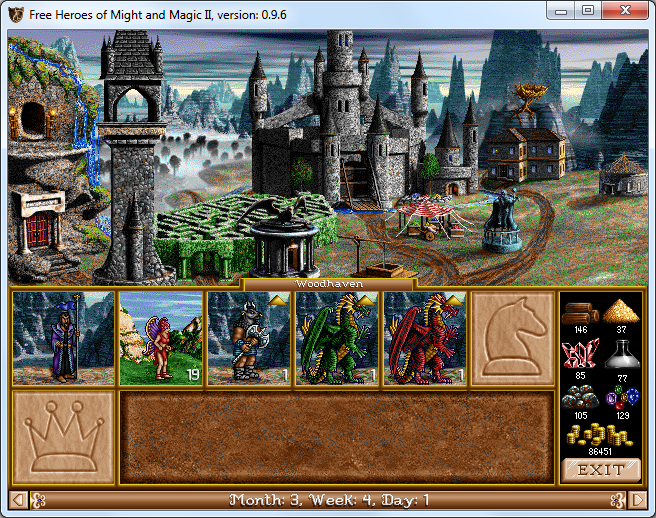
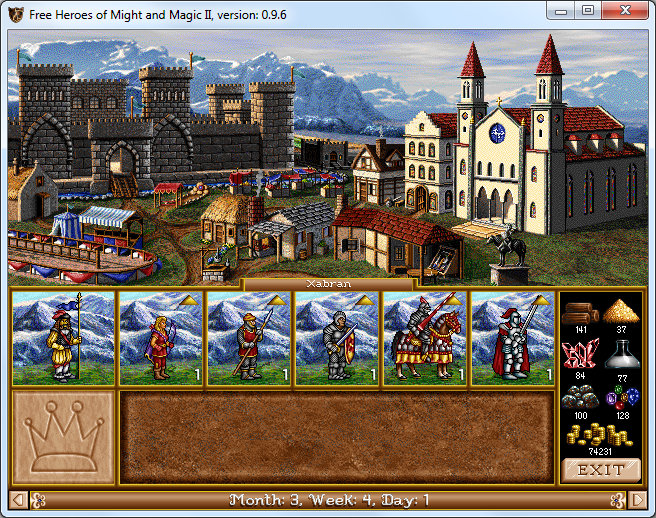
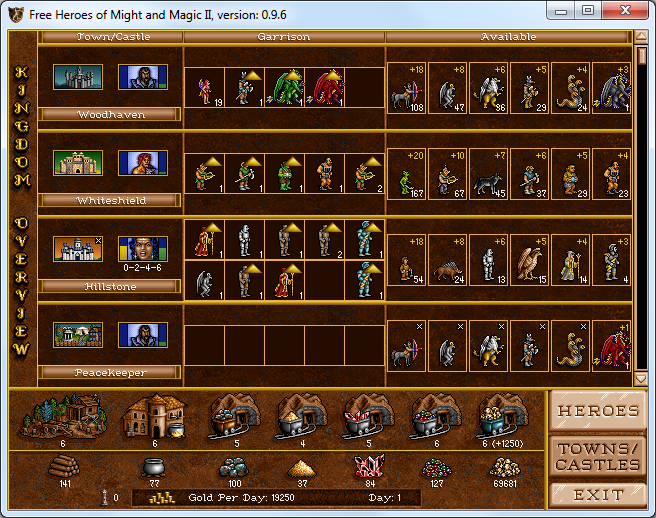
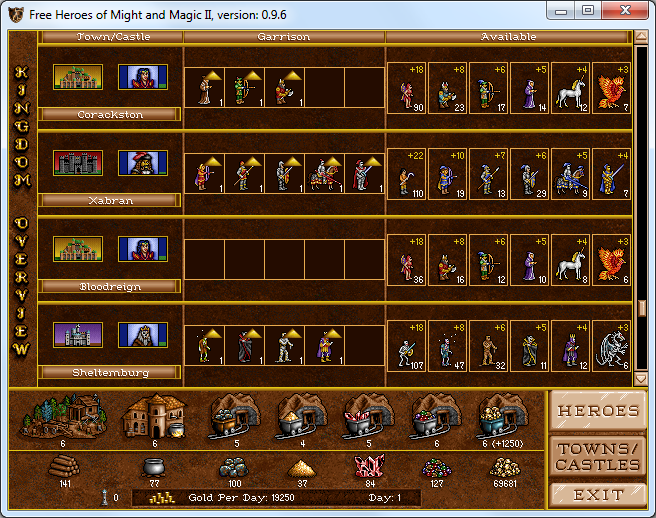
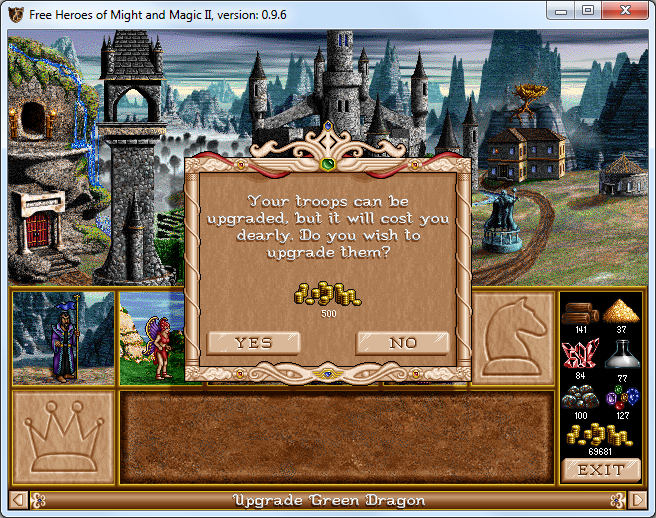
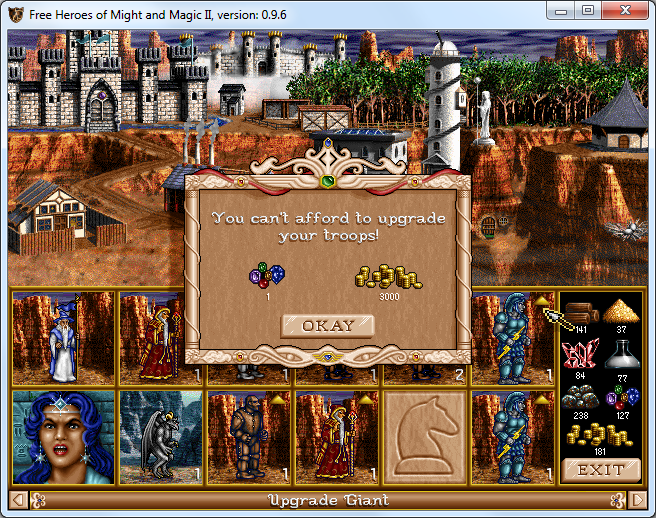
|
@LeHerosInconnu thanks for having a look: you raise a number of good points! It occurs to me now that all monsters in Heroes II are looking to the right, so probably it makes sense to move the quick upgrade button to the top left corner. Will check the green -> black dragon interaction. I also like the idea to give a (color) hint when upgrade is not possible due to lack of resources. |
|
Hello @a1exsh,
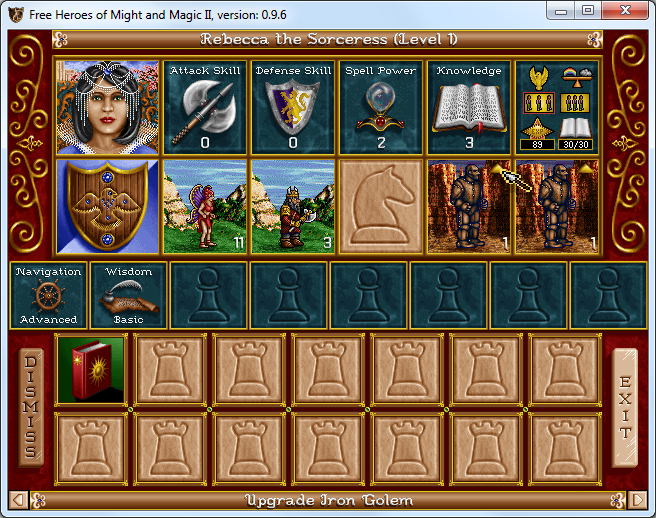
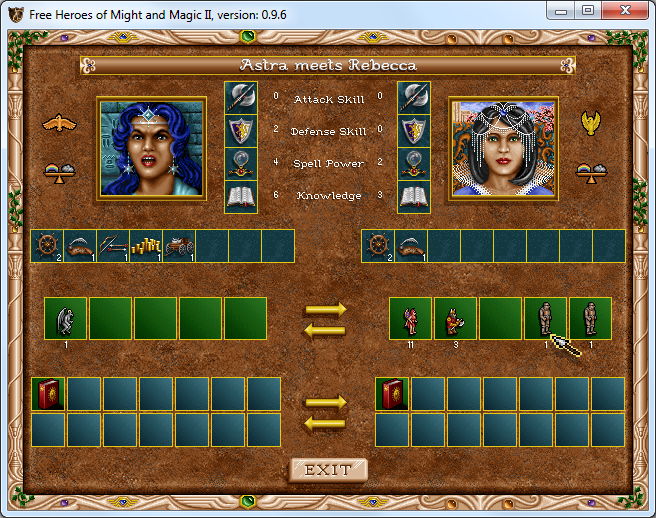
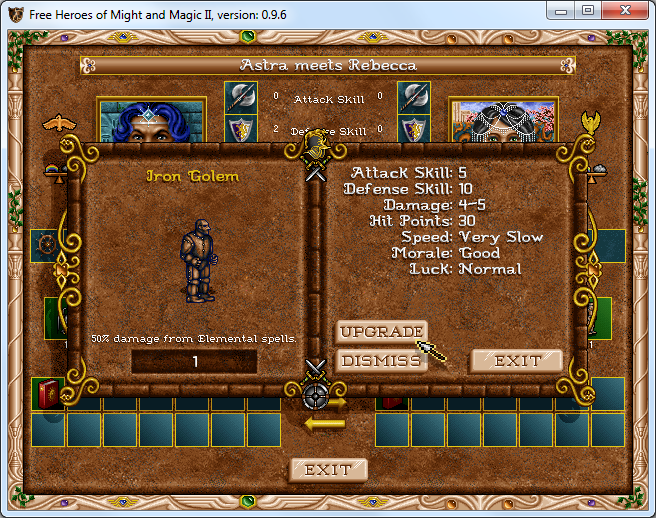
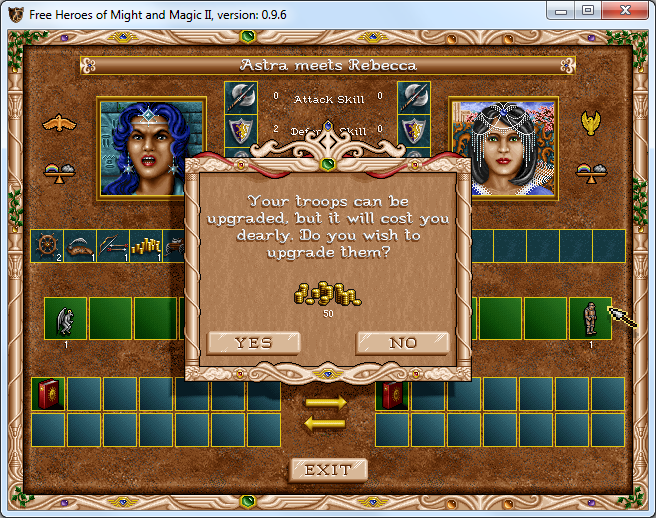
You made me think that a mini creature army bar is also displayed in the hero meeting screen. In the following example, Rebecca is located in a castle where the Irons Golems can be upgraded. But during the meeting with another hero (Rebecca stays in the castle), the graphic for upgrading the Iron Golems is not displayed, while it is possible to upgrade the Iron Golems with the default method. Edit: The Iron Golem can still be upgraded if the player clicks where the upgrade graphic should be displayed. |
![github-actions[bot]](https://avatars.githubusercontent.com/in/15368?s=60&v=4)
src/fheroes2/army/army_bar.cpp
Outdated
|
|
||
| const fheroes2::Sprite ArmyBar::GetUpgradeButton() | ||
| { | ||
| static const fheroes2::Sprite upButton = fheroes2::AGG::GetICN( ICN::RECRUIT, 0 ); |
There was a problem hiding this comment.
return type const fheroes2::Sprite is const-qualified at the top level, which may reduce code readability without improving const correctness
| static const fheroes2::Sprite upButton = fheroes2::AGG::GetICN( ICN::RECRUIT, 0 ); | |
| static const fheroes2::Sprite upButton oes2::AGG::GetICN( ICN::RECRUIT, 0 ); |

There was a problem hiding this comment.
Oh, these "suggested changes"... Sometimes they are completely broken. I'll have to take a look sometime.

There was a problem hiding this comment.
Hi @ihhub I (hopefully) fixed such issues with suggested changes, corresponding PR is merged to the upstream, you may want to sync fheroes2/clang-tidy-pr-comments with the upstream.
|
Thanks for the review, @ihhub and @LeHerosInconnu ! I've addressed the code comments and also made the clickable area of the button a bit bigger, as suggested. I will also try to see if we can cast a shadow under the button to make it stand out a little more, like on the actual "recruit troop" dialog. |
Making a shadow is very simple. We already have a function to do this. Please check agg_image.cpp file for examples. |
|
The shadow produced by |
|
@a1exsh if you sync this PR with |

src/fheroes2/army/army_bar.cpp
Outdated
| return _army != nullptr; | ||
| } | ||
|
|
||
| const fheroes2::Sprite & ArmyBar::GetUpgradeButton() const |
There was a problem hiding this comment.
I think this method should be static instead of const as we can have multiple ArmyBar instances but all of them use the same resource. The static method could have a single boolean argument useMiniIcon as a replacement of use_mini_sprite member usage. In this case we can avoid memory duplication.
There was a problem hiding this comment.
Also this method should be private as it's not used anywhere outside the class.
There was a problem hiding this comment.
I guess there was no memory duplication either way, because of static storage used inside the function. Moved it to private namespace, I hope that also works with you? :)
src/fheroes2/army/army_bar.h
Outdated
|
|
||
| const fheroes2::Sprite & GetUpgradeButton() const; | ||
| fheroes2::Rect GetUpgradeButtonPos( const fheroes2::Rect & itemPos ) const; | ||
| void DrawUpgadeButton( const fheroes2::Rect & pos, fheroes2::Image & dstsf ) const; |
There was a problem hiding this comment.
Could we please rename (copy-pasted) dstsf variable into something like outputImage to be more obvious? dstsf was standing for destination surface but here we don't have surfaces anymore :)
@ihhub in the OG editor there is a clickable button (it has a pressed state image as well) for drop down menus: I guess it should be part of the game resources, so we could use it here if we mirrored it vertically. Do you by chance know the icon name for this one? |

|
| } | ||
|
|
||
| virtual bool ActionBarLeftMouseHold( Item &, Item & ) | ||
| virtual bool ActionBarLeftMouseHold( const fheroes2::Point & /*unused*/, Item & /*unused*/, const fheroes2::Rect & /*unused*/ ) |
There was a problem hiding this comment.
ActionBarLeftMouseHold overrides a member function but is not marked override
| } | ||
|
|
||
| virtual bool ActionBarLeftMouseHold( Item & ) | ||
| virtual bool ActionBarLeftMouseHold( Item &, Item & ) |
There was a problem hiding this comment.
all parameters should be named in a function
| virtual bool ActionBarLeftMouseHold( Item &, Item & ) | |
| virtual bool ActionBarLeftMouseHold( Item & /*unused*/, Item & ) |
| } | ||
|
|
||
| virtual bool ActionBarLeftMouseHold( Item & ) | ||
| virtual bool ActionBarLeftMouseHold( Item &, Item & ) |
There was a problem hiding this comment.
all parameters should be named in a function
| virtual bool ActionBarLeftMouseHold( Item &, Item & ) | |
| virtual bool ActionBarLeftMouseHold( Item &, Item & /*unused*/) |
|
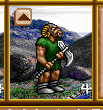
Updated the button icon, thanks for the hint, @ihhub ! :-) In order to render pressed and released state I had to further extend I see that we have a special class for the buttons here: https://github.com/ihhub/fheroes2/blob/master/src/fheroes2/gui/ui_button.h#L99 I will have a look later. |
…-monster-upgrade
The proper way is to use `makeButtonWithShadow()`, but for that we will need
real buttons, not just stray sprites.

|
Wow! I really like these improvements! |
6 participants


If an army troop is located in a town that provides a possibility to upgrade
them, display a quick upgrade button on the troop sprite. Clicking the button
invokes the upgrade troop dialog directly.