Store creation M2 - domain selection: empty/error/loading states, design updates #8092
Conversation


… using a `LazyVStack` instead of `List`. Improve loading state.
…w` to match design.
 jaclync
added
type: enhancement
jaclync
added
type: enhancement

You can test the changes from this Pull Request by:
|


|
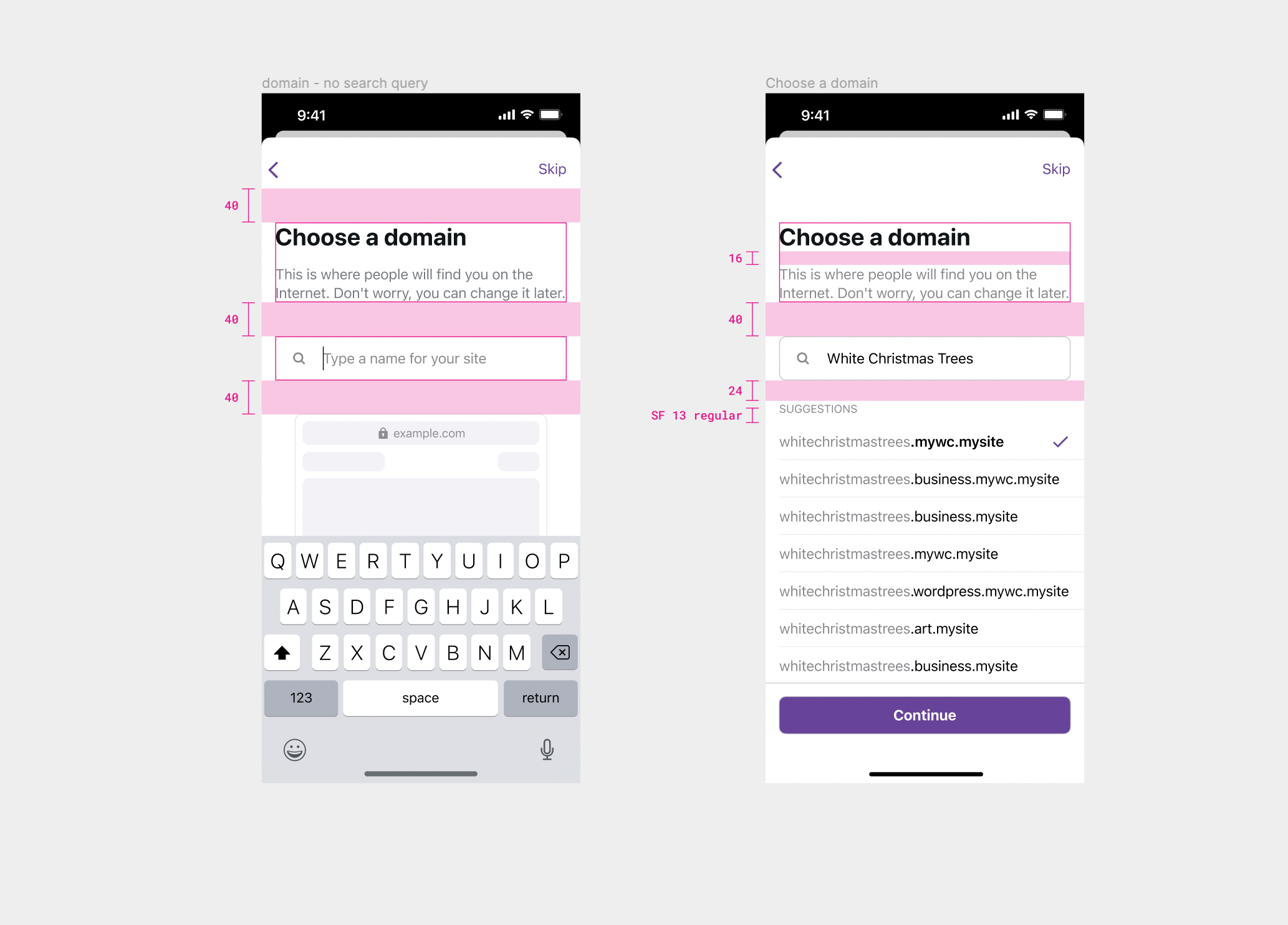
Great work @jaclync! That's super fast.
Thank you! |

|
Thanks @annchichi for the feedback! I'm leaving these improvements for a separate PR later, since this PR is already in review. I added them as subtasks in the issue description #8045. |

 itsmeichigo
left a comment
itsmeichigo
left a comment
itsmeichigo
left a comment
There was a problem hiding this comment.
Overall this works great, and the code looks good to me. I have a few non-blocking comments:
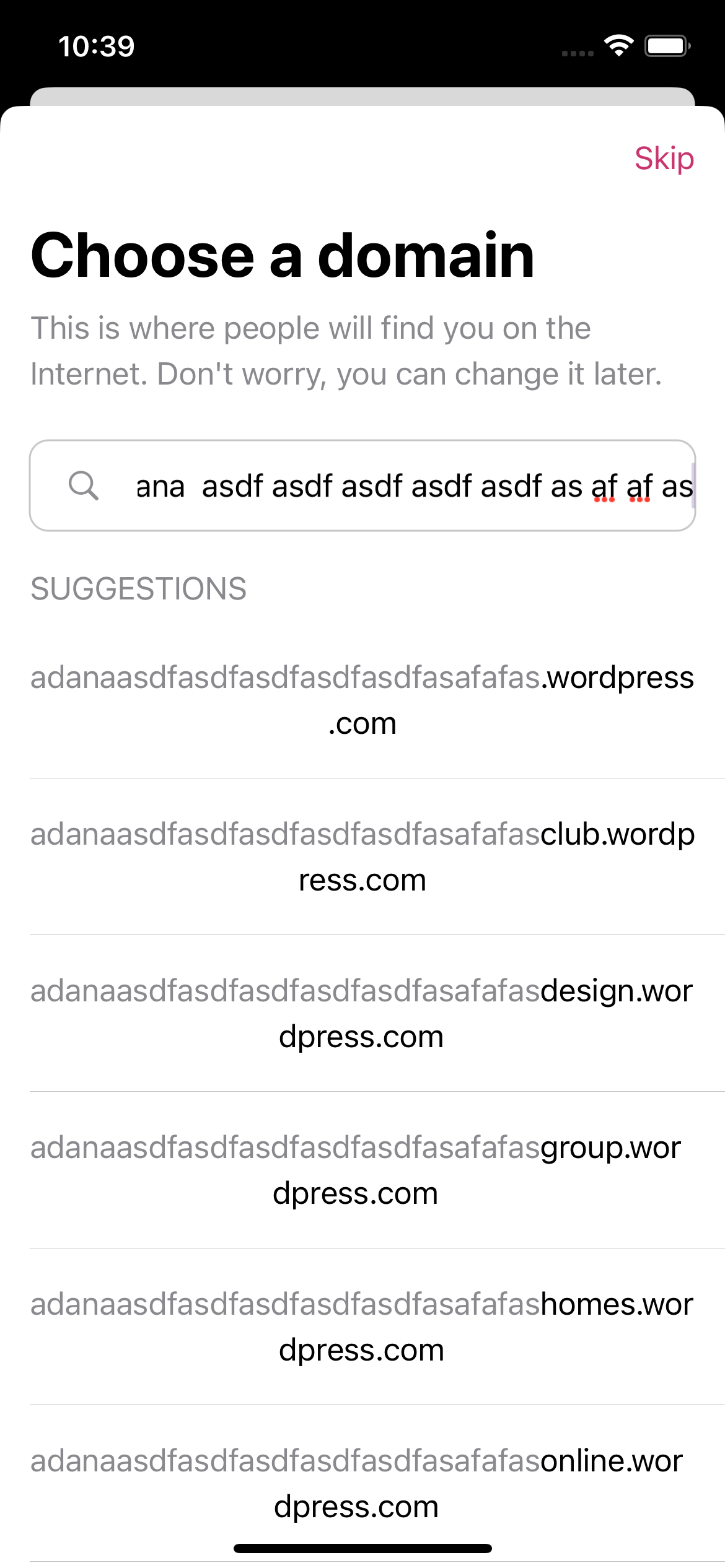
Also, we probably want to dismiss the keyboard after selecting any item and when the list is being dragged. That will help avoid situations when the list is not scrollable due to the keyboard taking up all of the space:
| // Domain results. | ||
| if let placeholderImage = viewModel.placeholderImage { | ||
| // Placeholder image when search query is empty. | ||
| HStack { | ||
| Spacer() | ||
| Image(uiImage: placeholderImage) | ||
| Spacer() | ||
| } | ||
| } else if viewModel.isLoadingDomainSuggestions { | ||
| // Progress indicator when loading domain suggestions. | ||
| HStack { | ||
| Spacer() | ||
| ProgressView() | ||
| Spacer() | ||
| } | ||
| } else if let errorMessage = viewModel.errorMessage { | ||
| // Error message when there is an error loading domain suggestions. | ||
| Text(errorMessage) | ||
| .padding(Layout.defaultPadding) | ||
| } else { | ||
| // Domain suggestions. | ||
| LazyVStack { | ||
| ForEach(viewModel.domains, id: \.self) { domain in | ||
| Button { | ||
| selectedDomainName = domain | ||
| } label: { | ||
| VStack(alignment: .leading) { | ||
| DomainRowView(viewModel: .init(domainName: domain, | ||
| searchQuery: viewModel.searchTerm, | ||
| isSelected: domain == selectedDomainName)) | ||
| Divider() | ||
| .frame(height: Layout.dividerHeight) | ||
| .padding(.leading, Layout.defaultHorizontalPadding) | ||
| } | ||
| } | ||
| } | ||
| } | ||
| } |
There was a problem hiding this comment.
We can simply decide visibility of the placeholder image based on searchTerm. That way we won't need to update the image in the view model. We can also avoid the else-if blocks by using renderredIf - the results LazyVStack will not be rendered if the domain list is empty so there's no need to put it in the else block I believe.
// Placeholder image when search query is empty.
HStack {
    Spacer()
    Image(uiImage: UIImage.domainSearchPlaceholderImage)
    Spacer()
}
.renderedIf(viewModel.searchTerm.isEmpty)

HStack {
    Spacer()
    ProgressView()
    Spacer()
}
.renderedIf(viewModel.isLoadingDomainSuggestions)

if let errorMessage = viewModel.errorMessage {
    // Error message when there is an error loading domain suggestions.
    Text(errorMessage)
        .padding(Layout.defaultPadding)
}

LazyVStack {
    ForEach(viewModel.domains, id: \.self) { domain in
        Button {
            selectedDomainName = domain
        } label: {
            VStack(alignment: .leading) {
                DomainRowView(viewModel: .init(domainName: domain,
                                                searchQuery: viewModel.searchTerm,
                                                isSelected: domain == selectedDomainName))
                Divider()
                    .frame(height: Layout.dividerHeight)
                    .padding(.leading, Layout.defaultHorizontalPadding)
            }
        }
    }
}There was a problem hiding this comment.
Nice suggestions, I forgot about renderedIf! The if/else style ensures that only one conditional UI is shown at a time. I tested the suggested changes, and I'll have to change the timing when errors are reset and maybe more to make sure only one UI is shown at the same time. I think I'll keep the if/else style for now, but I replaced the viewModel.placeholderImage with viewModel.searchTerm.isEmpty in 42d811f thanks to your suggestion!
| /// Placeholder image is set when the search term is empty. Otherwise, the placeholder image is `nil`. | ||
| @Published private(set) var placeholderImage: UIImage? |
There was a problem hiding this comment.
As comment above, we should not need this to decide the visibility of the placeholder image - the searchTerm should be sufficient.
* trunk: (41 commits)
  Freeze strings for localization
  Update WordPressAuthenticator pod to stable 4.2.0 version
  Update metadata strings
  Update release notes for 11.2
  Release Notes: add new section for next version (11.3)
  Update draft release notes for 11.2.
  Bump version number
  Bump version number
  Update metadata translations
  Update app translations – `Localizable.strings`
  Updated release notes for 11.1 to include product preview
  Add Site dependency with valid frame-nonce to tests
  Update release notes
  Update tests
  Remove productsOnboarding feature flag
  Update release notes for 11.2
  Change status_code type from String to Int64
  Address warning about `try` used on a method that does not `throws`
  Send product_detail_preview_failed event from WebKitViewController
  Add product_detail_preview_failed event
  ...
…check to show a placeholder image.
|
Thanks for the review & testing feedback @itsmeichigo! I addressed your comments, and added your design suggestions to #8045 as future subtasks. I'll come back to the design enhancements after the main store creation flow is done. Merging the PR now. |


Parts of #8045
Description
After the previous basic UI integration, this PR updated the design and handled different states of the domain suggestions.
Design updates include:
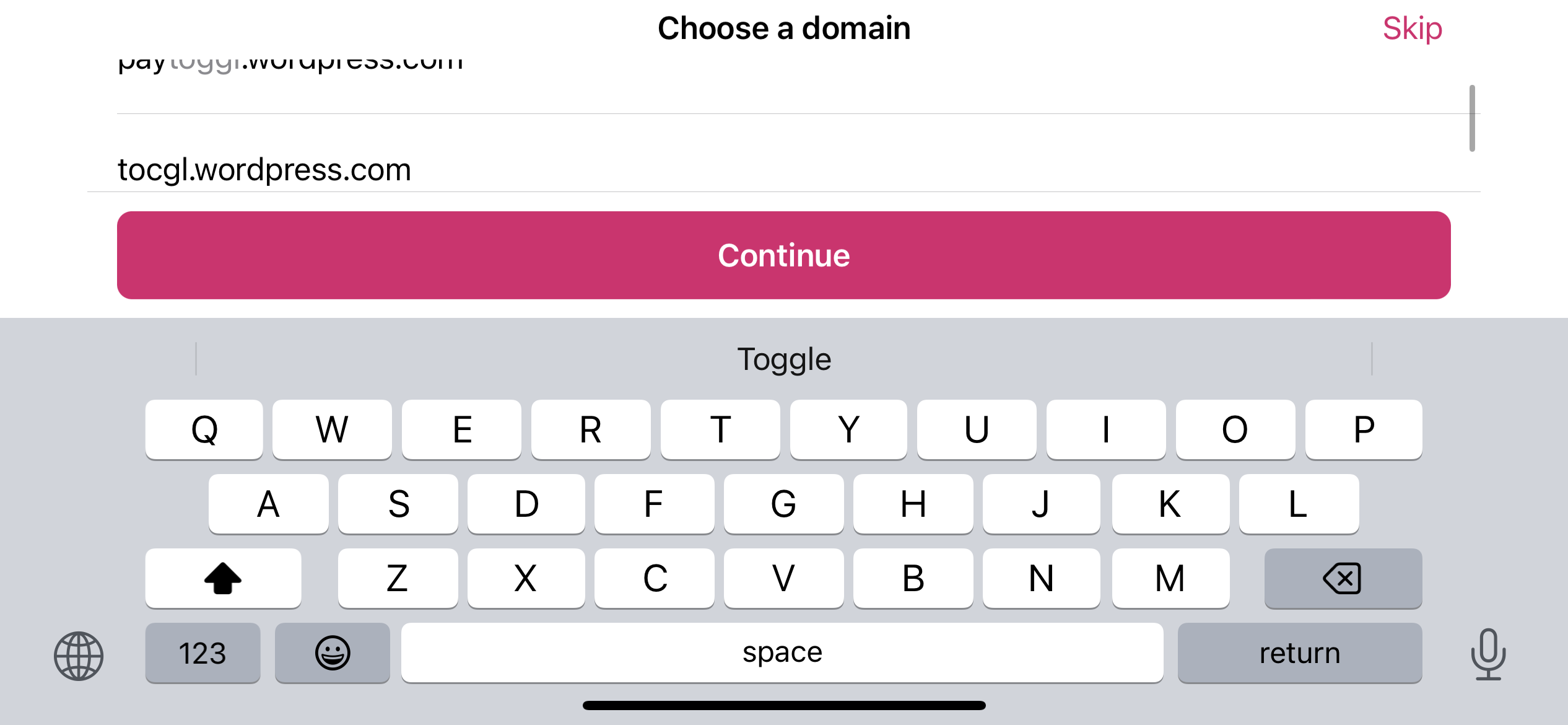
Listwas used for the domain results but it had its own scrolling behavior and it was hard to fit the height to its content. This PR changed it to show the domain suggestions in aLazyVStack(there are always max 20 results without infinite scroll) contained in aScrollView. This way, the user can always scroll to the bottom of the domain listSearchHeadercomponent): it's currently used inProductSelectorandFilterListSelector, I tested these two use cases to make sure there are no visual changes. I added aCustomizationsstruct that can be passed to the initializer, with the styles in current use cases as defaultDomainRowView: added padding to the rowStates of domain suggestions:
DotcomError.unknownerror, themessagestring is shown (should be localized)ProgressViewspinner is shownI updated the SwiftUI previews to include previews for these 4 states for faster design updates during development. Please feel free to suggest anything, I haven't worked on SwiftUI extensively for a while.
Testing instructions
Switch store+ Add a storeCreate a new store--> the domain selector should be shown with a placeholder imageContinueCTA should be shown at the bottom!!!!) --> theContinueCTA should be hidden, and a spinner should be shown while loading. after a bit, an error message should be shown likeDomain searches only support the following characters...Screenshots
Please feel free to suggest any other improvements.
RELEASE-NOTES.txtif necessary.