How to stream videos to AVideo Platform
If you require assistance with setting up the AVideo Platform app or configuring your server, feel free to reach out for support: AVideo Marketplace.
OBS Studio (Open Broadcaster Software) is a free, open-source tool for video recording and live streaming. Follow these steps to set up your live stream using OBS:
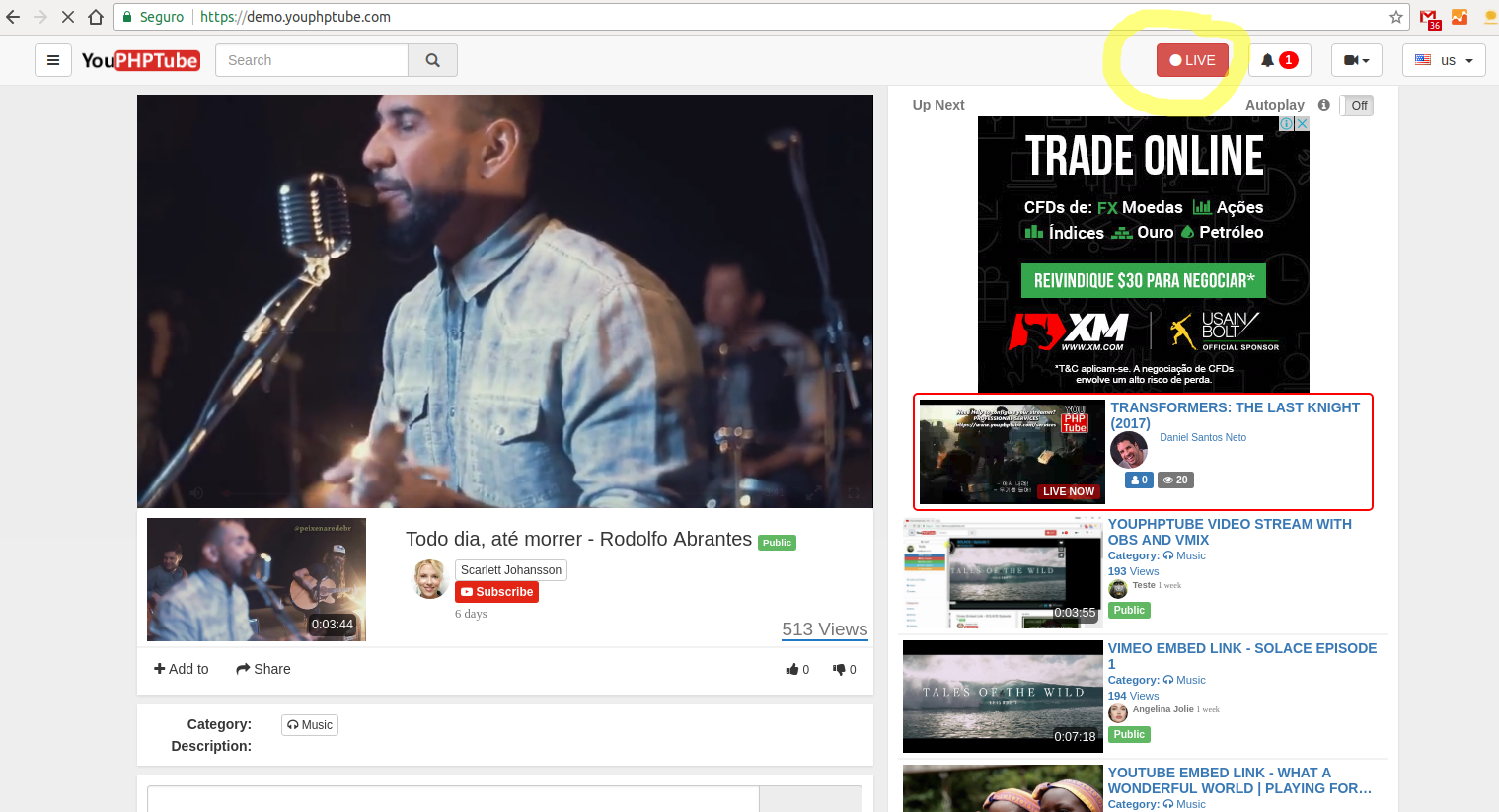
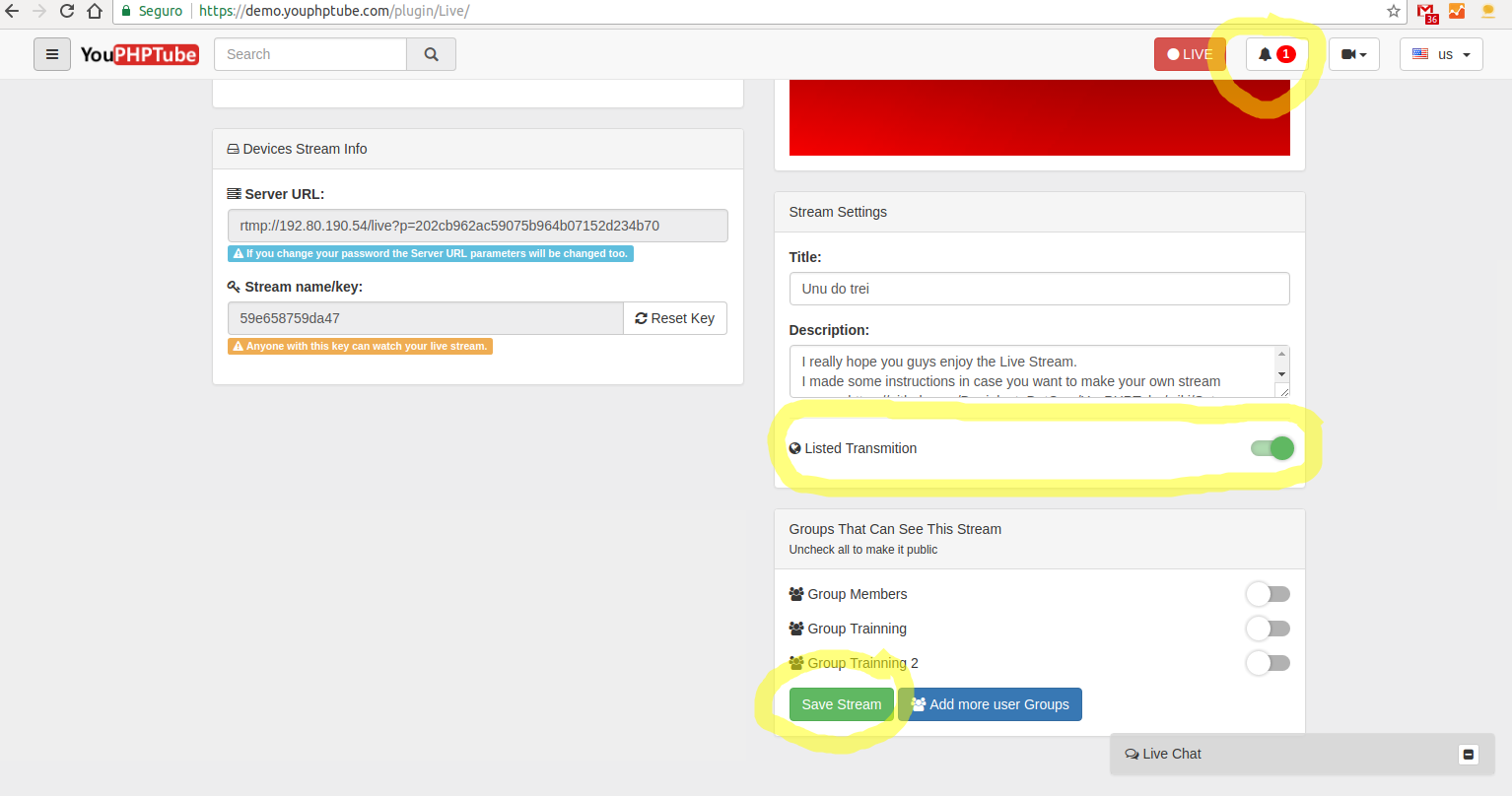
- Log in to your AVideo platform account and click the Live button.
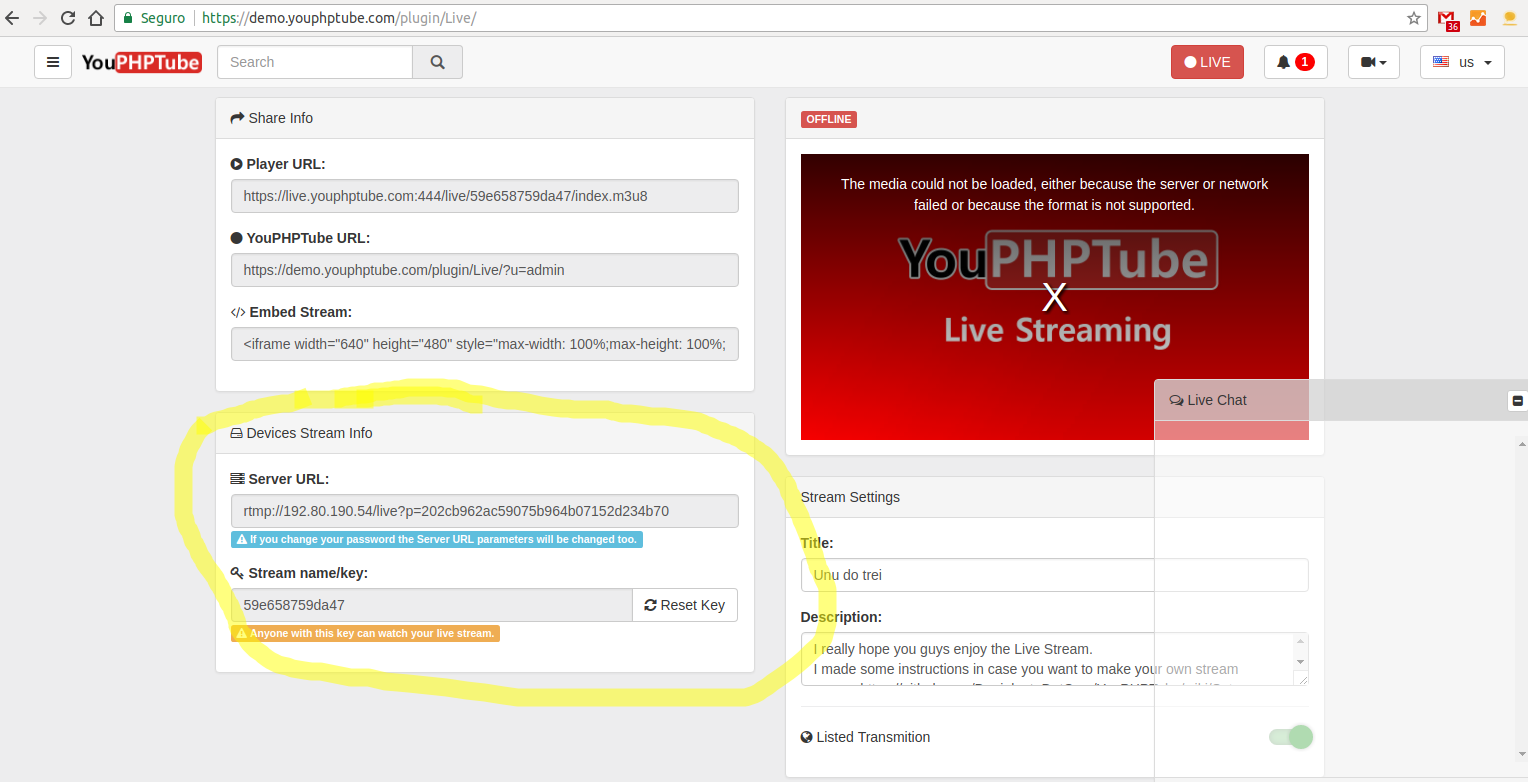
- Locate your Server URL and Stream Key. These are required to connect OBS to your AVideo platform.
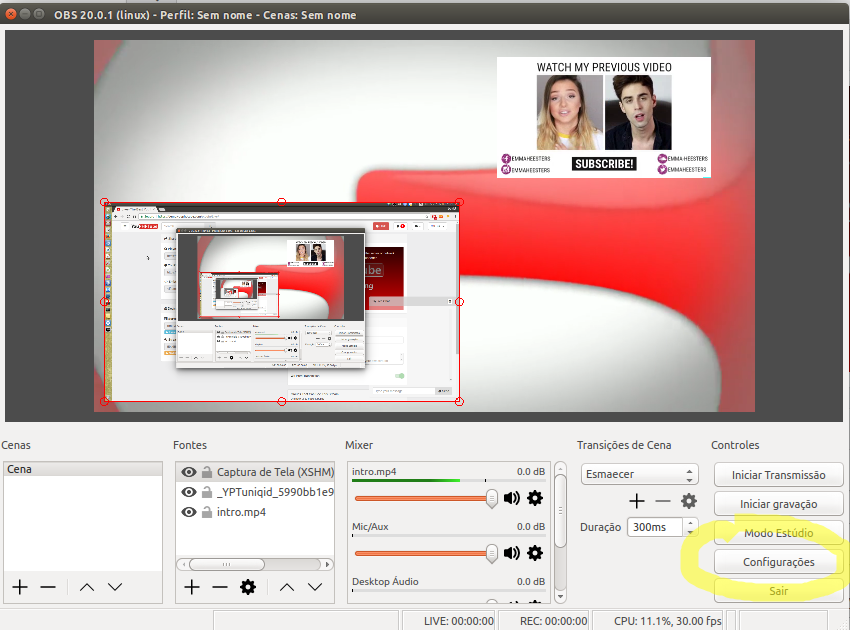
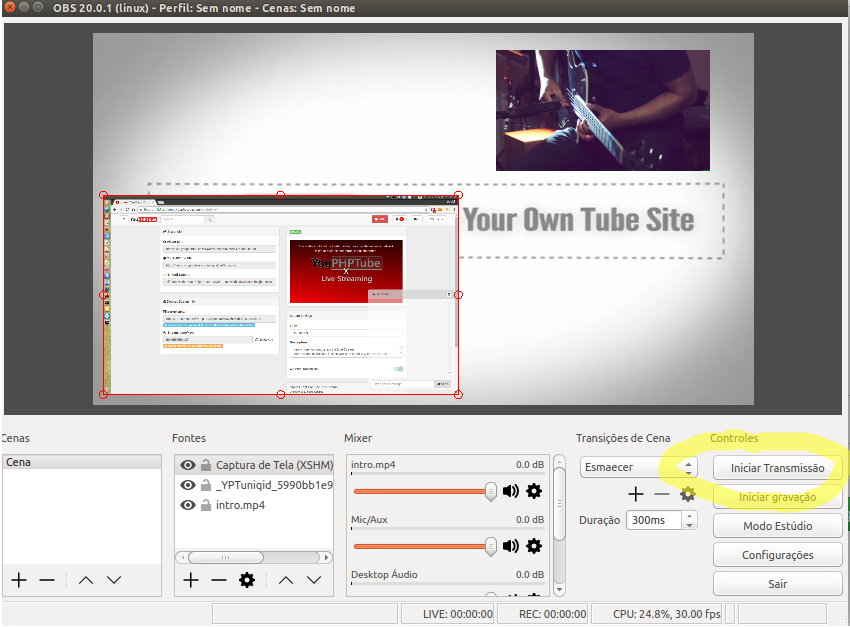
- Open OBS Studio.
- Go to Settings > Stream.
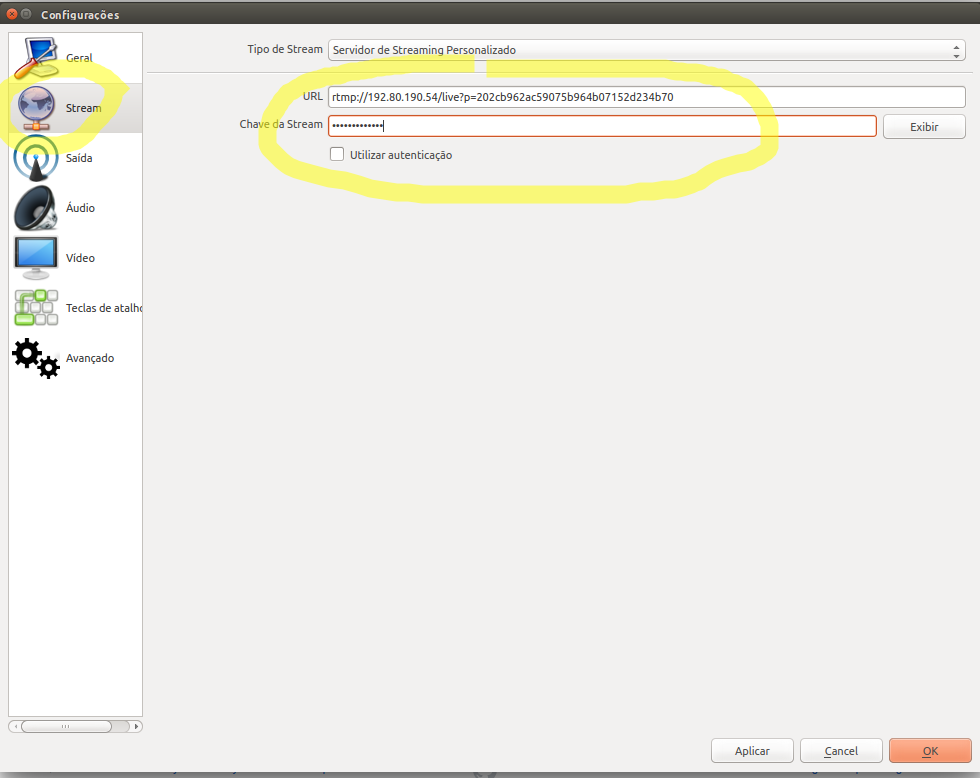
- Paste the Server URL and Stream Key into the OBS configuration fields. Ensure the information is accurate to avoid connection issues.
- Click on Start Streaming in OBS to begin your live broadcast.
- If you want your stream to be public and appear in the platform’s main menu, check the Listed Transmission option. This allows viewers to easily find your live stream.
The Open Source Video Platform Solution


| Service | Description | Link |
|---|---|---|
| 🎯 | Professional Support - Direct assistance from core developers | Contact |
| ☁️ | AVideo CDN - High-performance video delivery network | Pricing |
AVideo Platform © 2024 - Self-hosted video streaming platform
Made with ❤️ by WWBN and the open source community