Execute a Jenkins CLI command
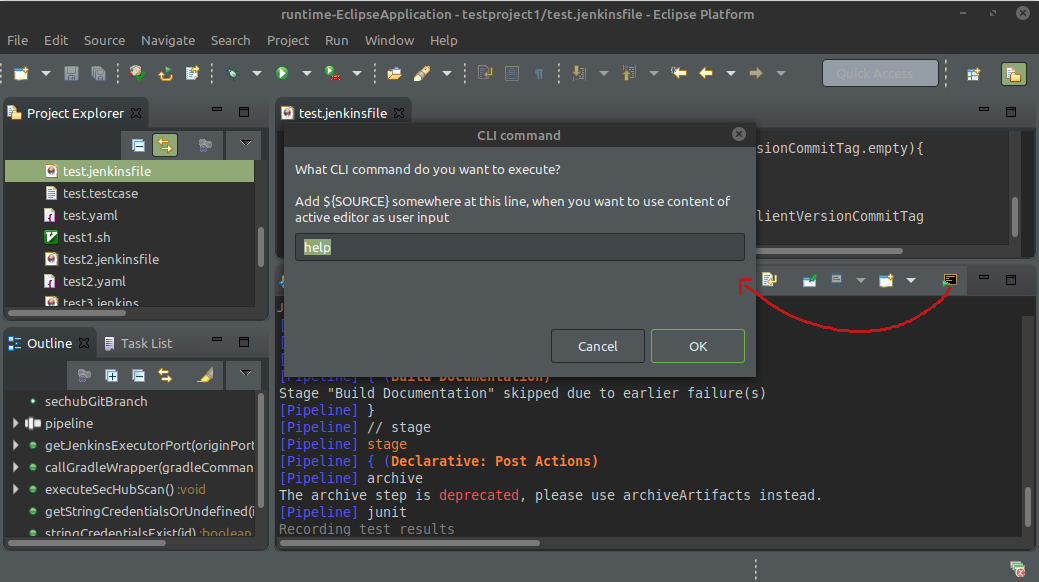
You can execute a Jenkins CLI command directly. For this case open JenkinsEditor console and press toolbar button as shown in next picture. With help you will fetch all possible commands allowed by server.
If you want to start a command which needs user input you can use ${SOURCE} as a parameter in dialog (location does not matter) to mark that the current source from editor shall be used as user input on server side.
But be aware: If no Jenkins Editor is currently active the user input will always be an empty string!