Balkan Edition. Quick start
-
Download firmware binaries into your Balkan Edition. Follow these instructions ;
-
Install LK8000 application onto your Android tablet from Google Play ;
-
Execute the application, then select "FLY" mode ;
-
Plug the Balkan into the tablet's USB slot. Confirm connection of the app to the USB device in pop-up window, if necessary ;
-
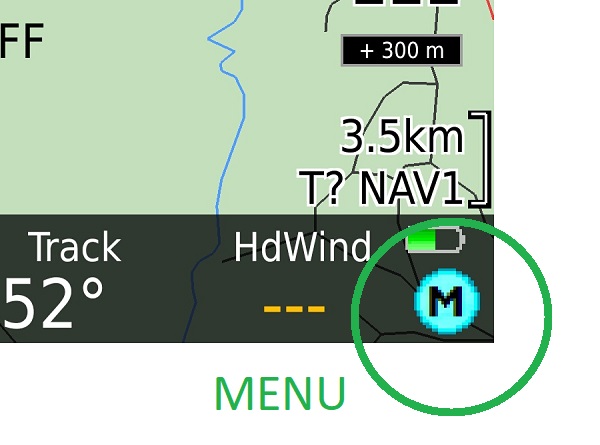
Touch "Menu" screen area:
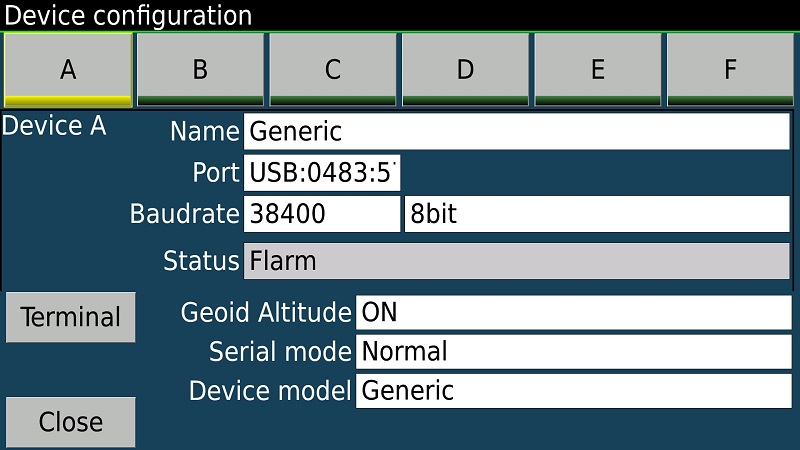
- Select Config -> Config 2/3 -> LK8000 Setup -> Device Setup ,
then choose connection settings as follows:
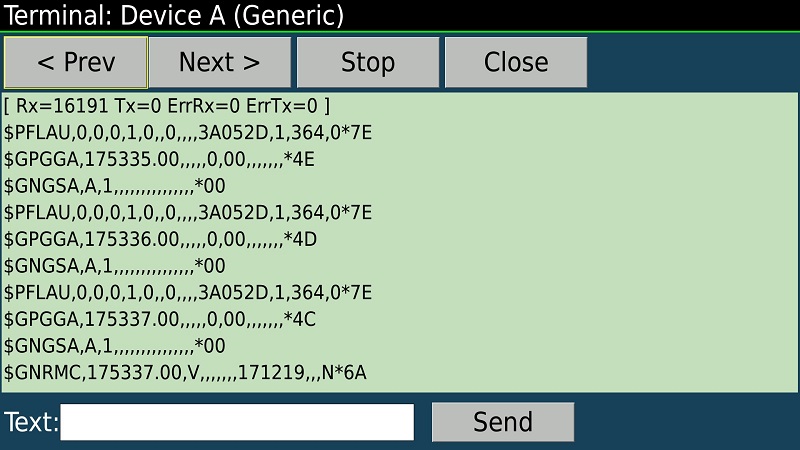
- Touch Terminal button. You should see a flow of NMEA messages, similar to shown on this picture:
-
Return back to LK8000 main screen ;
-
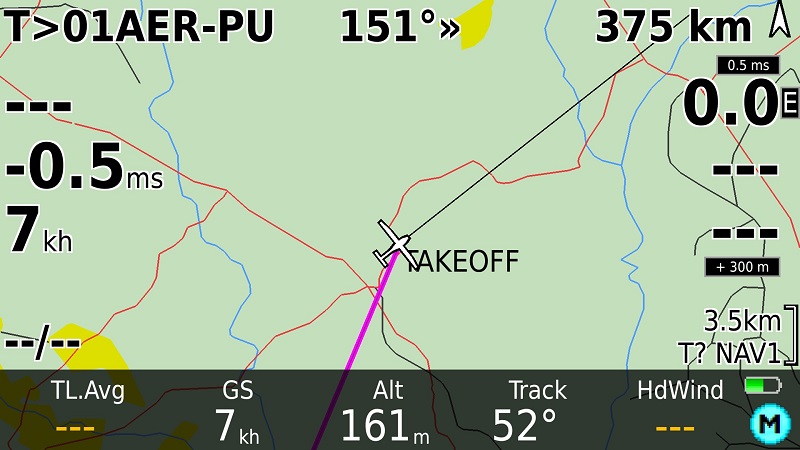
Move your tablet (with the Balkan) into an area of good GPS/GLONASS reception and wait until it will pick satellites up. The app will show your current location on the map:
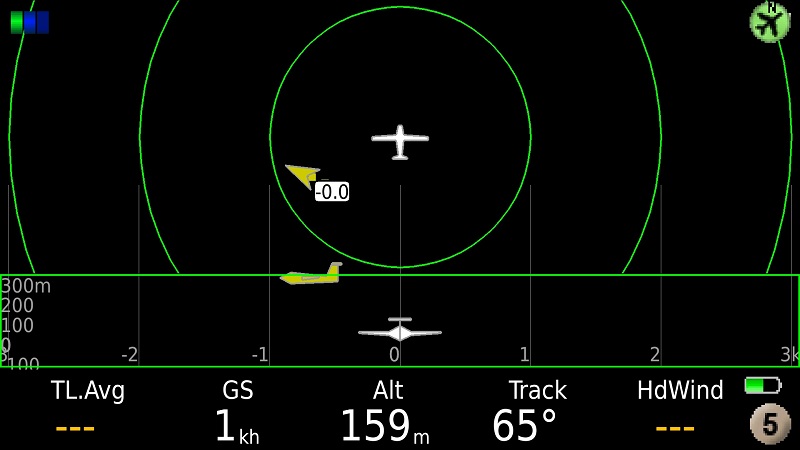
- Tap few times right to reach Radar View. When any other traffic (OGN Tracker or another SoftRF unit) is around - you should see it on this screen:
SoftRF
-
Standalone

- UAV
-
LoRa module
-
Concorde

-
Retro MkII
-
Prime MkIV
-
Prime MkIII

-
Badge
-
Card MkII
-
Card
-
Stylus
-
Airventure
-
Pocket
-
Nano
- Prime MkII
-
Dongle
- Ham
- Handheld
-
Solaris
-
Lyra
-
Labubu
- Eco
- Gizmo
- ES
- Octave
- Duo
- Uni
- Cozy
- Midi
- Mini
- Lego
- Balkan
-
Academy
- Raspberry
- Bracelet
- Retro
SkyView
Flight Recorder
Adapters
Firmware
Tools
Protocols