Playwright Testing
Exhibitor allows you to end-to-end (e2e) test your components with Playwright.
Playwright is a tool that lets you write e2e tests that use your component like a user would. You may have heard of or used similar tools like cypress or selenium.
NOTE: Playwright testing is in Beta status and is under active development.
-
Install the required Playwright packages within your component library package:
npm i --save-dev playwright-core @playwright/test
-
Create a
.spec.tsfile for your component. For example:// button.spec.ts import { test, expect } from '@playwright/test' import { preparePlaywrightTest } from 'exhibitor' test('has title (should pass)', async ({ page }) => { // This ensures that the browser page shows the correct component await preparePlaywrightTest(page) // Find the component const buttonEl = await page.$('.cl-button') // Measure a value/behavoir const buttonTextContent = await buttonEl.textContent() // Assert measured value/behavoir is correct await expect(buttonTextContent).toBe('Button Text') })
-
Reference your test file within your Component Exhibit file:
exhibit(Button, 'Button')
  .tests('./button.spec.ts')
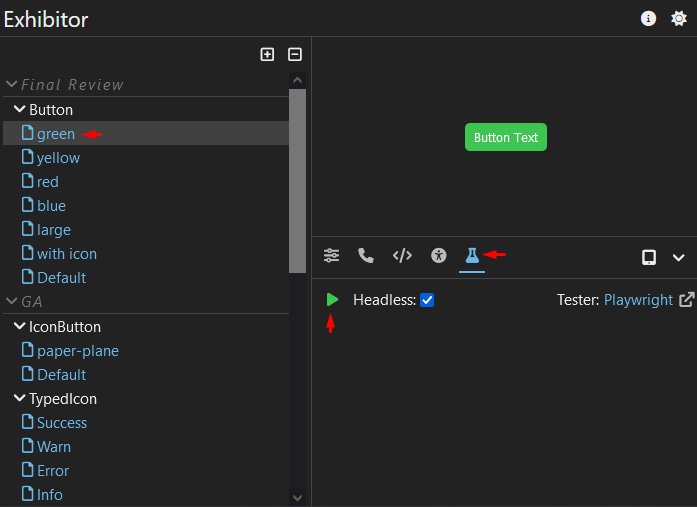
Once tests have been defined for your component, start Exhibitor if not already by running npx exhibitor start (or your script for doing so). Once Exhibitor has started, navigate to the component you would like to test and click the
 button in the bottom bar and click the run button:
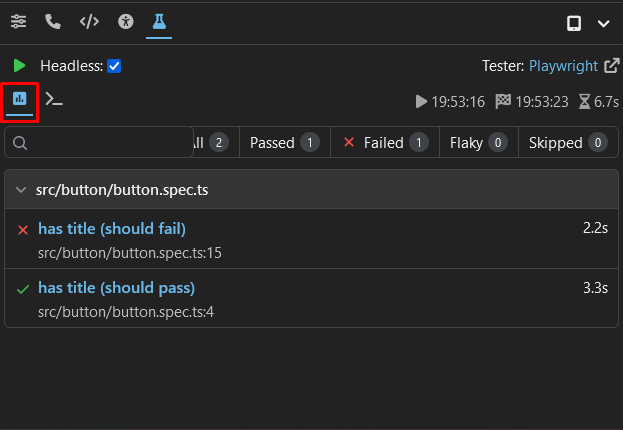
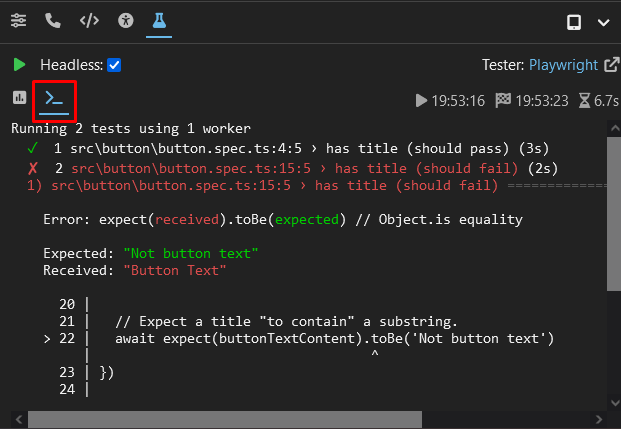
Test results will appear once the tests have completed, including a report detailing the outcome of each test and the terminal output of Playwright: