2. User Guide
Email Validator for Pardot is a Marketing App Extension which uses External Actions to check the emails addresses of your Prospects and External Activities to log the results (by default, "Pass" or "Warn", depending if the email is considered as legit or a potential spam/low reputation address).
Email Validator is visible as an Action within your Engagement Programs in Pardot. The only input you need to provide to the Action, is the Business Unit ID of your Pardot.
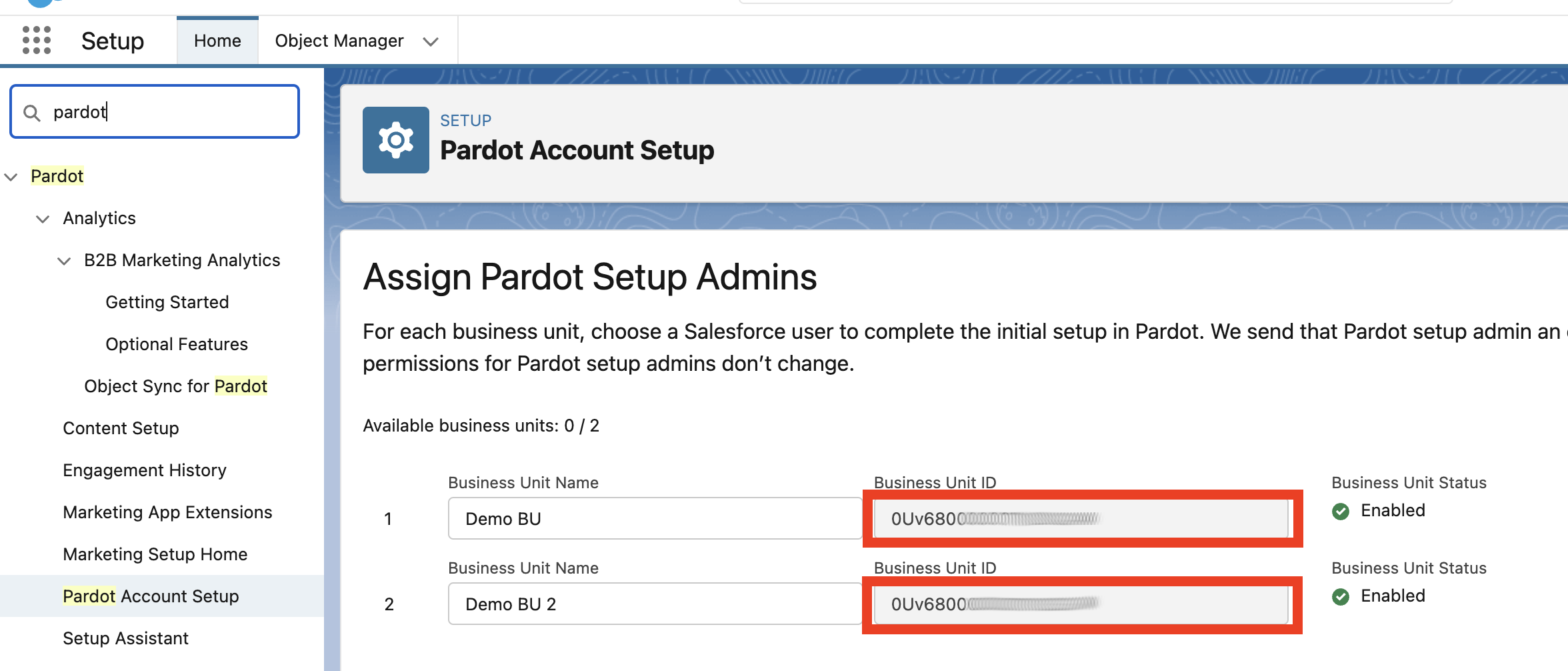
To obtain the Business Unit ID, go to Setup > Pardot Account Setup and copy the Business Unit ID of the Business Unit you want to use:
Now you're ready to use Email Validator:
- Create a new Engagement Program (or edit an existing one) and select a relevant Recipient List (defining which prospects will be checked)
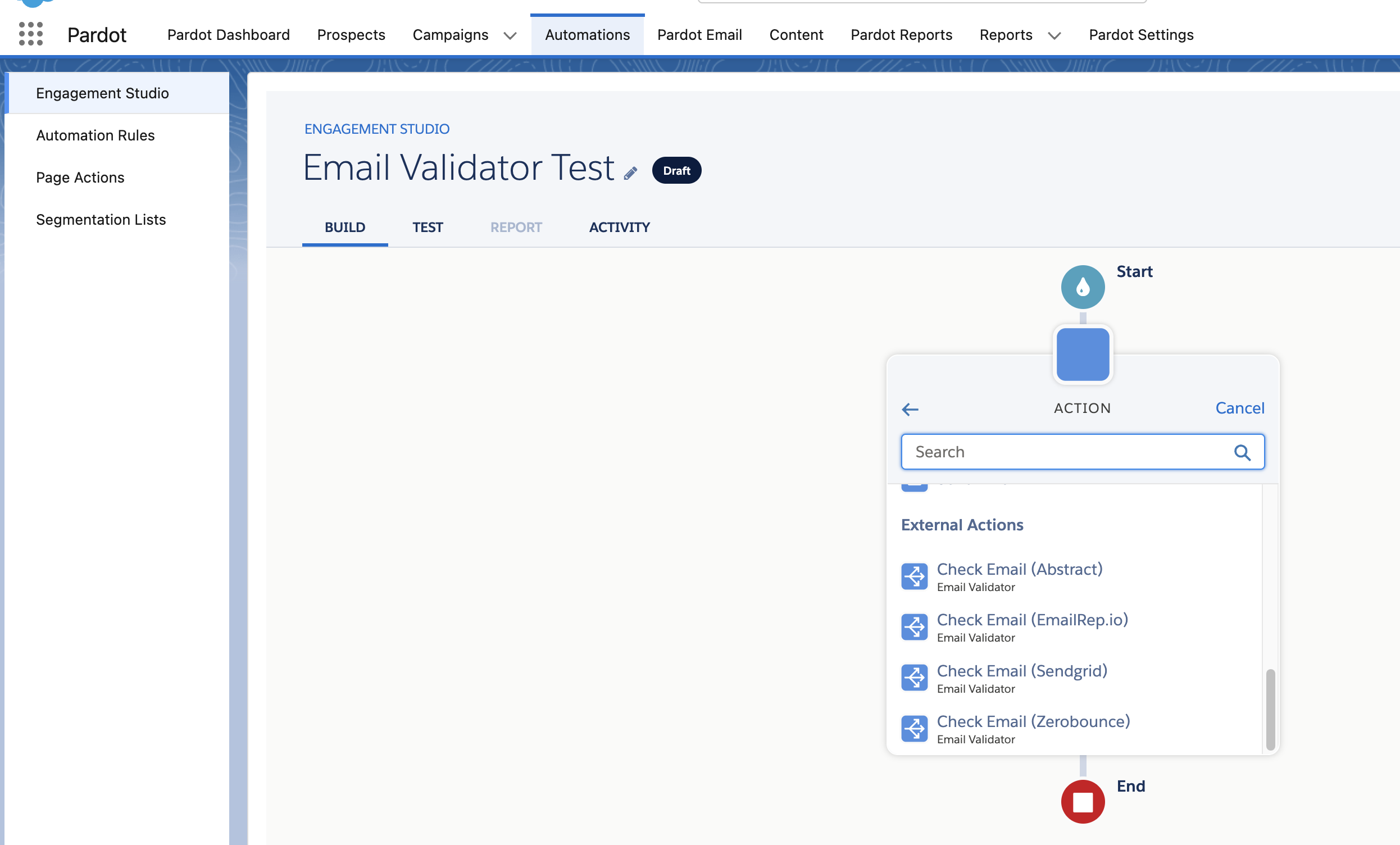
- Add an Action element, scroll down to External Actions. You should see all services Activated during setup (if you don't see them, make sure that your Salesforce connector is configured and not paused):
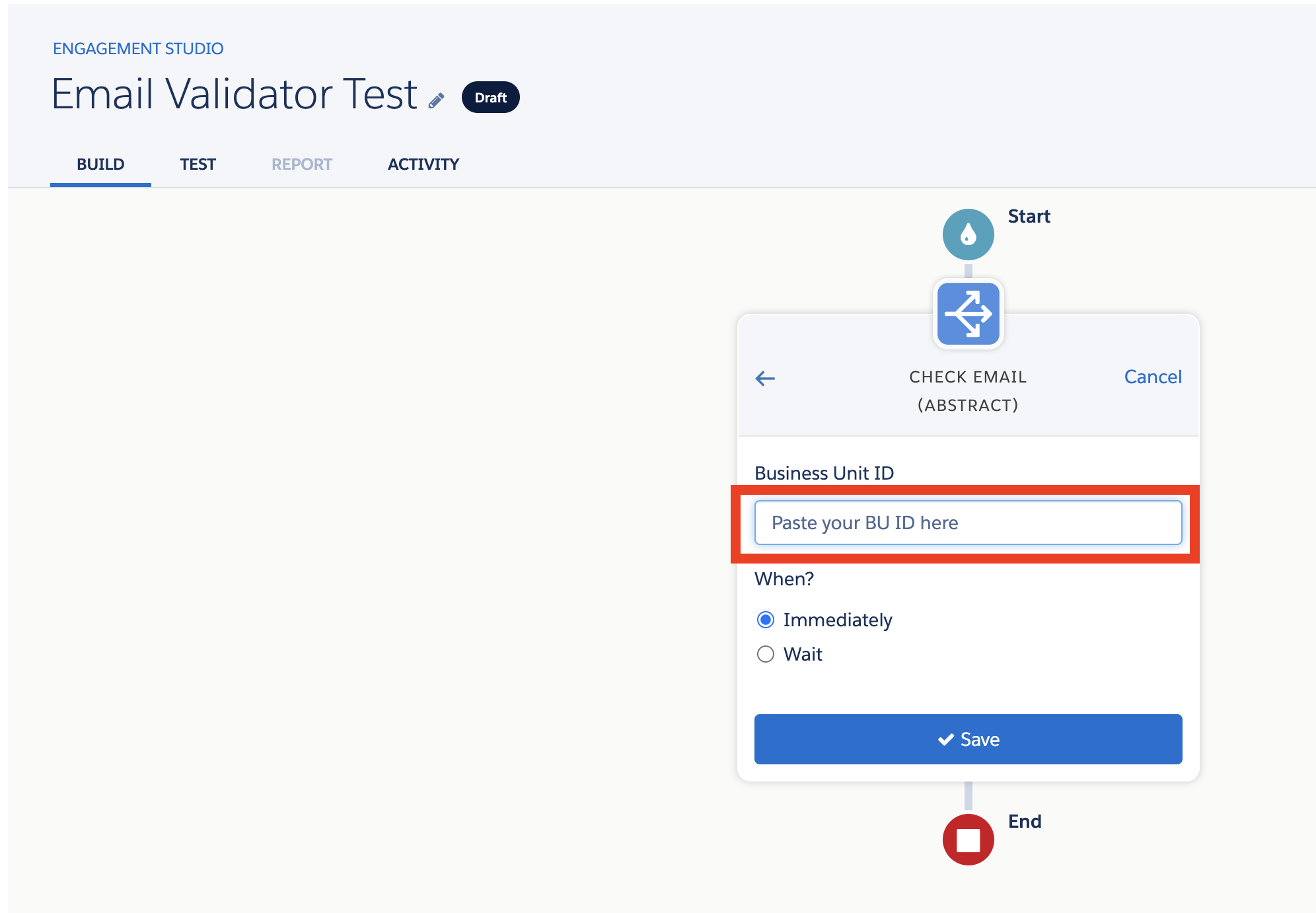
- Select the "Check Email" action of your chosen service, paste the Business Unit ID and click "Save"
- At this point every Prospect going through the program, once you Start it, will automatically receive an External Activity with a value "Pass" or "Warn"
(Pro Tip: values can be customized by changing the Custom Metadata Type settings named
External_Activity_Value_PassandExternal_Activity_Value_Warn)