Ext. Service – Abstract API
Official Url:
https://www.abstractapi.com/api/email-verification-validation-api
Service Description:
Improve your delivery rate and clean your email lists with Abstract's industry-leading email verification API
- Real-time MX & SMTP check
- Typo checking and smart suggestion
- Disposable and free email providers check
- Privacy friendly (GDPR, CCPA)
Obtain your API key here: https://app.abstractapi.com/users/signup?target=/api/email-validation/pricing/select
Free tier: 100 requests / month
We send the email address of the Pardot Prospect and we receive a numeric "Quality Score" [between 0 and 1]
If the Prospect's quality score is below 50% (0.5), we consider it as potential spam.
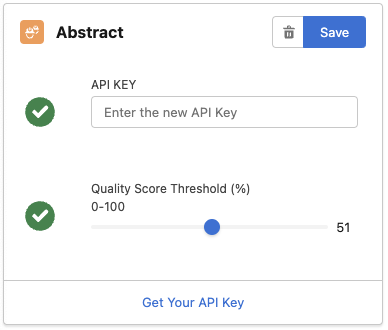
PRO TIP: You can adjust the default threshold of 0.5 from the Email Validator Setup tab, using the slider in the Abstract card:
- Sign up on Abstract & obtain your API key from https://app.abstractapi.com/users/signup?target=/api/email-validation/pricing/select
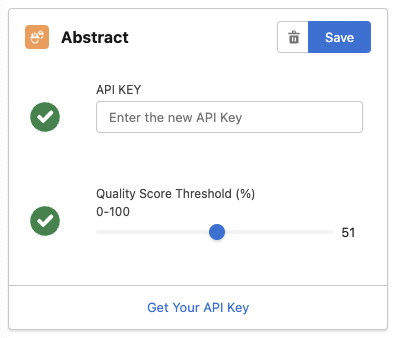
- Open the Email Validator Setup tab, scroll down to External Email Validation APIs section and find the configuration card for Abstract
- Enter your API key and set a Quality Score Threshold (above which the email is considered good, you can start with 50% and adjust based on your results), then click "Save"
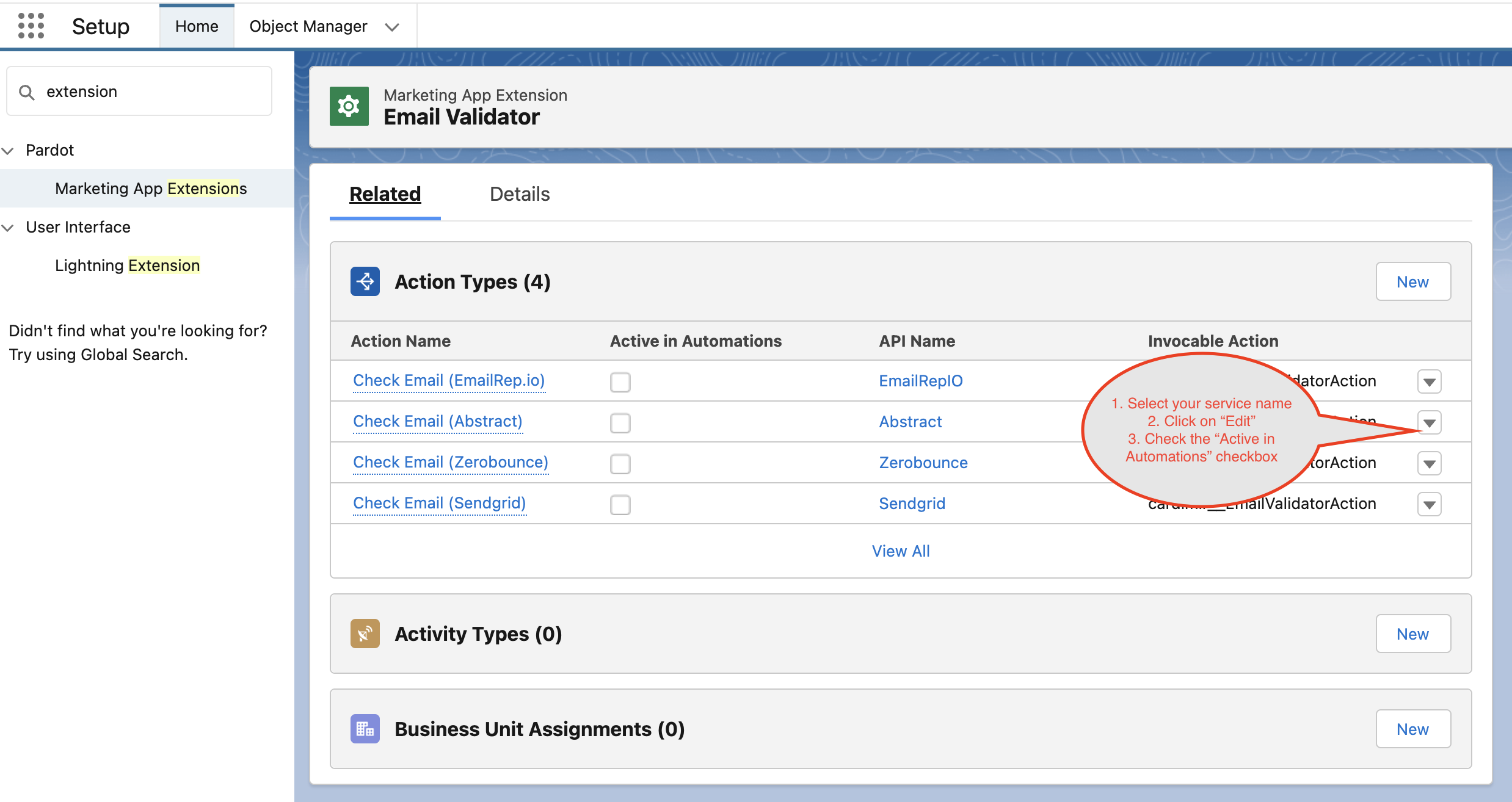
- From Salesforce Setup, search Marketing App Extension and click on Email Validator app:
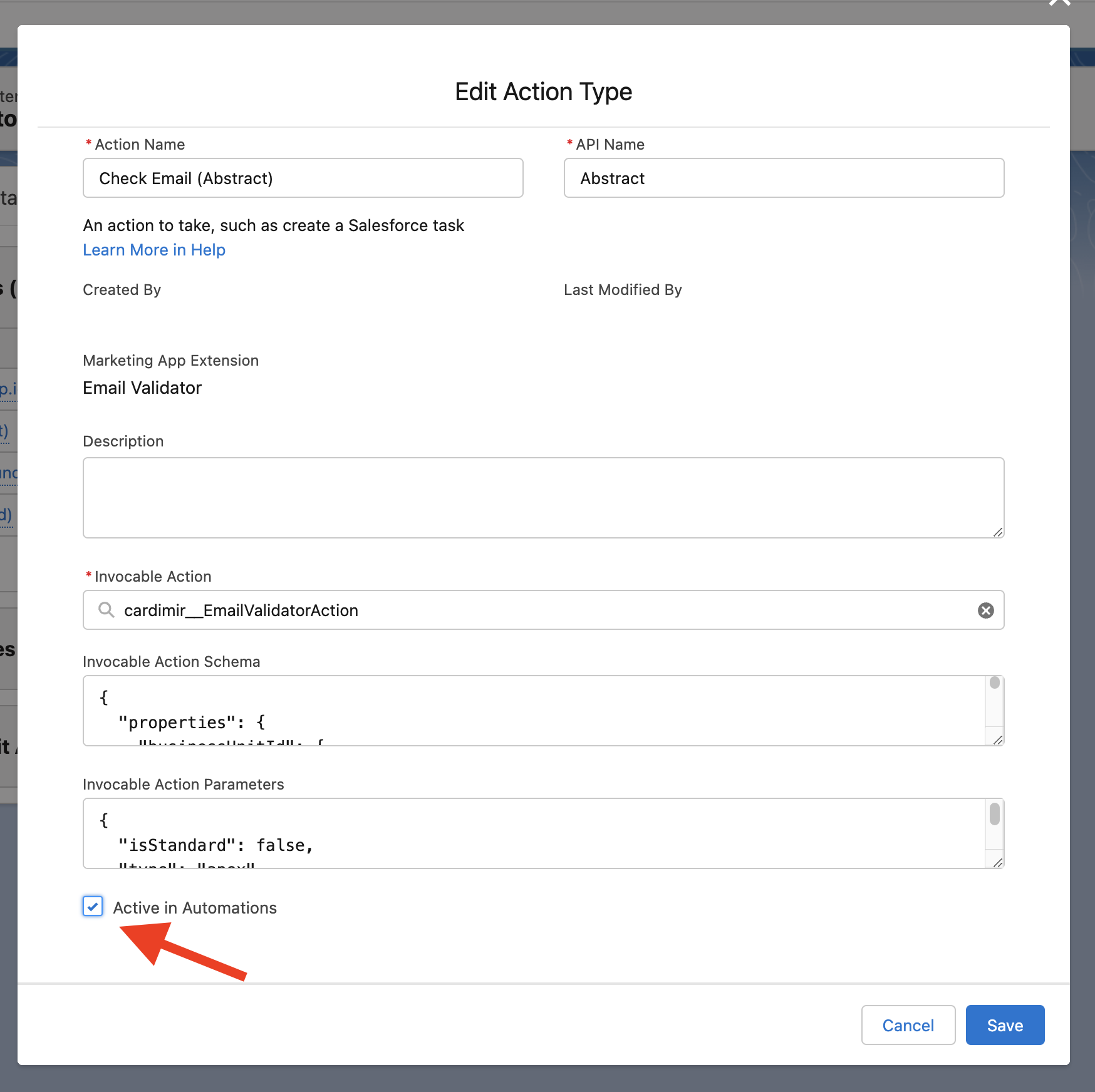
- Find the Abstract service and activate it by editing the corresponding Action Type:
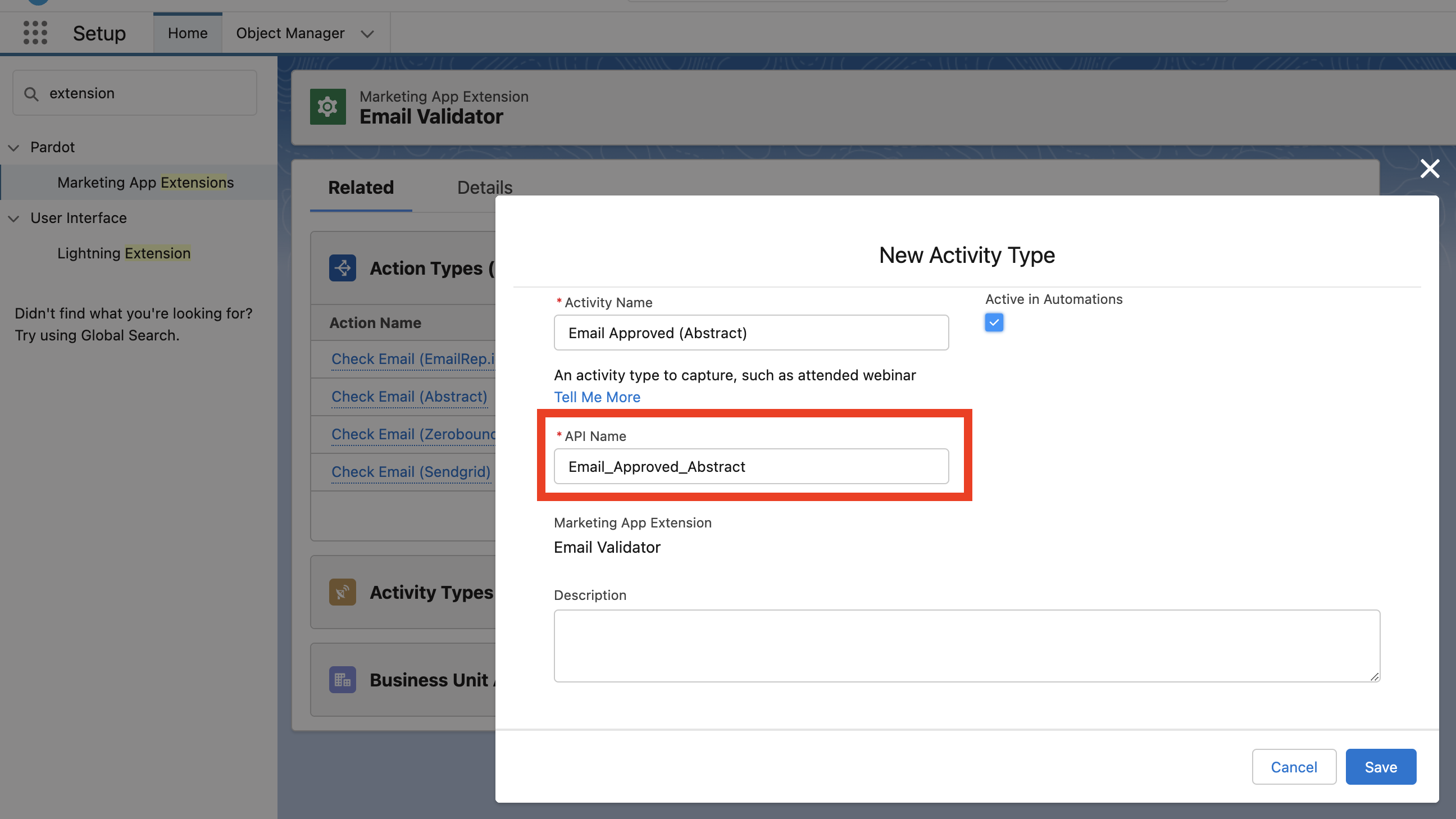
- From Activity Type related list, click on New and create a record with the following values:
Activity Name: Email Approved (Abstract) (this is just a label and you can name it as you want)
API Name: Email_Approved_Abstract (IMPORTANT: it MUST be spelled exactly like this)
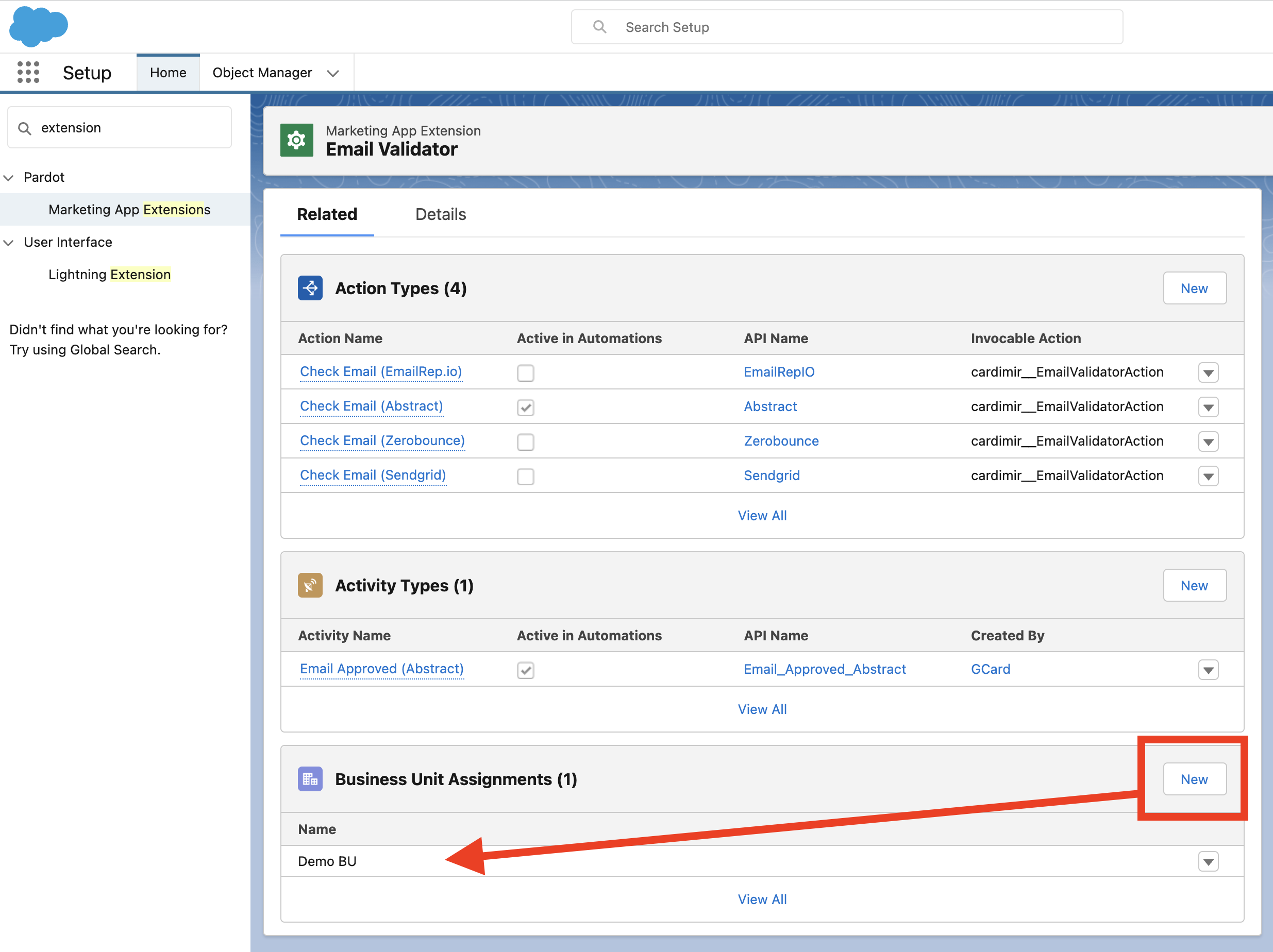
- Assign the Marketing App Extension to all relevant Business Units:
- If not yet done, continue to Step 4 of the main Setup and create a Connected App for Pardot