Ext. Service – Sendgrid
Official Url:
https://sendgrid.com/solutions/email-api/email-address-validation-api/
Service Description:
Use our real-time API to detect and suppress invalid email addresses. With a clean list, you reduce your bounce rate and perform better with mailbox providers to improve delivery.
- Real-time Email Address Validation API
- Machine Learning and mailbox provider-friendly tactics
- Ability to identify mistyped, inactive, non-existent, disposable, or shared (team@, help@)
Obtain your API key here: https://signup.sendgrid.com/ Email Address Validation is available to Email API Pro and Premier level accounts only. Prior to upgrading your account to Pro or Premier, you will not see the option to create an Email Validation API key.
Free tier: N/A
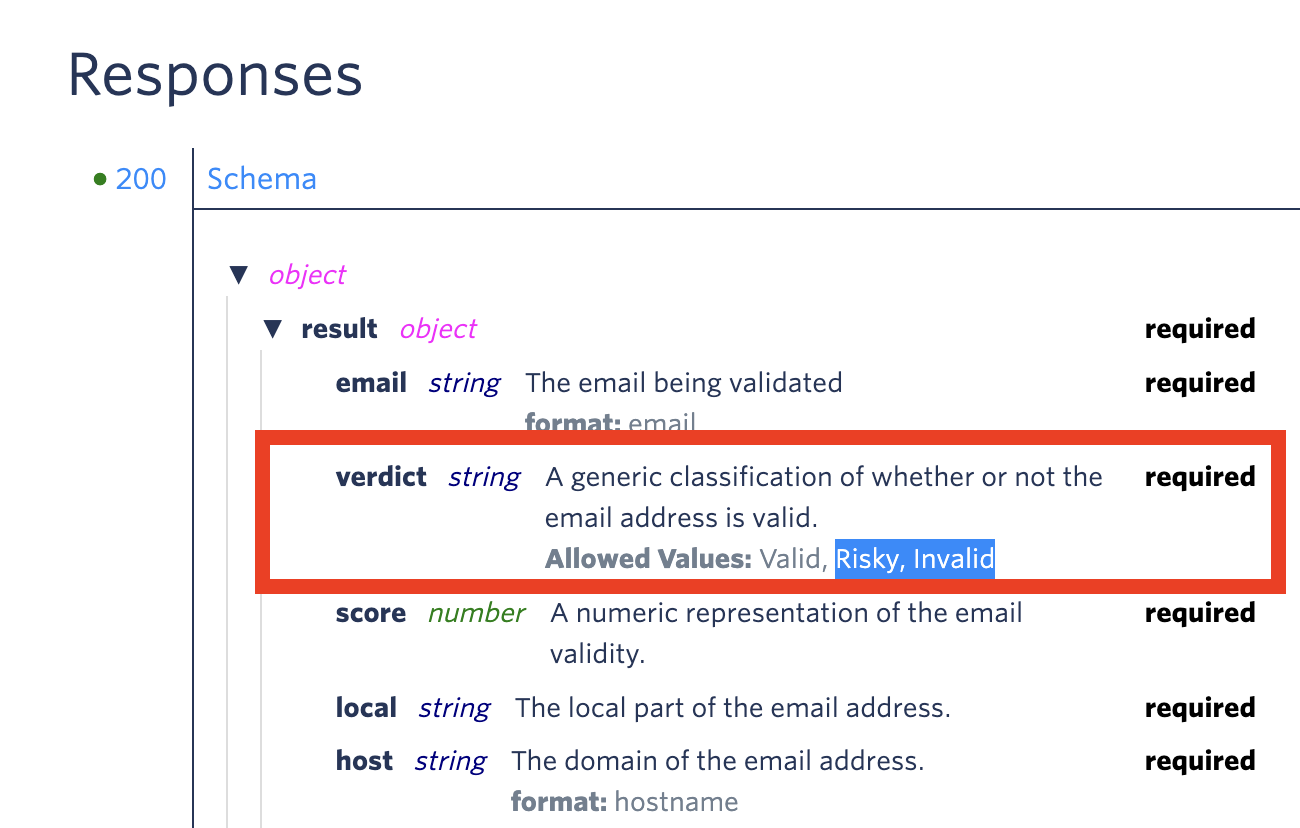
If Sendgrid's verdict attribute is different from "Valid" (i.e. ), we consider it as potential spam.
- Sign up on Sendgrid & obtain your API key from https://signup.sendgrid.com/
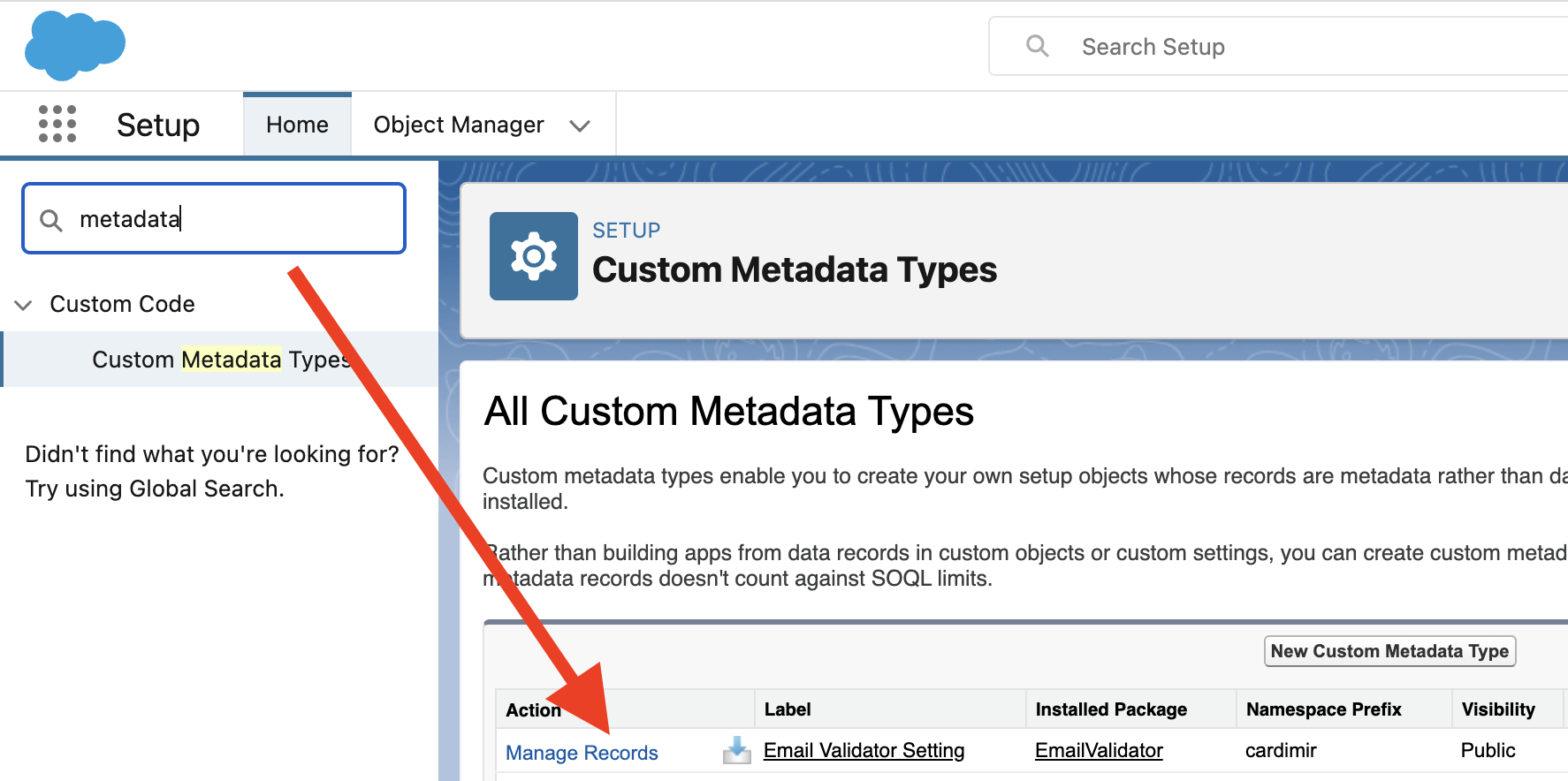
- From Salesforce Setup, search Custom Metadata Types and locate "Email Validator Setting"
- Click on "Manage Records"
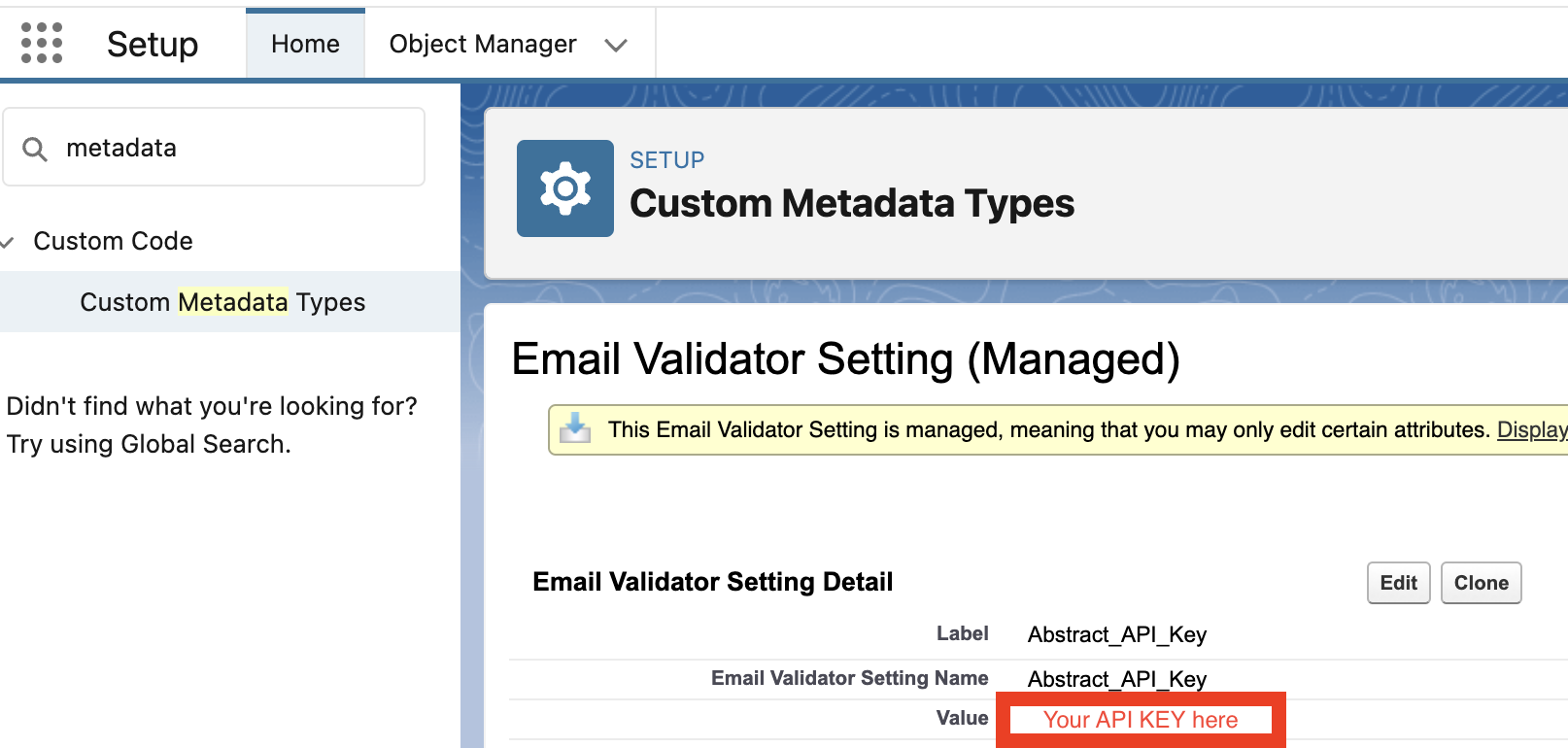
- Edit the record named "Sendgrid_API_Key" and copy-paste your API key into the Value field TODO: Update image
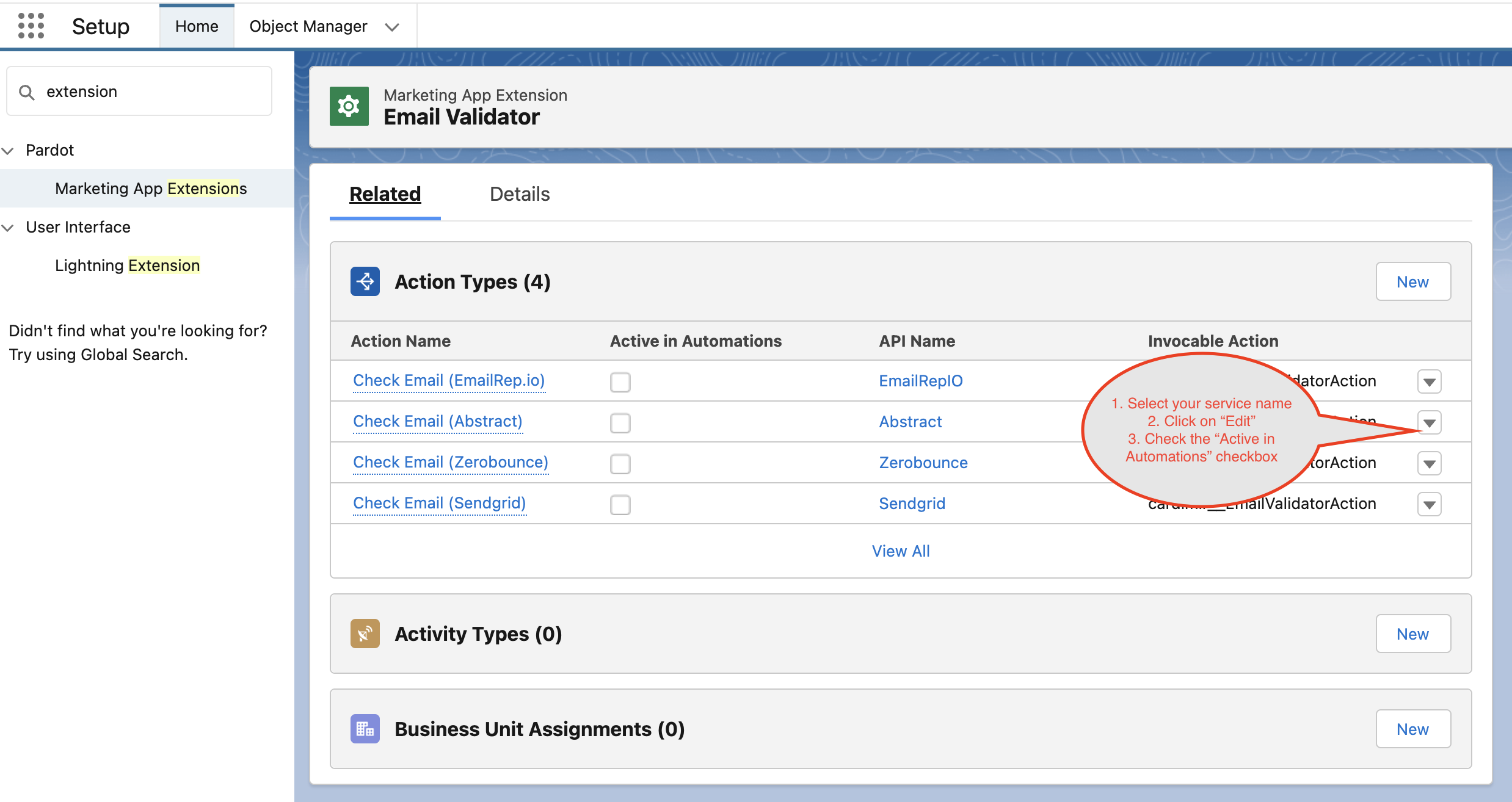
- From Salesforce Setup, search Marketing App Extension and click on Email Validator app:
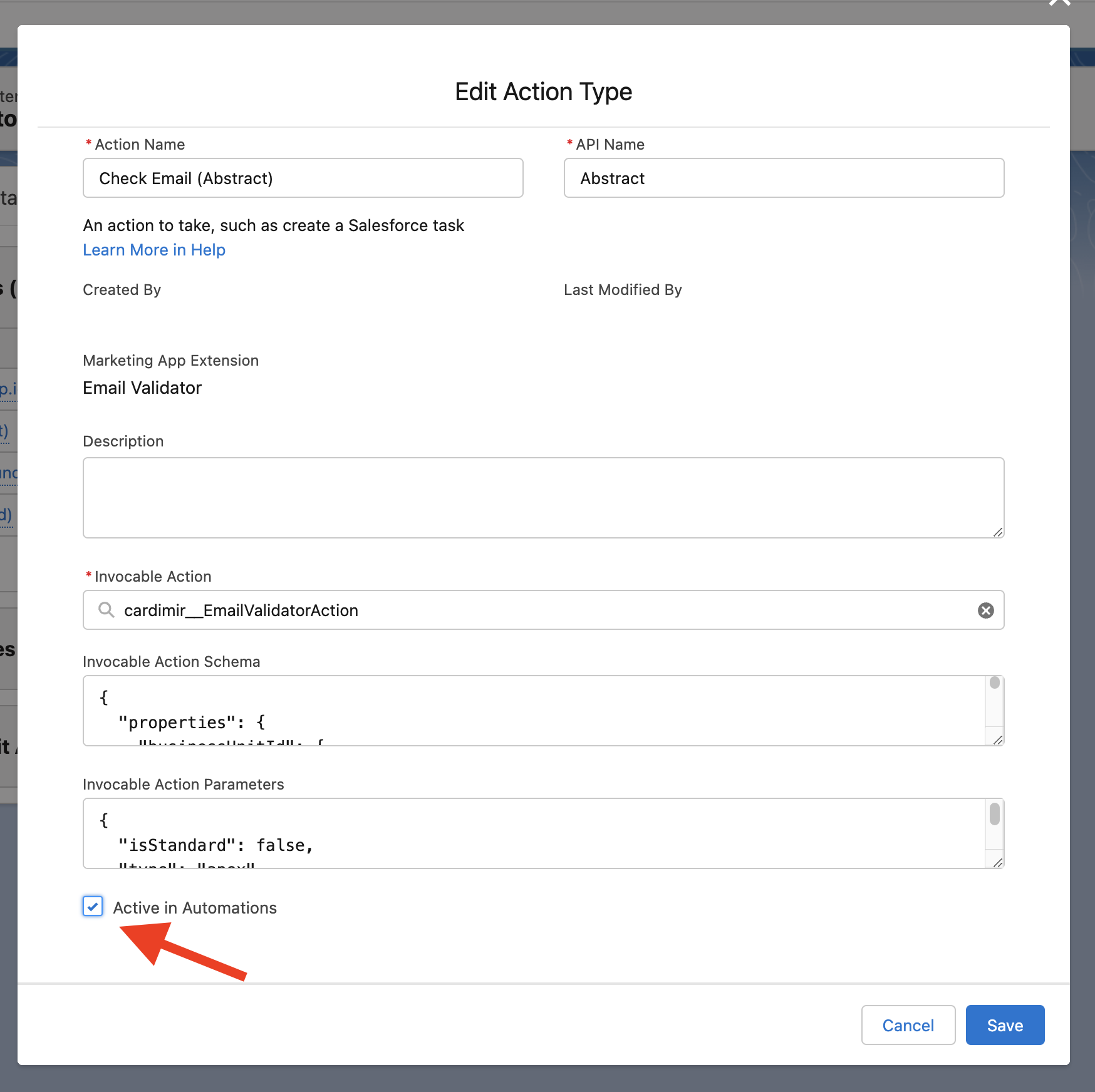
- Find the Sendgrid service and activate it by editing the corresponding Action Type:
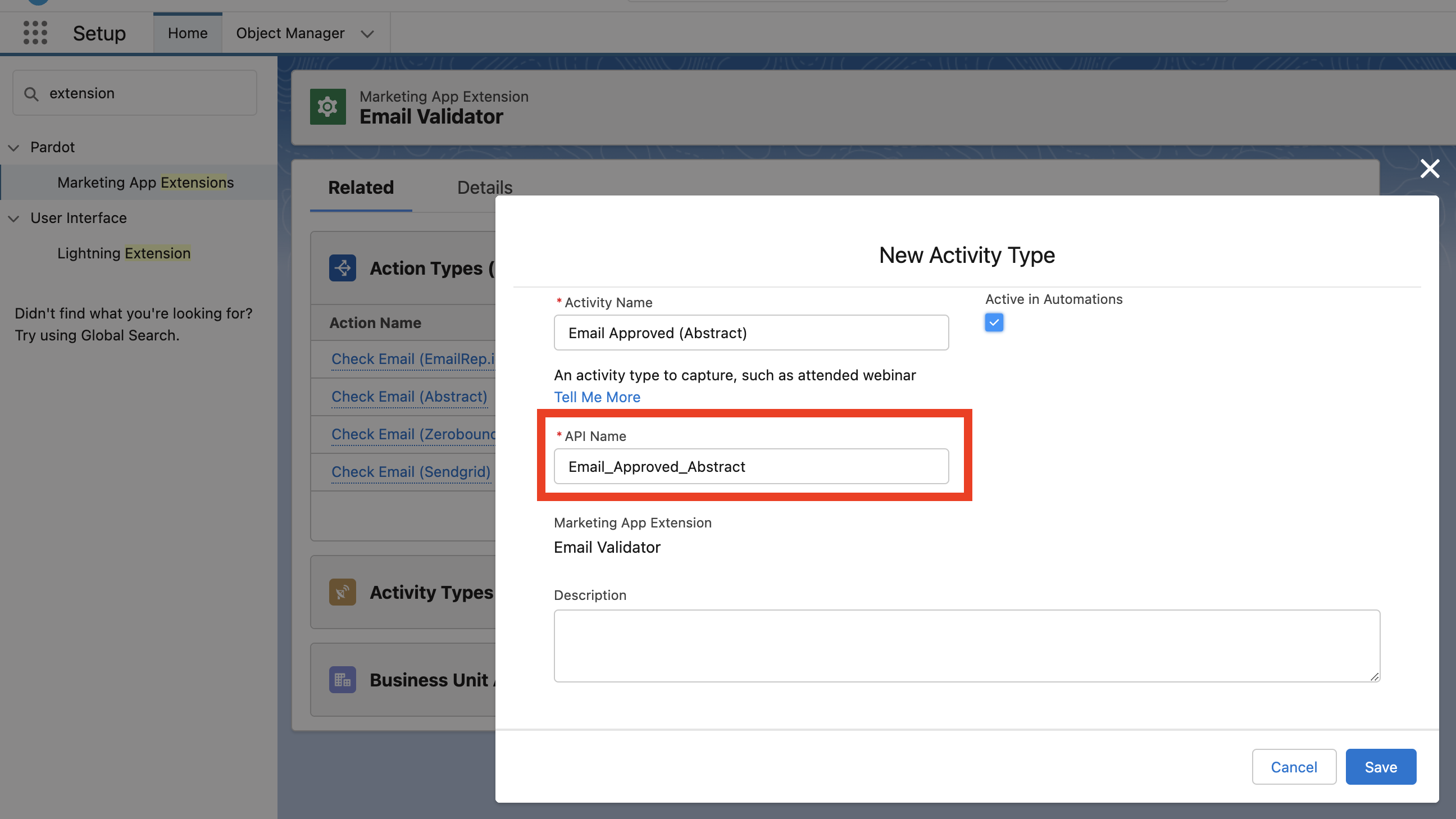
- From Activity Type related list, click on New and create a record with the following values:
Activity Name: Email Approved (Sendgrid) (this is just a label and you can name it as you want)
API Name: Email_Approved_Sendgrid (IMPORTANT: it MUST be spelled exactly like this)
TODO: Update image
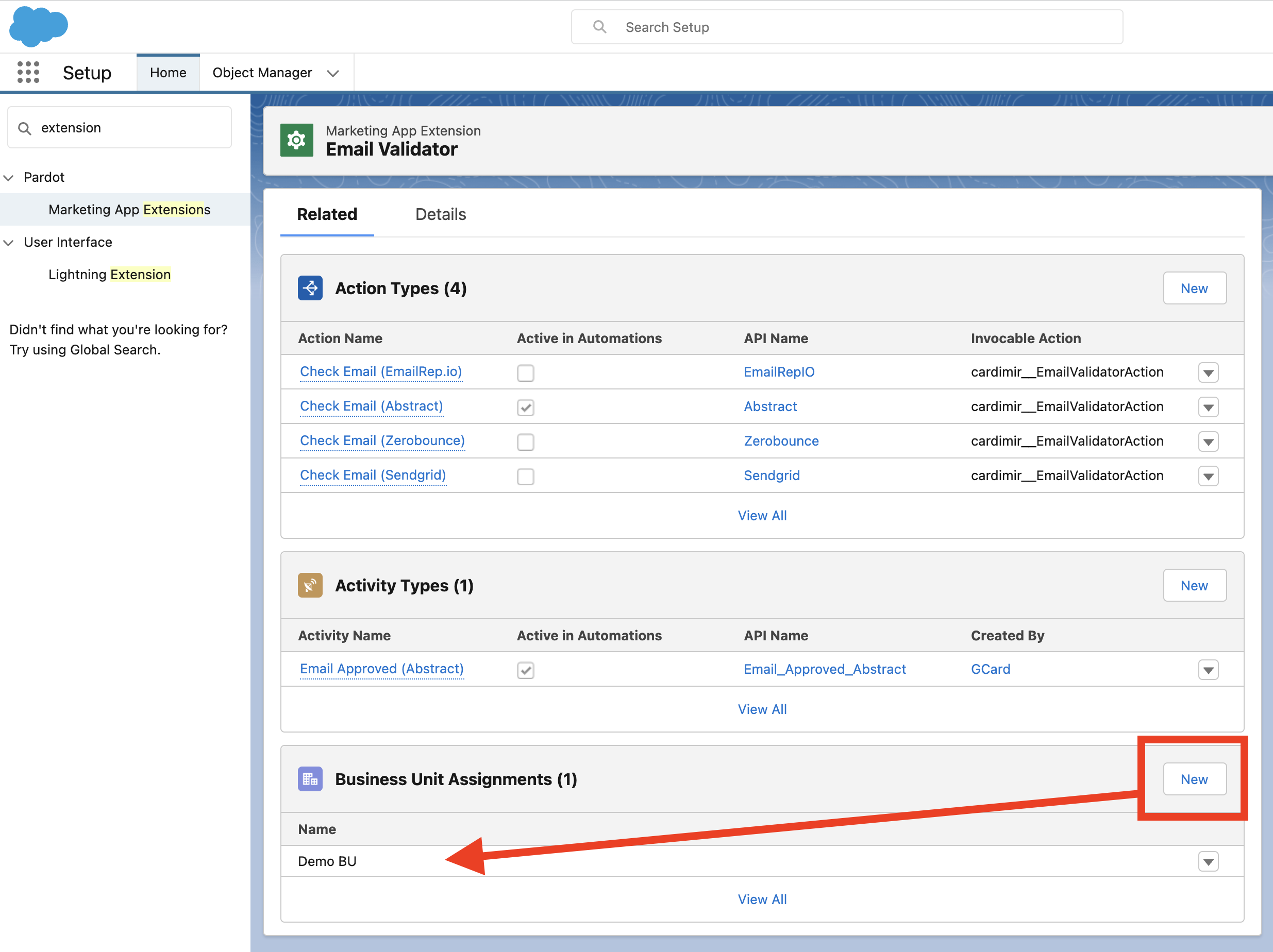
- Assign the Marketing App Extension to all relevant Business Units:
- If not yet done, create a Connected App for Pardot