Addon preferences

Path to the installation folder of the official Arma 3 Tools from steam. The path is required to be set for the import functions to work.
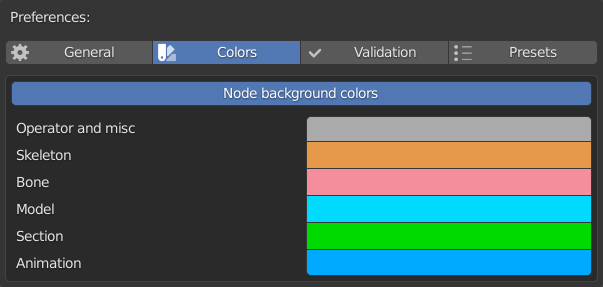
- Enabled: newly created nodes will have their custom color property enabled and set to the color of their respective group
- Disabled: newly created nodes will not have custom colors enabled on them
The groups are as follows:
- Operator and misc: various special nodes (eg.: join lists, inspect data etc.)
- Skeleton: skeleton nodes, skeleton preset nodes
- Bone: bone nodes, bone preset nodes
- Model: model nodes, model preset nodes
- Section: section nodes
- Animation: animation nodes, animation preset nodes
Important to note that the color settings only affect the nodes when they are created. Change to the settings here will make no change to already created nodes, and copies from already created nodes.
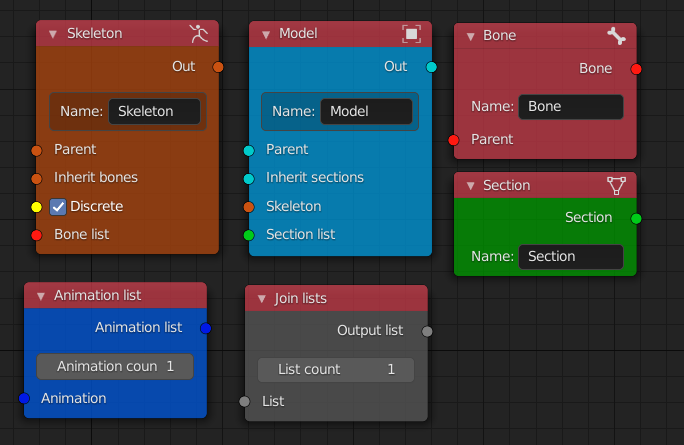
Default colors:
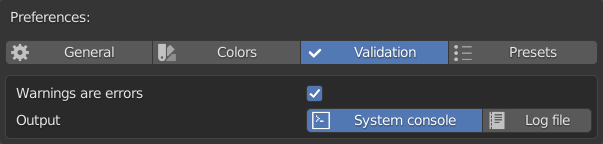
- Enabled: validation fails on errors and warnings as well
- Disabled: validation only fails on errors
This setting tells the scripts whether or not to consider warnings as data structure faults during validation. Normally, warnings are raised for faults that - while being semantically problematic - do not result in a faulty data structure. For safety reasons it is recommended to leave this setting checked, however one may want to export an animation with unset selection property for example, and in that case this setting can be disabled.
- System console: the validation output log is printed to the System Console
- Log file: the validation output log is printed to a model.cfg.log file in the set export directory
If the export directory is not defined, the log is printed to the system console regardless of this setting.
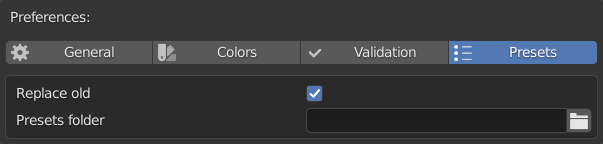
- Enabled: in case a file name conflict occurs with an already existing file during preset generation, the existing file is overwritten by the new one
- Disabled: in case of file name conflict, the preset generation is aborted
Note that due to the timestamp included in the generated file names, the probability of a file name conflict is practically zero (but the possibility cannot be ruled out).
- The setting expects a valid path to an existing folder
The folder should only have setup preset definition files. Visit the setup presets page for more info on them.