Custom node scripts
Custom node scripts can be used in the Custom script node. They offer users the opportunity to create entirely new and costumized functions if needed. The scripts are standard python codes (either written in the text editor workspace, or opened from an external file) with only a few guidelines concerning the output, and use of inputs.
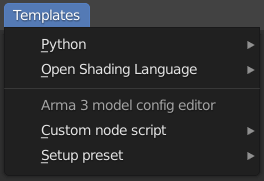
A few ready-made, simple scripts are available in the Templates menu of the text editor workspace for easy access. The templates include a header section with explanation of the function, the expected inputs, and the output.
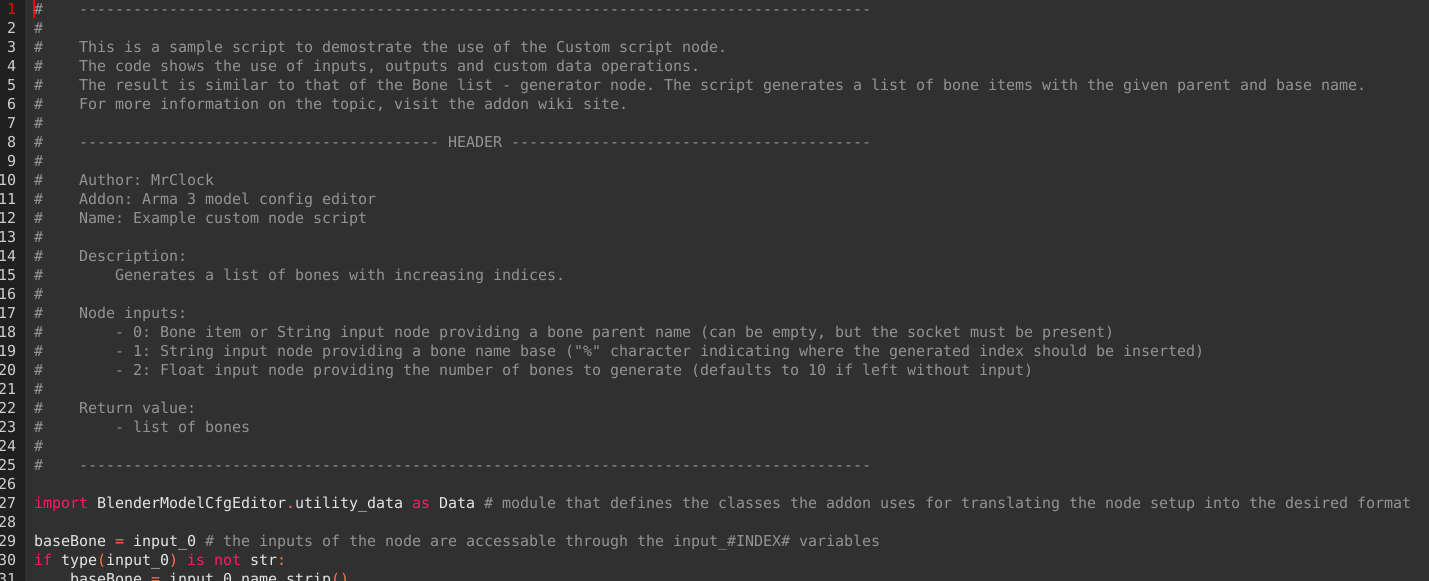
The custom scripts generally speaking are traditional python scripts that are executed by the Custom script during processing. There are only a few restrictions or obligations regarding input and output.
Just like with any python script, parameters can be "hard-coded" into the script itself, but it helps with re-usability if the inputs can be changed without touching the script itself. In the case of the these scripts, it can be done by adding input sockets to the script node. The processed data of the connected nodes is available in the input_#INDEX# variables, while the connected nodes themselves are available in the input_node_#INDEX# variables (where #INDEX# is replaced by the 0 based index of the input socket) inside the scripts.
Since a node script is a very specific application, it is not recommended to make these scripts overly fool proof, it is not worth the processing resources, since the script will most likely be only used the writer itself.
The output of the script must be set into a variable called result, if the variable is not present in the script, the node will return "".
The output data can practically be anything from numbers, strings, bones, lists. If the output data is a skeleton or model class, the node has to be set to that data type.
The addon uses a set of underlying classes to translate the visual node tree, to the format of the model configs. These classes can be used in custom node scripts to emulate the output of other hard-coded nodes of the addon as needed. The classes can be accessed through one of the sub-modules of the addon.
import BlenderModelCfgEditor.utility_data as DataEach class has a set of class variables that store the related data, such as the name of the class and the relevant parent. Some variables must be declared for the constructor function when instanciating the class, while other variables get a default value that can be modified later. Those variables that are not mandatory can be set to take the value "_HIDE_" in order to suppress them in the class (those properties will not be printed into the exported model.cfg file either). While the values of the variables can be directly read or set by referencing their names, but the preferred way is accessing them through the .Get("variable name") and .Set("variable name","new value") methods. (Keep in mind that the variable names in the Get and Set methods are case sensitive)
Important to note that while a certain class variable may have a default value, leaving the default value unchanged may still result in the validation of the data failing, as a default "" value for example in certain applications may not be an acceptable value.
In the list below, only those class methods are shown that are useful in the context of custom scripted nodes (the processing, validation and other function specific methods are not).
Universal class variables:
| Variable | Type | Default | Description |
|---|---|---|---|
name |
str |
mandatory | name of the class |
parent |
str |
mandatory | name of the parent class |
Universal class methods:
| Method | Parameters | Returns | Description |
|---|---|---|---|
Get(param0) |
0: "variable name"
|
value of the variable if exists | looks up and returns the value of a class variable |
Set(param0,param1) |
0: "variable name", 1: new value of variable |
None | sets the value of a class variable if the variable exists |
Data.Bone("bone name","bone parent name")The Bone class represents a bone in a skeleton.
The constructor of the Bone class expects two arguments. Both arguments are mandatory, but the second argument is allowed to take "" value, when no parent is to be set.
Class variables:
| Variable | Type | Default | Description |
|---|---|---|---|
name |
str |
mandatory | name of the bone |
parent |
str |
mandatory | name of the parent bone |
Data.Skeleton("skeleton name","skeleton parent name")The Skeleton class represents a skeleton with an embedded list of bones, and other parameters.
The constructor of the Skeleton class expects two arguments. Both arguments are mandatory, but the second argument is allowed to take "" value, when no parent is to be set.
Class variables:
| Variable | Type | Default | Description |
|---|---|---|---|
isDiscrete |
bool |
True |
whether or not the bone selections in the model are supposed to be discrete |
skeletonInherit |
str |
"" |
skeleton class to inherit bones from |
skeletonBones |
list of Bone
|
[] |
list of bones of the skeleton |
pivotsModel |
str |
"_HIDE_" |
path to model to define bone pivot points for IK type animations |
Class methods:
| Method | Parameters | Return | Description |
|---|---|---|---|
AddBone(param0) |
0: Bone
|
None | adds new bone to the skeletonBones list variable of the class |
Data.Animation("animation name","animation type","animation parent name")The Animation class represents a model config animation. It is usually stored in the animation list variable of the Animations embedded class of the Model class.
The constructor of the Animation class expects two arguments. All arguments are mandatory, but the third argument is allowed to take "" value, when no parent is to be set.
The second argument can take one of the following values:
- translation
- translationX
- translationY
- translationZ
- rotation
- rotationX
- rotationY
- rotationZ
- hide
Class variables:
| Variable | Type | Default | Description |
|---|---|---|---|
animType |
str |
mandatory | type of the animation |
source |
str |
"" |
name of the animation source |
sourceAddress |
str |
"clamp" |
source address type (clamp, mirror or loop) |
selection |
str |
"" |
name of the model selection (bone) to animate |
memory |
bool |
True |
whether or not the axis of the animation is defined in the memory LOD of the model |
axis |
str |
"" |
name of the axis selection |
begin |
str |
"_HIDE_" |
name of the first point of the axis |
end |
str |
"_HIDE_" |
name of the second point of the axis |
minValue |
float |
0.0 |
lower bound of the animation phase interval |
maxValue |
float |
1.0 |
upper bound of the animation phase interval |
typeMinValue |
float |
0.0 |
first type specific value (offset0, angle0, hideValue) |
typeMaxValue |
float |
1.0 |
second type specific value (offset1, angle1, unhideValue) |
Data.Animations(inherit animations)The Animations class is a class embedded in the Model class to store the list of Animation classes.
The constructor of the Animations class expects one argument. The argument is mandatory and expects a boolean value.
Class variables:
| Variable | Type | Default | Description |
|---|---|---|---|
animList |
list of Animation
|
[] |
stores the list of animation classes embedded into this class |
Class methods:
| Method | Parameters | Return | Description |
|---|---|---|---|
AddAnim(param0) |
0: Animation
|
None | adds new animation to the animList list variable of the class |
Data.Model("model name","model parent name",inherit animations)The Model class represents a model in the configuration. It has a reference to a Skeleton class to define it's skeleton, and an embedded Animations class to store the configured animations.
The constructor of the Model class expects three arguments. Two arguments are mandatory, but the second argument is allowed to take "" value, when no parent is to be set. The third argument is optional and expects a boolean value.
Class variables:
| Variable | Type | Default | Description |
|---|---|---|---|
skeletonName |
str |
"" |
name of the connected skeleton class |
sectionsInherit |
str |
"" |
name of the model class to inherit sections from |
sections |
list of str
|
[] |
list of model section names |
animationsList |
Animations |
Animations() |
embedded class to store the animation config classes |
htMin |
float |
"_HIDE_" |
- |
htMax |
float |
"_HIDE_" |
- |
afMax |
float |
"_HIDE_" |
- |
mfMax |
float |
"_HIDE_" |
- |
mFact |
float |
"_HIDE_" |
- |
tBody |
float |
"_HIDE_" |
- |
iscopy |
bool |
False |
indicates if the class is a plain copy of the parent class without any parameters changed |
Class methods:
| Method | Parameters | Return | Description |
|---|---|---|---|
AddAnim(param0) |
0: Animation
|
None | adds new animation to the animList list variable of the animationsList embedded class |
AddSection(param0) |
0: "section name"
|
None | adds new section name to the sections list variable of the class |