Sidebar tools
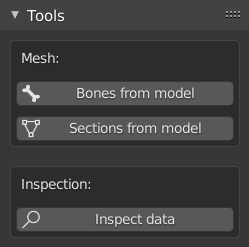
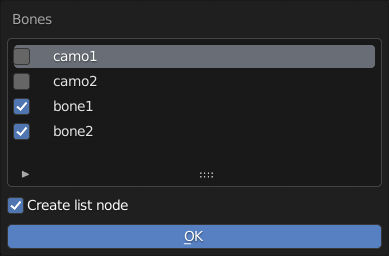
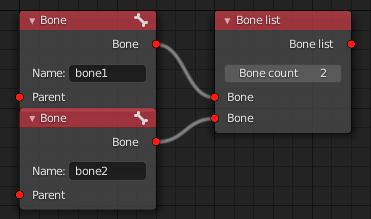
This function allows to quickly generate bone item nodes from the selected vertex groups of the selected mesh.
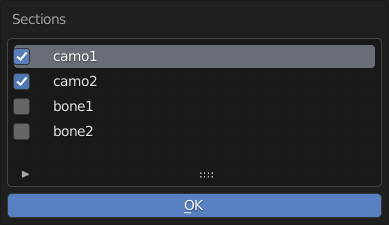
This functions allows to quickly generate section lists from the selected vertex groups of the selected mesh.
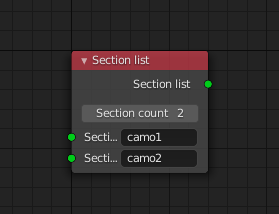
This function is used in conjunction with the data inspector nodes. Visit the Data inspector node page for more info on them.
When executed, this function executes the active data inspector nodes present in the node tree. They allow users to preview the output data of various nodes of the setup without validation taking place, therefor helping debugging if needed. The inspected data is printed out to the system console.
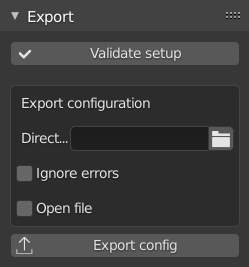
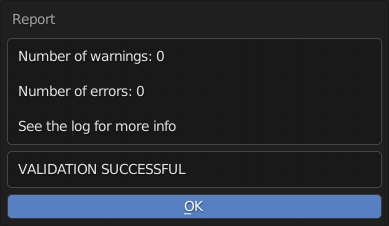
Runs validation on the node tree setup and reports the results in a pop-up window.
The directory where the model.cfg file should be created during export.
- True: export the data to model.cfg format regardless of it's faults (NOT RECOMMENDED, USE FOR DEBUGGING ONLY)
- False: only export data to model.cfg format if it passes validation
- True: the model.cfg file is automatically opened in the default text editor after export
- False: the model.cfg file is not opened after export
If an existing directory is set as export directory, creates model.cfg file and exports data.
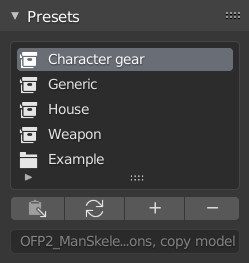
Lists all available preset both built-in and custom (visit the custom presets page for more into).
Built-in presets are indicated by the  icon, while custom presets are indicated by
  .
.
The description field of the selected item is also displayed at the bottom of the section.
Inserts the selected setup preset into the node tree. An error could be raised if the preset no longer exists (eg.: the preset file was moved out of it's folder).
This function serves as a means to forcefully clear the list and reload the presets. This action is automatically done during certain operations (e.g.: beforing trying to insert a preset, setting a custom preset folder in the addon preferences etc.), but it may need to be triggered manually on some occasions (e.g.: when first loading the addon, when a preset file was manually moved into, or removed from the preset folder etc.).
The option is only enabled, if a proper custom preset folder is set in the addon preferences.
If the current node tree contains any nodes, the function promps the user for three necessary informations, then generates a custom setup preset file in the specified directory.
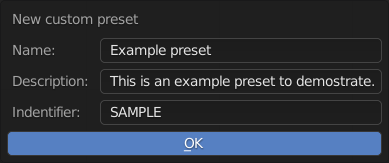
The function will raise errors if:
- there are no nodes in the node tree
- there are invalid (red) connections present in the node tree
- the preset name is left blank
- the preset indentifier is left blank, or conflicts with an already existing preset
Important to note that all present nodes are included in the generated preset (always make sure there are no nodes that should not be in the saved result), and not all node settings are saved. Generally speaking, only those properties are saved that change the expected value of the node (number items in list nodes, axis type in animations, scope in animation presets etc.).
Deletes preset file from the preset folder, and automatically reloads the preset list.
Important to note that only custom presets can be deleted.
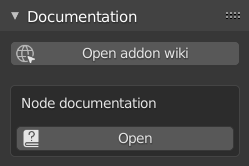
Opens the home page of this wiki.
Opens the wiki page related to the selected node if available. The function is enabled if only one node is selected, and documentation url is defined for the node.