Bambu A1 Mini 3D printer Bambi
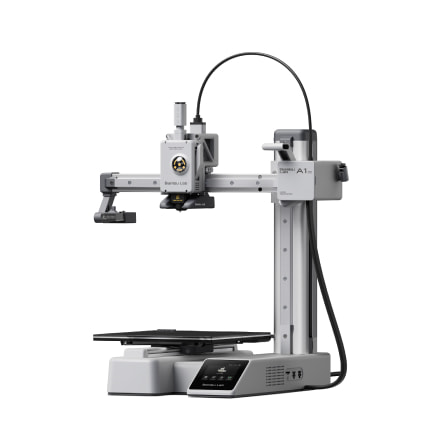
Quick links: Usage • Troubleshooting • Maintenance
| Nickname | Make | Model | Where | Manual | Issue Tracker | Status |
|---|---|---|---|---|---|---|
| "Bambi" | Bambu Lab | A1 mini | Workshop | online | Tool: 3D Printer - Bambu A1 Mini - Bambi | Active |
- Build volume: 180 x 180 x 180 mm
- Layer thickness: 0.08 - 0.28mm
- Max hot end temp: 300 °C
- Filament diameter: 1.75 mm recommended
- Nozzle diameter: 0.4 mm swappable
- Printing technology: Fused Filament Fabrication (FFF)
To use this machine, you'll need to:
- Follow safety precautions
- Design 3D object
- Convert to G-Code
- Set printer filament
- Print the object
Let's get started...
This is a consumer-oriented machine, so it's very safe to use. Just be careful of the "hot end" that does the printing, it gets... hot.

- Find a 3D file online or create your own using your favourite CAD software (check that the file format you are using can be imported into Bambu Studio). [FreeCAD]("https://www.freecad.org/") is one example which is used regularly at DoES Liverpool. If you want to make a more sculptural form then [Blender]("https://www.blender.org/") might be a good alternative, and Bambu Studio also allows svg files, such as those created by [Inkscape]("https://www.inkscape.org/"), to be imported and made into 3D objects within the program.
See Materials: 3D Printer Filament - you'll need 1.75mm PLA, ABS, etc.
- Load Bambu Studio, then choose your printer. If you are on the DoES Liverpool network, the printer should show up. The first time you use it you will need to get a code from the printer
- Import your 3D model
- Slice and print your file by choosing appropriate options.
- Here's an online troubleshooting guide for the most common 3D printing problems.
- The filament can come on a coil, rather than a roll, in which case you will need to roll it up on one of the empty spools before you can use it. Take care not to get everything tangled by looping the coil on a broomstick, and wind it as tightly as you can. Recommended also to stand the spool on a heated bed of the printer for ten-twenty minutes to adapt it to the tighter curvature so it doesn't spring loose when you feed it into the machine.
- Preheat the bed: the print will stick better. Do that from settings.
- Make sure the nozzle and bed temperature are correct (these can be reset by GCODE)
- Bambu Studio: You can adjust various settings in Bambu Studio (such as the layer height) as well as load multiple STL files into the same build
- Unloading/reloading filament: Follow the instructions on the machine. Make sure you don't put the wrong filament in. It should be 1.75mm thick (not the 2.85mm filament used by the Ultimakers).
Reduce: Does a solid object need to be solid inside? Often it doesn't - a hollow object will use up less filament, so consider reducing the infill (side effect: reduces the rigidity of object).
Recycle: Depending on the plastic used, it can go in the recycling bins near the kitchen.
Disposal: If all else fails, put waste in the workshop bin
Here's an online troubleshooting guide for the most common 3D printing problems.
If the advice below doesn't solve the problem, you can download the manual here. If all else fails, please create a new issue to let us know.
If your print doesn't stick to the printer base panel), usually because it has a small contact area, you can spread a dash of Prittstick on to help stick it down
You can adjust the speed and temperature of the plastic extrusion while it is running if you are getting too much stringing or the material is too thin. Stringing can also be reduced by increasing the retraction distance.
Note:The information on the Bambu Labs site is excellent, and is definitely the place to start. If you're still stuck, there is also lots of useful information on YouTube e.g. I found this useful when troubleshooting filament stuck in the extruder [Unclogging Your Bambu Lab A1 Mini 3D Printer: A Step-by-Step Guide to Clearing Jams](https://www.youtube.com/watch?v=cNBu2mcOH8E)
If the machine is broken or needs maintenance, create an issue in the issue tracker (link in Troubleshooting above)
Label the issue: Tool: 3D Printer - Bambu A1 Mini - Bambi
If broken, add a Broken label (this triggers various systems to flag the machine unavailable)
If maintenance is required, add a Maintenance label (the machine is working, but needs TLC)
If parts need purchasing, add a Shopping label
Spare parts are kept in a box in the 3D printer supplies cupboard (in the alcove with the heat presses).
Spare parts are widely available from Bambu Lab and other retailers, including Amazon
Consumables: Materials: 3D Printer Filament