-
Notifications
You must be signed in to change notification settings - Fork 1.6k
en deploy langbot manual
langbot-wiki-sync[bot] edited this page Aug 21, 2026
·
2 revisions
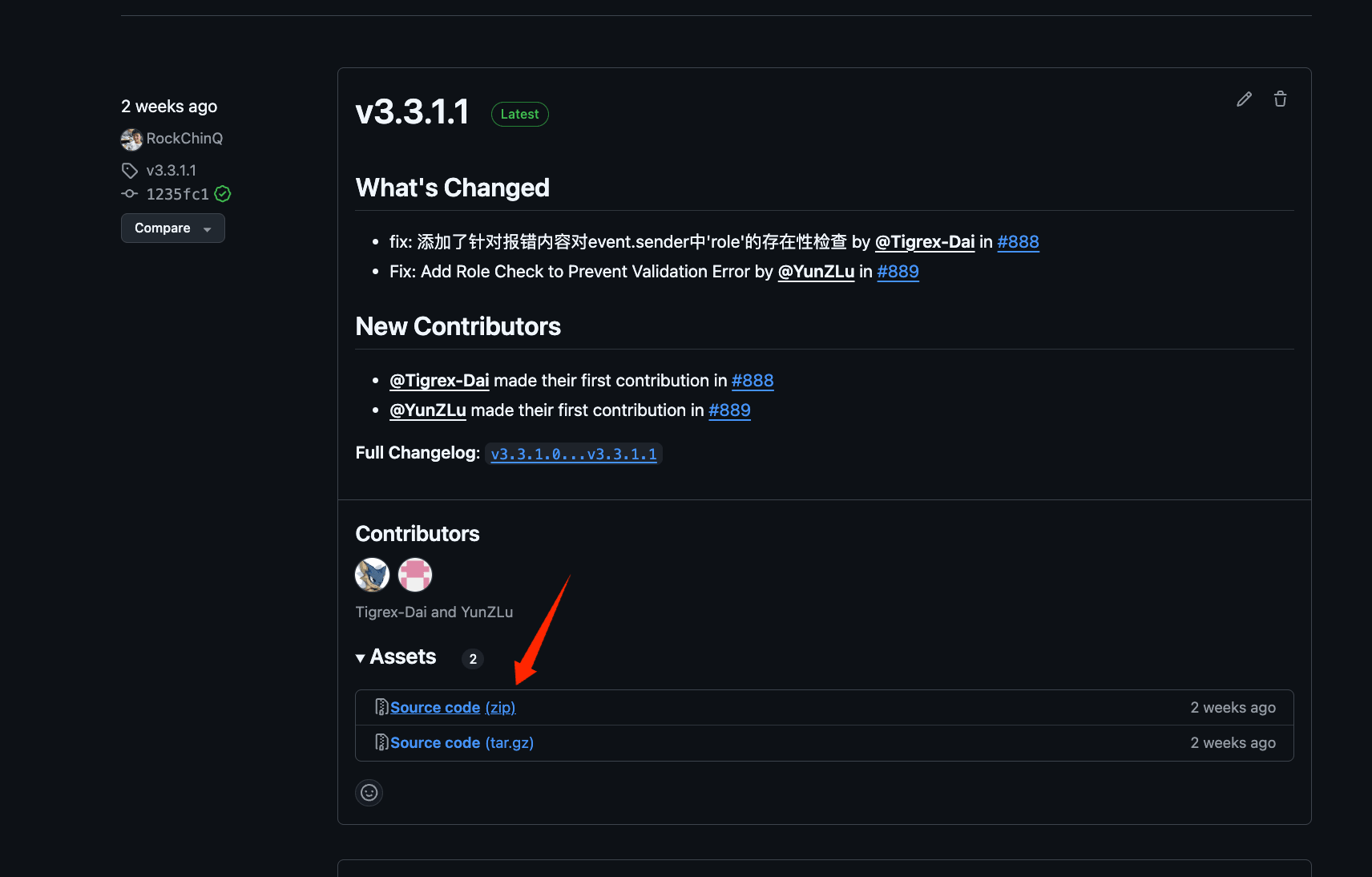
- Go to the Release page to download the latest version of the zip package (recommended)
langbot-xxx-all.zip(do not download Source Code as it does not include WebUI). Extract it and open a command line (terminal) in the extracted directory.
- Install dependencies
We use uv to manage dependencies.
pip install uv
uv syncThe default installation does not include optional SeekDB support. If you need the SeekDB vector store or built-in embedding model, use:
uv sync --extra seekdbEmbedded-mode platform support depends on the available pylibseekdb wheels;
Apple Silicon currently requires macOS 15 or later. All other LangBot features
can use the default uv sync installation.
- Run the main program once to generate configuration files
uv run main.pyYou will see the following message:
_ ___ _
| | __ _ _ _ __ _| _ ) ___| |_
| |__/ _` | ' \/ _` | _ \/ _ \ _|
|____\__,_|_||_\__, |___/\___/\__|
|___/
⭐️Open Source: https://github.com/langbot-app/LangBot
📖Documentation: https://docs.langbot.app
The following files do not exist and have been automatically generated. Please modify the configuration files as needed and restart:
- data/config.yaml
...
You can now use Ctrl+C to exit the program and continue to the Configure Bots page.
Automatically synchronized from langbot-app/langbot-wiki.
简体中文
指南
开发者
- 插件开发
- 插件 SDK API
- 核心开发
文章
- 浏览
- 产品动态
- 技术解析
- 教程与集成
- 公告
API 参考
- Service API
English
Guides
Developers
-
Plugin Development
- Plugin Development Tutorial
- Completing Plugin Configuration Information
- Plugin Directory Structure
- Component Development
- Code Style Guide
- Migration Guide
- Publish Plugin
- Plugin SDK API
- Core Development
Articles
- Browse
- Product Updates
- Engineering
-
Tutorials & Integrations
- LangTARS: Open-Source AI Agent for Remote PC Control — Works with Dify, n8n & 10+ Messaging Platforms
- How to Connect DeepSeek R1 to WeChat, Discord & Telegram in 5 Minutes (FREE)
- Deploy Your Own AI Bot to Discord, Telegram & WeChat in 5 Minutes
- Finally Got My Dify Agent Working in Discord, Telegram and Slack
- How I Built a Multi-Platform AI Bot with Langflow's Drag-and-Drop Workflows
- How I Built a Multi-Platform AI Chatbot with n8n and LangBot
- LangBot 4.6.0 External Knowledge Base Tutorial: Integrating Dify with LangBot for RAG-powered Conversations
- Announcements
API Reference
- Service API
Other pages
日本語
ガイド
開発者
- プラグイン開発
- プラグイン SDK API
- コア開発
記事
- 一覧
- 製品アップデート
- エンジニアリング
-
チュートリアルと連携
- LangTARS:Dify・n8n と連携するオープンソース PC 操作 Agent
- DeepSeek R1 を WeChat・Discord・Telegram に5分で接続する方法
- AI Bot を Discord・Telegram・WeChat に5分でデプロイ
- Dify Agent を Discord・Telegram・Slack で動かす
- Langflow のドラッグ&ドロップでマルチプラットフォーム AI Bot を構築
- n8n と LangBot でマルチプラットフォーム AI Chatbot を構築
- LangBot 4.6.0 外部ナレッジベース入門:Dify と連携した RAG 会話
- お知らせ
API リファレンス
- Service API