-
Notifications
You must be signed in to change notification settings - Fork 1.6k
zh plugin dev publish market
langbot-wiki-sync[bot] edited this page Jul 29, 2026
·
1 revision
通过 CLI 将插件发布至 LangBot 插件市场。
LangBot Space 是 LangBot 提供中心化服务平台。请访问LangBot Space,点击右上角使用 GitHub 登录并创建账号。
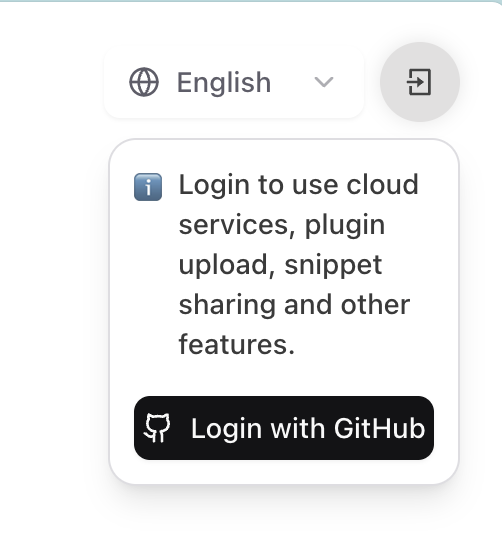
这将跳转到 GitHub 授权页面,请根据提示完成授权。
- 登录 LangBot Space,点击头像进入 账户设置,在 账户 标签页中找到 个人访问令牌,创建一个新的令牌。
- 复制生成的令牌(仅显示一次),在终端执行:
➜ HelloPlugin > lbp login --token lbpat_xxxxxxxxxxxxxxxxxxxxxxxxxxxxxxxxxxxxxxxxxxxxxxxxxxxxxxxxxxxxxxxx
==================================================
✅ 使用个人访问令牌登录成功!
令牌已保存至:~/.langbot/cli/config.json
==================================================在任意目录执行命令lbp login:
➜ HelloPlugin > lbp login
Starting LangBot CLI login process...
Generating device code...
==================================================
Please copy the user code and complete verification in your browser:
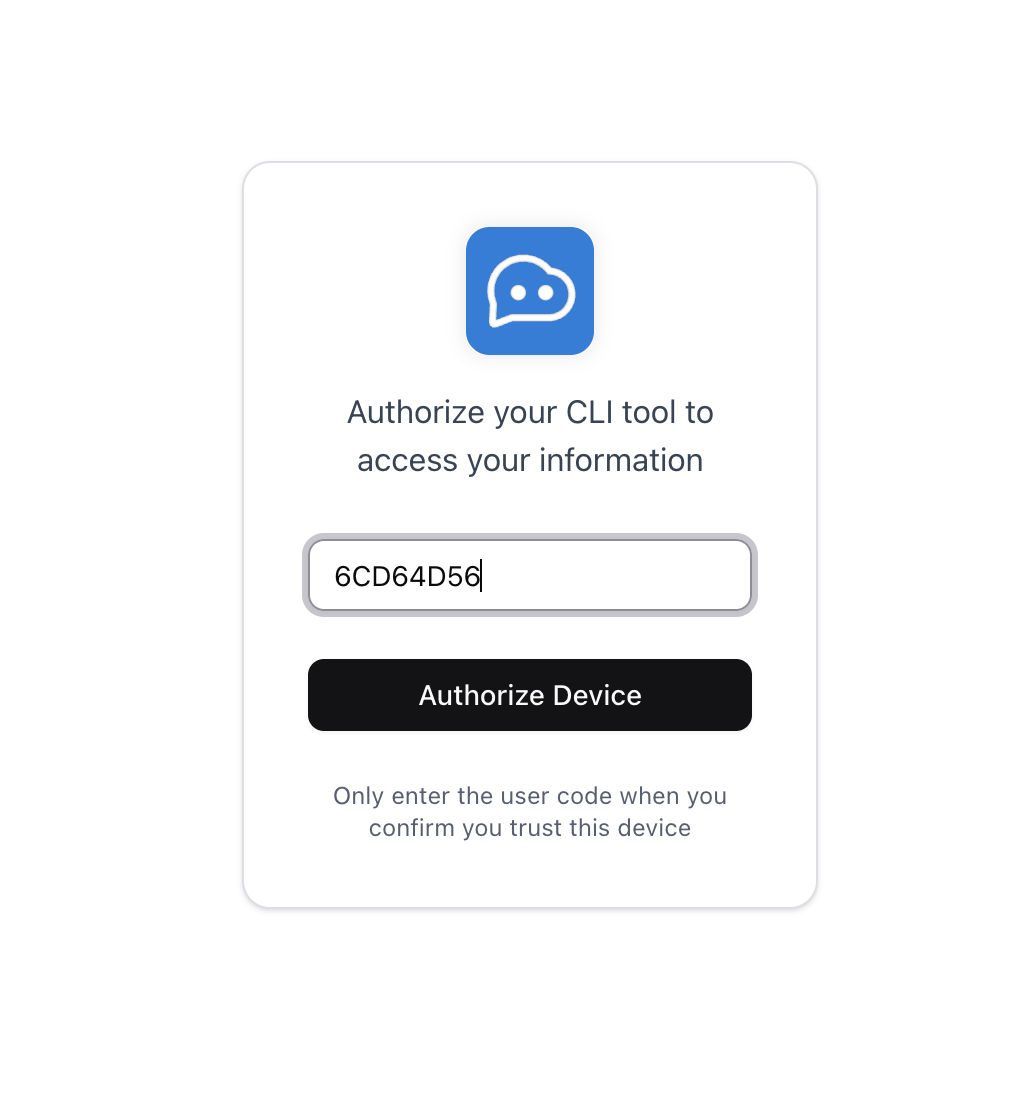
User Code: 6CD64D56
Verification URL: https://space.langbot.app/auth/device
Device code expires in: 120 seconds
==================================================
Waiting for verification...请点击Verification URL跳转至 LangBot Space,输入User Code完成登录。
==================================================
✅ Login successful!
Access token saved to: ~/.langbot/cli/config.json
Token type: Bearer
Expires in: 21600 seconds
==================================================两种方式登录成功后,均可继续使用 CLI 上传插件。
请在您的插件目录下执行lbp publish:
➜ HelloPlugin > lbp publish
Building plugin to dist/tmp...
- Skipping ignored directory: dist
- Skipping ignored directory: __pycache__
...
Plugin built successfully: dist/tmp/RockChinQ-HelloPlugin-0.1.0.lbpkg
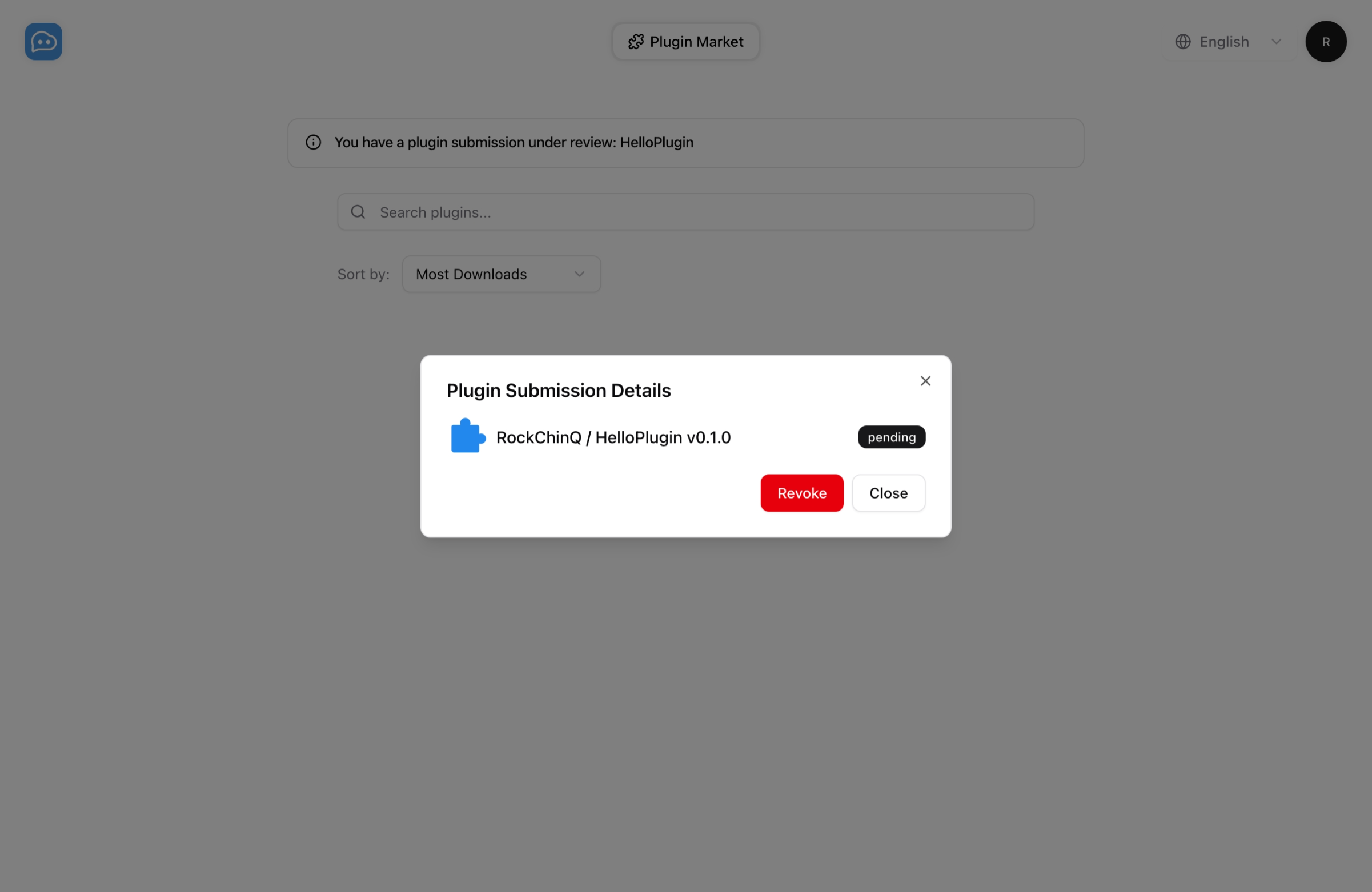
✅ Plugin published successfully. You can check it on https://https://space.langbot.app/market您现在可以在LangBot 插件市场查看您的插件提交任务。请等待审核通过后,您可以在插件市场查看您的插件。
有任何问题,您可以发送邮件到hello@langbot.app或通过社区联系我们。
Automatically synchronized from langbot-app/langbot-wiki.
简体中文
指南
开发者
- 插件开发
- 插件 SDK API
- 核心开发
文章
- 浏览
- 产品动态
- 技术解析
- 教程与集成
- 公告
API 参考
- Service API
English
Guides
Developers
-
Plugin Development
- Plugin Development Tutorial
- Completing Plugin Configuration Information
- Plugin Directory Structure
- Component Development
- Code Style Guide
- Migration Guide
- Publish Plugin
- Plugin SDK API
- Core Development
Articles
- Browse
- Product Updates
- Engineering
-
Tutorials & Integrations
- LangTARS: Open-Source AI Agent for Remote PC Control — Works with Dify, n8n & 10+ Messaging Platforms
- How to Connect DeepSeek R1 to WeChat, Discord & Telegram in 5 Minutes (FREE)
- Deploy Your Own AI Bot to Discord, Telegram & WeChat in 5 Minutes
- Finally Got My Dify Agent Working in Discord, Telegram and Slack
- How I Built a Multi-Platform AI Bot with Langflow's Drag-and-Drop Workflows
- How I Built a Multi-Platform AI Chatbot with n8n and LangBot
- LangBot 4.6.0 External Knowledge Base Tutorial: Integrating Dify with LangBot for RAG-powered Conversations
- Announcements
API Reference
- Service API
Other pages
日本語
ガイド
開発者
- プラグイン開発
- プラグイン SDK API
- コア開発
記事
- 一覧
- 製品アップデート
- エンジニアリング
-
チュートリアルと連携
- LangTARS:Dify・n8n と連携するオープンソース PC 操作 Agent
- DeepSeek R1 を WeChat・Discord・Telegram に5分で接続する方法
- AI Bot を Discord・Telegram・WeChat に5分でデプロイ
- Dify Agent を Discord・Telegram・Slack で動かす
- Langflow のドラッグ&ドロップでマルチプラットフォーム AI Bot を構築
- n8n と LangBot でマルチプラットフォーム AI Chatbot を構築
- LangBot 4.6.0 外部ナレッジベース入門:Dify と連携した RAG 会話
- お知らせ
API リファレンス
- Service API